Your website navigation is like the front door of your business—if it’s confusing, cluttered, or hard to use, visitors won’t stick around. In 2026, with users expecting near-instant access to information, poor navigation can directly impact your conversions, credibility, and customer trust.
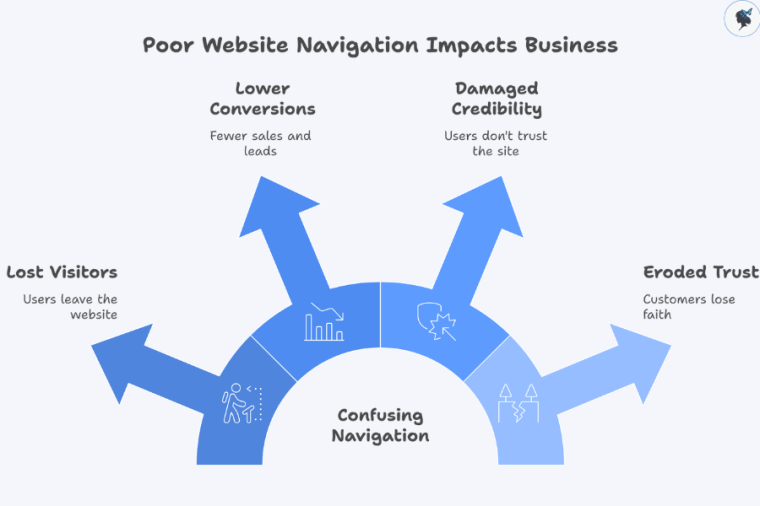
Poor website navigation impacts business
Many small businesses unknowingly make common navigation mistakes that frustrate users and drive them away. This article breaks down five of the most frequent issues—and gives you quick, practical fixes you can apply right away.
This guide is designed for small business owners and managers who want to improve their website without needing deep technical expertise. Need help? Contact us today!
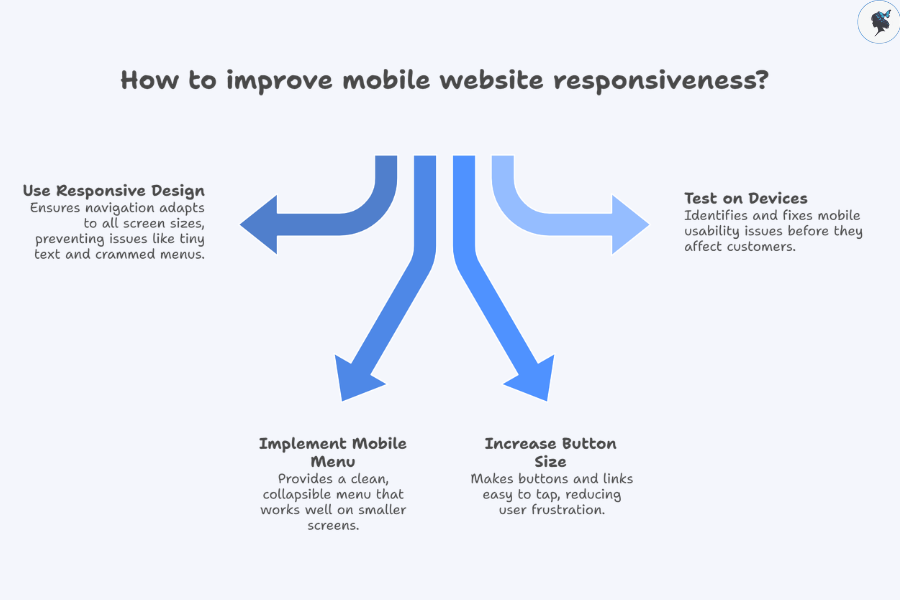
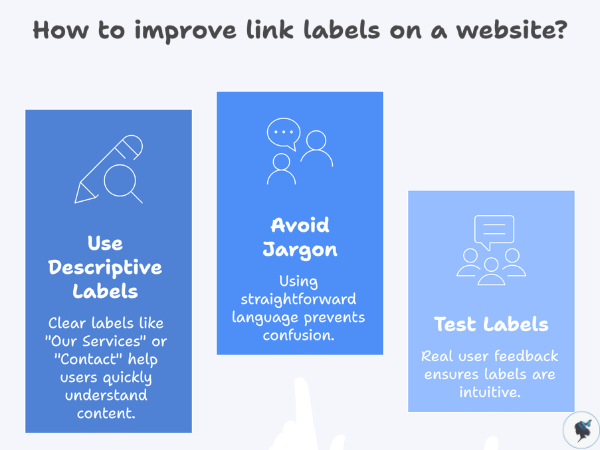
Mistake 1: Overly Complicated or Cluttered Navigation Menu
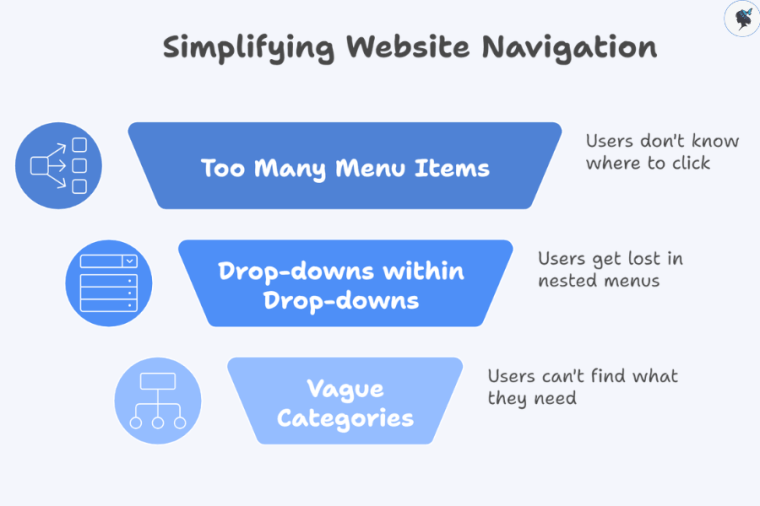
Simplifying website navigation
This often looks like:
Too many menu items (10+ links in the main navigation)
Drop-downs within drop-downs
Vague or overlapping categories
Why it’s a problem:
Users feel overwhelmed and don’t know where to click
Important pages get buried
It creates a “messy” and unprofessional impression
Relatable scenario: It’s like walking into a small shop where every product is crammed into the front window—nothing stands out, so customers walk away.
If you want more customers to find your business online, keyword research is one of the most important marketing activities you can do.
Keywords are the words and phrases people type into search engines when they are looking for products, services, or information. When your website content matches those search terms, search engines like Google are more likely to show your site in the results.
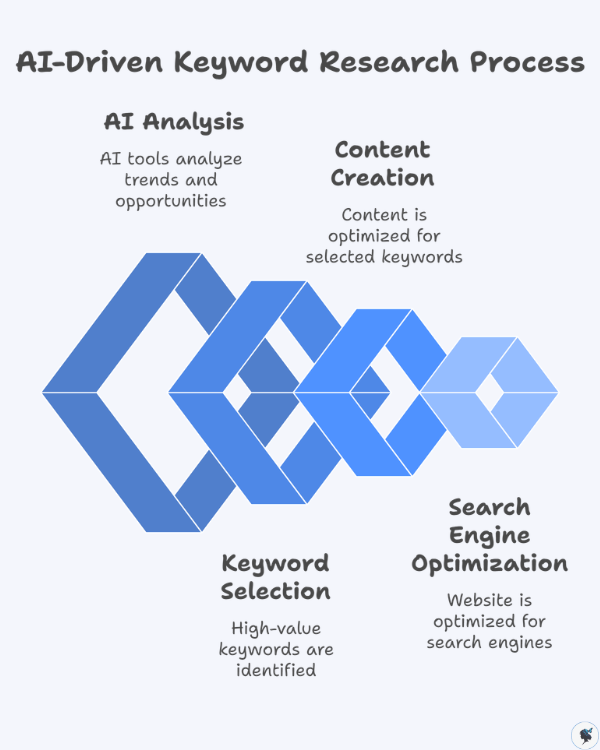
AI-driven keyword research process
For example, someone searching for “affordable wedding photographer in Chicago” is clearly looking for a specific service. If your website targets that phrase, you have a much better chance of appearing in the search results.
The challenge is that traditional keyword research can be time-consuming and confusing—especially for small business owners without an SEO background.
That’s where artificial intelligence (AI) comes in.
AI-powered tools can generate keyword ideas, analyze search trends, and uncover valuable opportunities within seconds. Instead of spending hours brainstorming and analyzing spreadsheets, small businesses can now use AI to streamline the entire process.
This shift is already happening across the marketing industry. According to SEO research, 63% of SEO professionals now use AI tools for keyword research and optimization.
At the same time, search itself is evolving. Google’s AI-powered search features now reach more than 1.5 billion users every month, changing how people discover information online.
For small businesses, this presents an exciting opportunity. With the right AI tools and strategy, you can identify high-value keywords, create better content, and compete with larger brands online.
In this guide, we’ll explain how AI helps with keyword research and show you practical methods and free tools you can start using today.
Why Keyword Research Is Important for Small Businesses
Keyword research helps businesses understand what potential customers are searching for and how to create content that meets those needs.
For small businesses, it can make the difference between a website that gets traffic and one that remains invisible online.
Many small businesses assume they cannot compete with larger companies in search results. However, effective keyword research helps level the playing field.
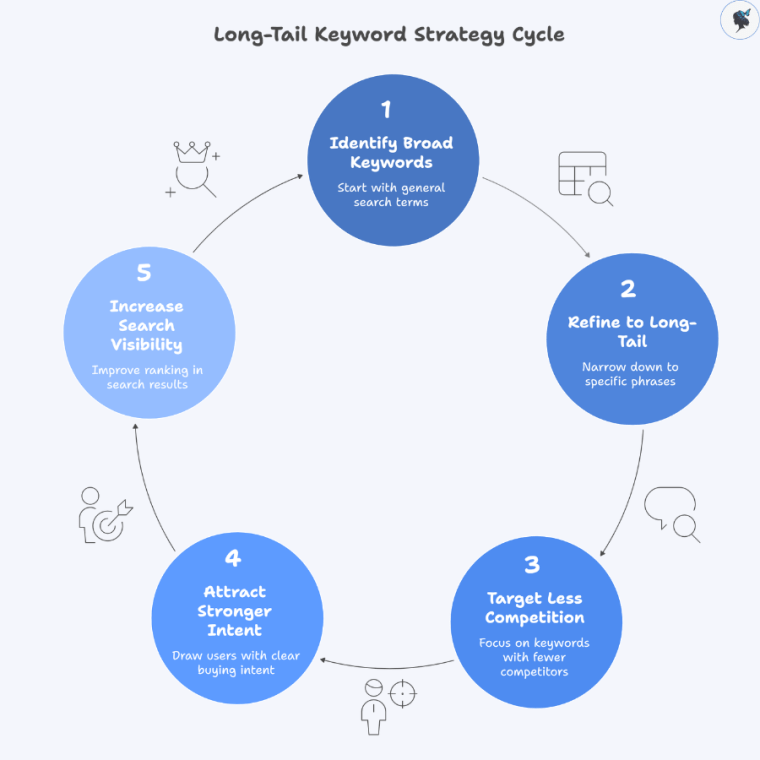
Long-tail keyword strategy cycle
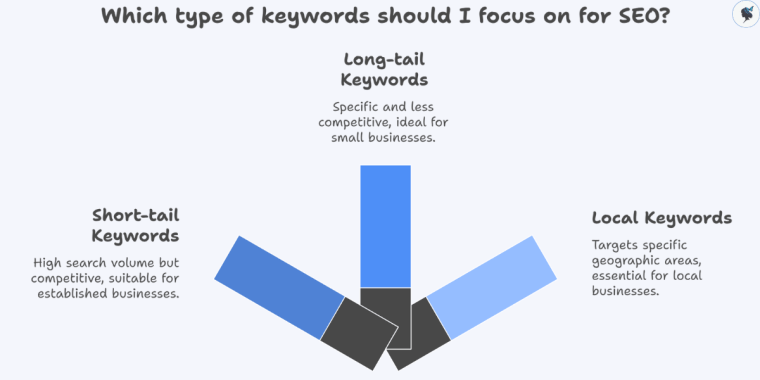
Instead of targeting broad, competitive keywords like:
coffee shop
plumber
running shoes
Small businesses can focus on long-tail keywords, which are more specific search phrases.
For example:
best coffee shop for studying
emergency plumber open late
running shoes for flat feet
These longer search queries often have less competition and attract users with stronger buying intent.
In fact, long-tail keywords account for roughly 70% of all search traffic, making them one of the most powerful opportunities for smaller websites.
Understanding What Customers Are Searching For
Keyword research provides valuable insight into your customers’ needs, problems, and questions.
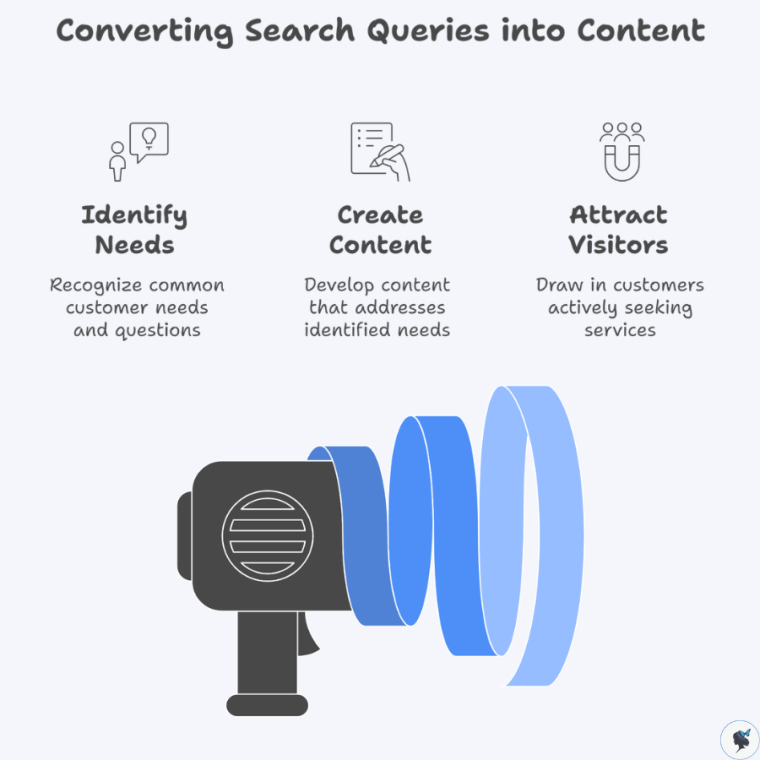
Converting search queries into content
For example, a roofing company might discover that people frequently search for:
roof repair cost
how long does a roof last
emergency roof repair near me
Each of these search queries represents a potential piece of content your business can create.
When your website answers these questions, it naturally attracts visitors who are already looking for your services.
Driving High-Quality Website Traffic
Not all website traffic is equally valuable.
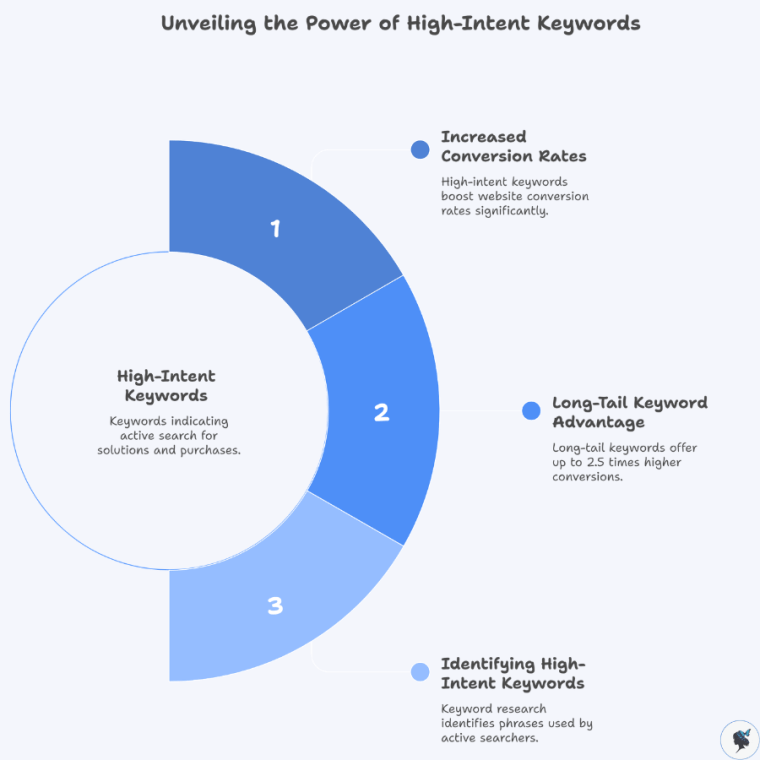
Unveiling the power of high-intent keywords
Some visitors are simply browsing, while others are ready to make a purchase.
Keyword research helps you identify high-intent keywords, which are phrases used by people actively searching for solutions.
For example:
Low-intent keyword:
office chairs
High-intent keyword:
best ergonomic office chair under $300
Specific keywords like this often lead to higher conversion rates.
Research shows that long-tail keywords can generate conversion rates up to 2.5 times higher than short keywords.
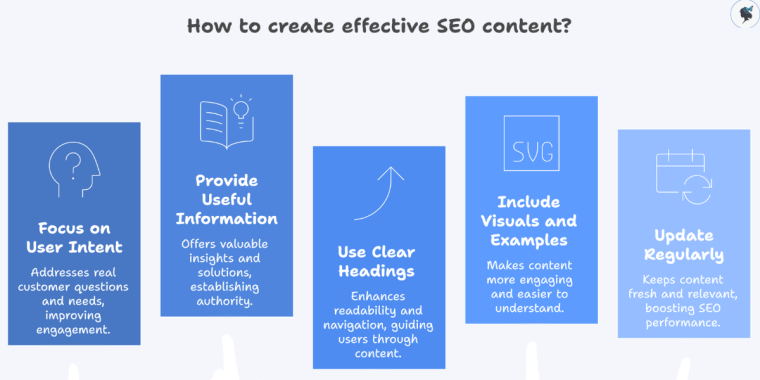
Improving Your Content Strategy
Keyword research also helps guide your content marketing strategy.
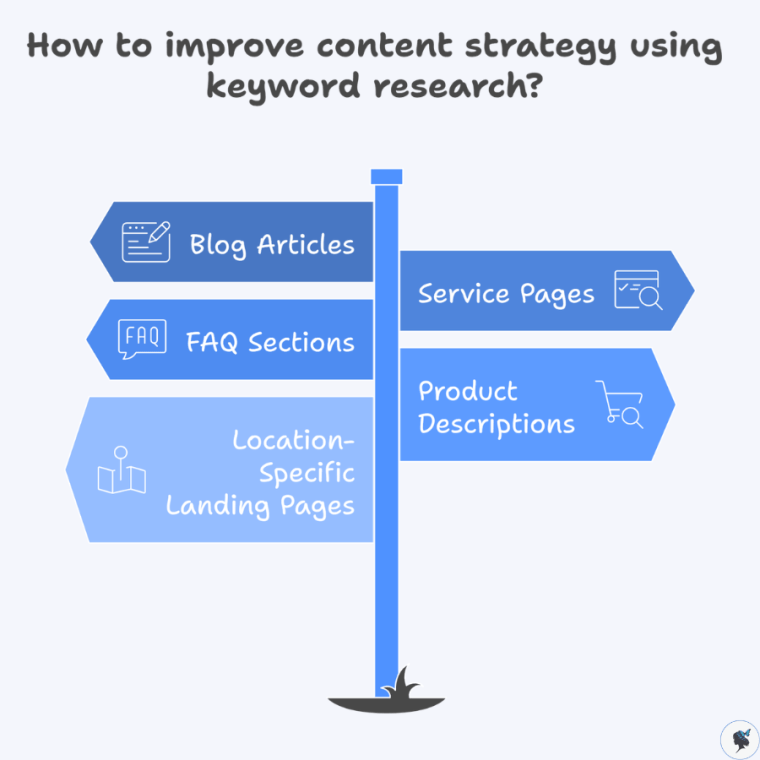
How to improve content strategy using keyword research?
Instead of guessing what topics to write about, you can use keyword data to understand what people actually want to learn.
Small businesses can use keywords to create:
blog articles
service pages
FAQ sections
product descriptions
location-specific landing pages
This ensures your content aligns with real search demand. More content ideas here.
Unlocking Local SEO Opportunities
Local search is especially important for small businesses.
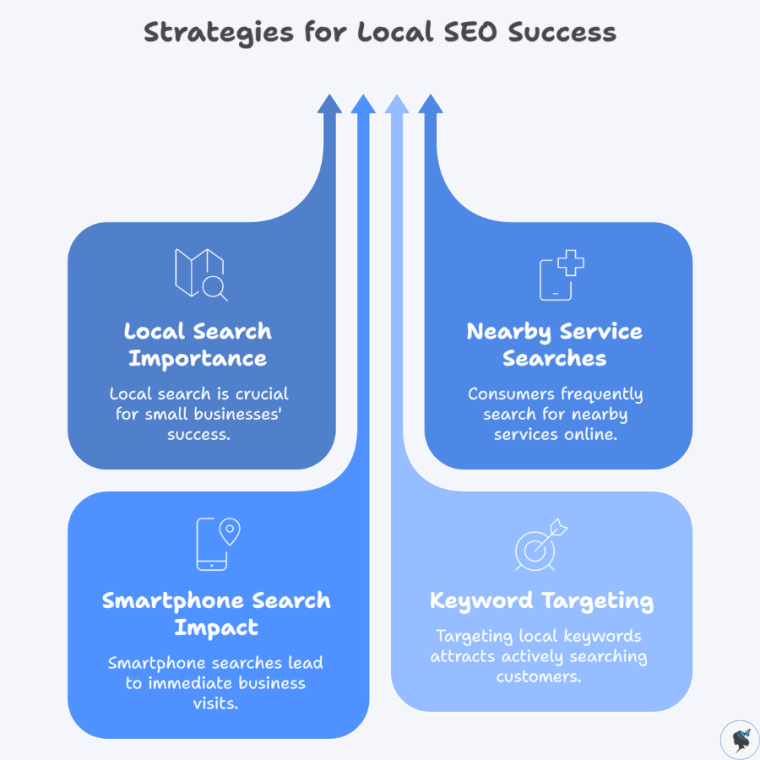
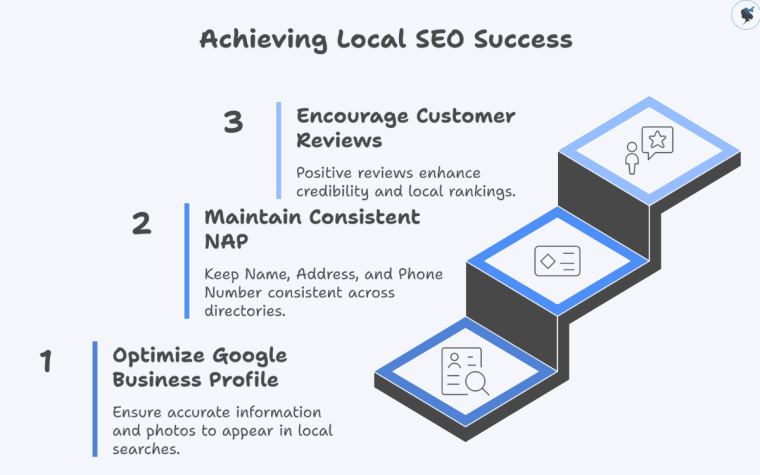
Strategies for Local SEO success
Consumers frequently search for nearby services using phrases like:
dentist near me
bakery in Seattle
plumber open now
Google reports that 76% of people who search for something nearby on their smartphone visit a business within 24 hours.
By targeting local keywords, small businesses can attract customers who are actively looking for nearby services.
How AI Is Changing Keyword Research
Artificial intelligence is transforming how businesses approach SEO and keyword research.
Traditional keyword research often required hours of manual work—brainstorming keyword ideas, analyzing search data, and reviewing spreadsheets.
AI tools now automate much of this process.
Faster Keyword Discovery
AI can analyze large amounts of search data and generate hundreds of keyword ideas instantly.
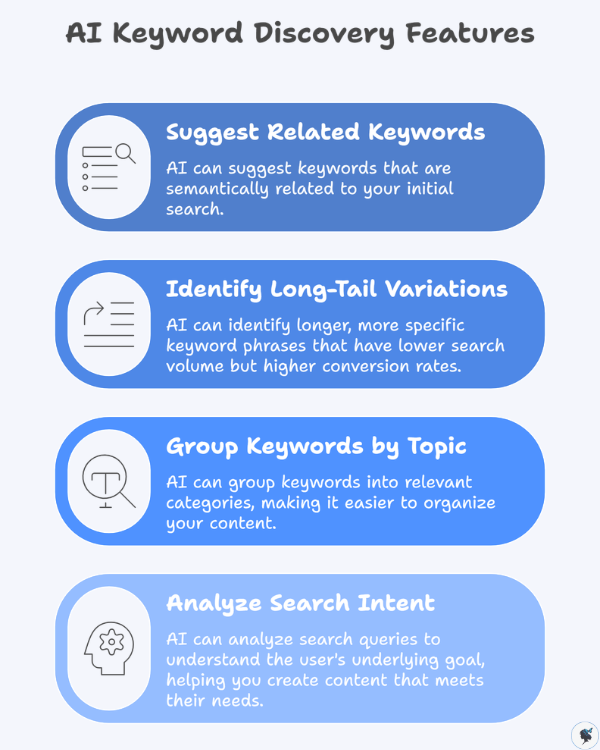
AI keyword discovery features
These tools can:
suggest related keywords
identify long-tail variations
group keywords by topic
analyze search intent
Instead of manually brainstorming dozens of keywords, AI can provide an extensive list within seconds.
Identifying Search Intent
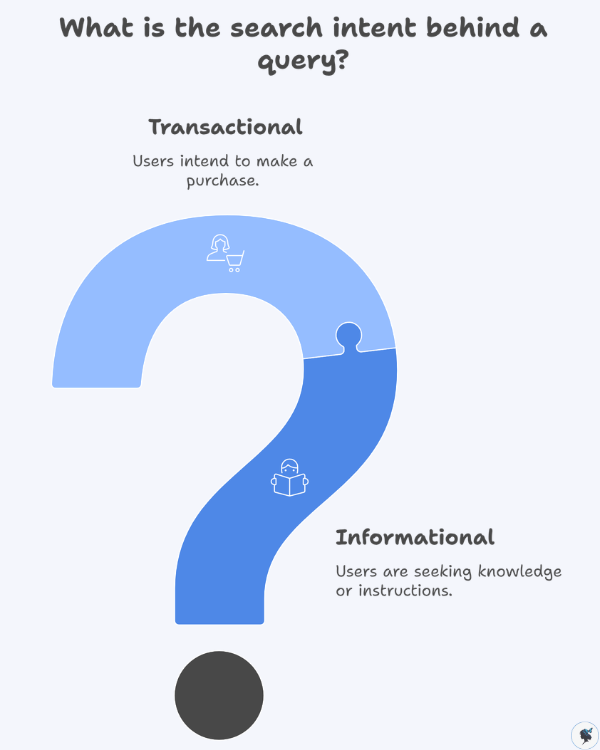
Search intent refers to the reason behind a search query.
What is the search intent behind a query?
For example:
Informational search:
how to fix a leaking faucet
Transactional search:
buy kitchen faucet online
AI tools can help categorize keywords based on user intent, allowing businesses to create content that matches what searchers want.
Finding Content Opportunities
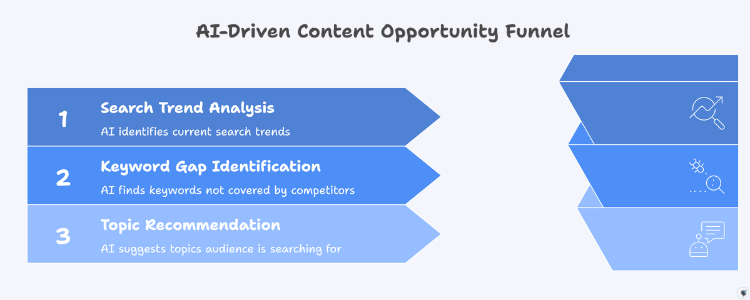
AI can also identify keyword gaps and content opportunities.
AI-driven content opportunity funnel
By analyzing competitor content and search trends, AI tools can recommend topics your audience is actively searching for.
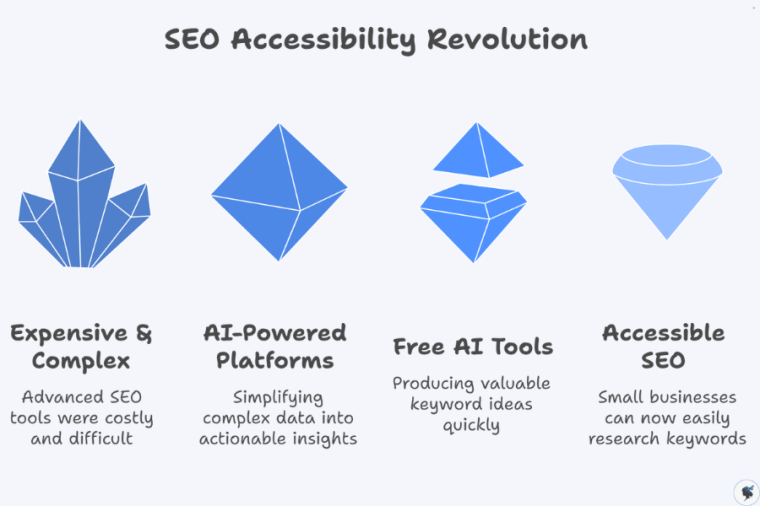
In the past, many advanced SEO tools were expensive and difficult to use.
SEO accessibility revolution
AI-powered platforms now make keyword research more accessible for small businesses by simplifying complex data into actionable insights.
Even free AI tools can produce valuable keyword ideas quickly.
Practical Ways to Use AI for Keyword Research
Let’s explore several simple methods small businesses can use to find valuable keywords using AI and free tools.
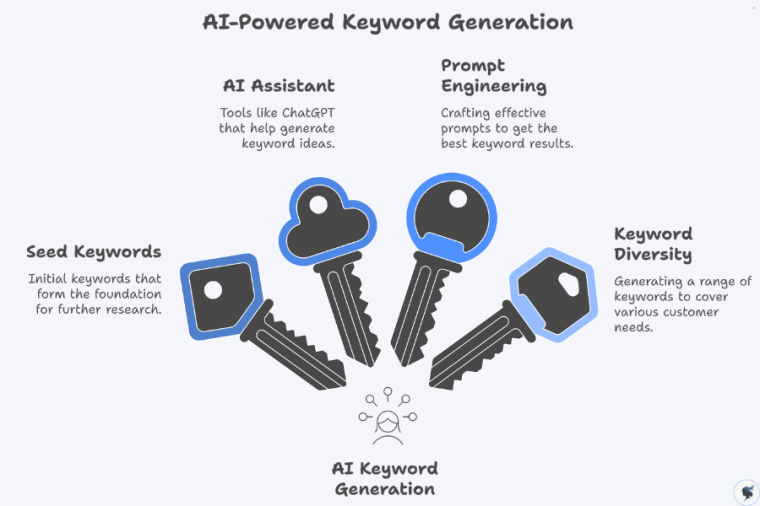
1. Generate Keyword Ideas with AI
AI assistants such as ChatGPT or Google Gemini can quickly generate keyword ideas based on your business description.
AI-powered keyword generation
Example prompt:
“Generate 20 SEO keywords for a small bakery specializing in gluten-free desserts.”
Possible results may include:
gluten free bakery near me
gluten free birthday cake
dairy free cupcakes
vegan gluten free desserts
gluten free wedding cake
These are called seed keywords, which serve as the starting point for deeper keyword research.
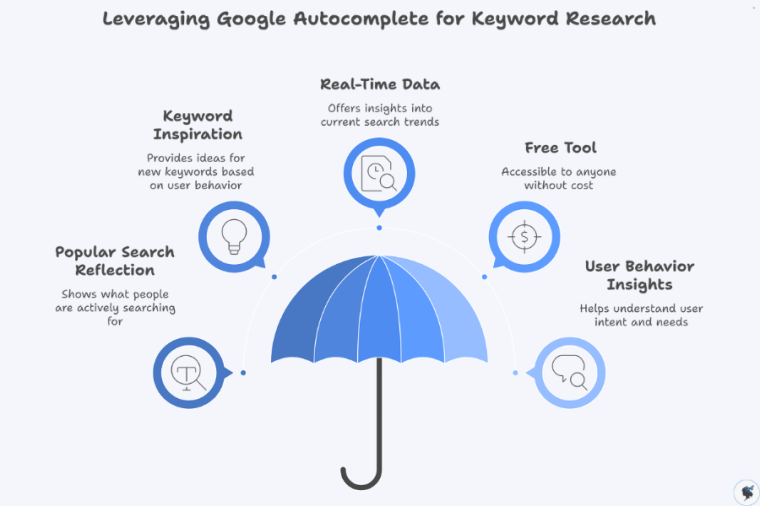
2. Use Google Autocomplete
Google itself is one of the best free keyword research tools.
Leveraging Google autocomplete for keyword research
When you begin typing a search query, Google displays autocomplete suggestions based on popular searches.
For example, typing:
best coffee shop for
might generate suggestions such as:
best coffee shop for studying
best coffee shop for remote work
best coffee shop for meetings
These suggestions reflect real search behavior and can inspire valuable keyword ideas.
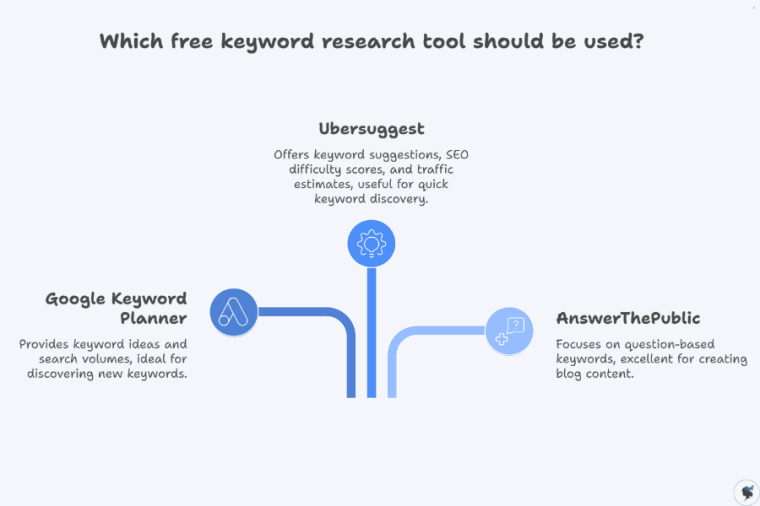
3. Use Free Keyword Research Tools
Several free tools provide useful keyword data.
Which free keyword research tool should be used?
Google Keyword Planner
Google Keyword Planner allows users to discover keyword ideas and view estimated search volumes.
Steps:
Create a free Google Ads account
Select “Discover new keywords”
Enter a keyword related to your business
Review suggested keywords and search volume data
Example results for “home cleaning service” might include:
house cleaning cost
professional home cleaning
deep cleaning house
Ubersuggest
Ubersuggest provides:
keyword suggestions
SEO difficulty scores
traffic estimates
content ideas
For example, searching “yoga classes” may reveal:
yoga classes for beginners
online yoga classes
yoga classes near me
This helps businesses discover new keyword opportunities quickly.
AnswerThePublic
AnswerThePublic focuses on question-based keywords, which are excellent for blog content.
Example search: “lawn care”
Possible results:
how often should you water your lawn
when should you fertilize grass
how to repair patchy lawn
These questions are ideal for creating helpful blog posts.
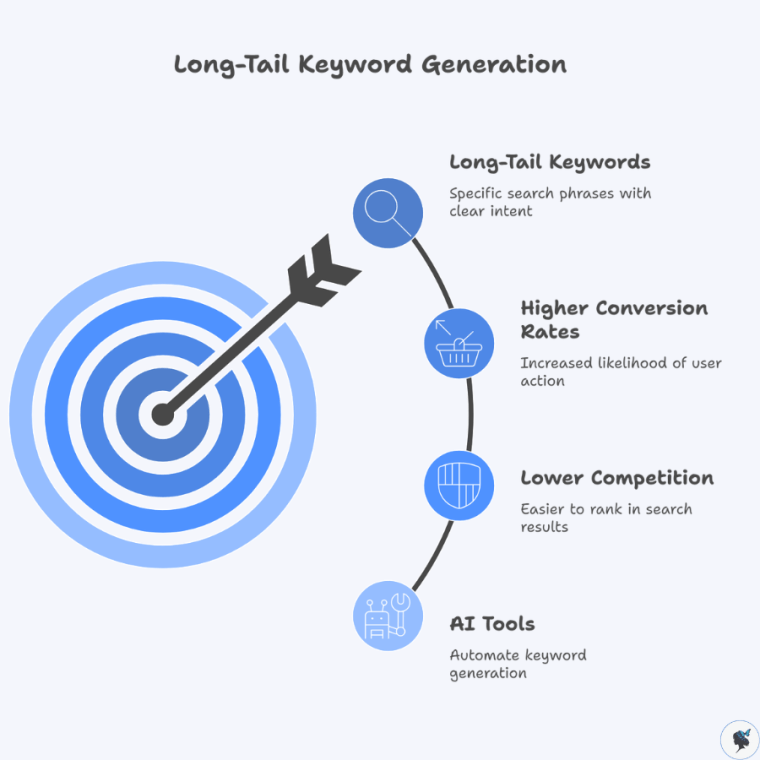
4. Generate Long-Tail Keywords with AI
Long-tail keywords are longer, more specific search phrases.
Long-tail keyword generation
Example:
Short keyword:
running shoes
Long-tail versions:
best running shoes for beginners
running shoes for flat feet
lightweight running shoes for marathon training
Long-tail keywords typically have:
lower competition
higher conversion rates
clearer search intent
AI tools can generate dozens of long-tail variations from a single keyword.
5. Analyze Competitor Keywords
Another useful technique is analyzing competitor content.
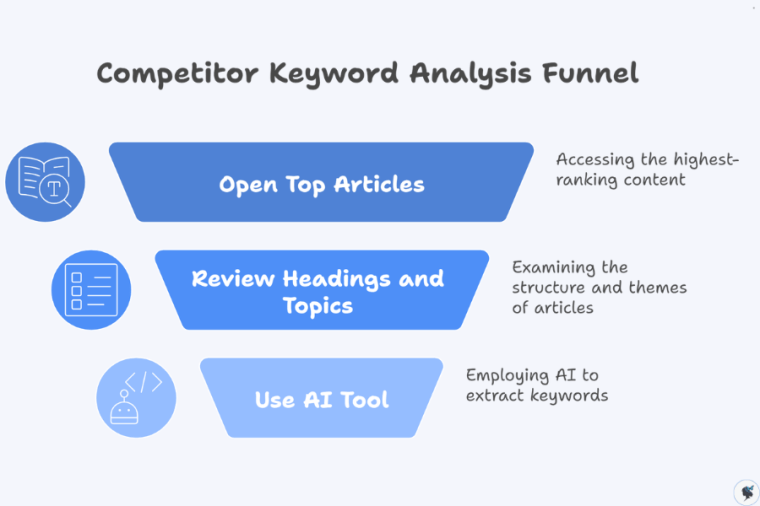
Competitor keyword analysis funnel
Steps:
Search your target keyword on Google
Open the top-ranking articles
review their headings and topics
You can also paste the content into an AI tool and ask:
“Extract the primary SEO keywords from this article.”
This helps identify keyword opportunities your competitors may already be targeting.
6. Turn Keywords Into Content Ideas
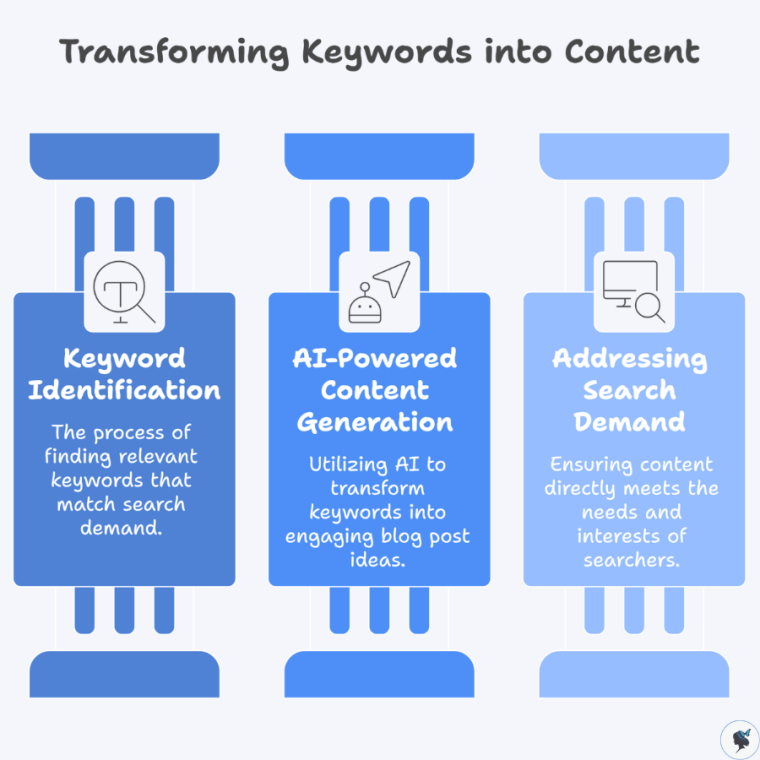
Once you have a keyword list, AI can help transform those keywords into blog topics.
Transforming keywords into content
Example keyword:
home office setup for small spaces
AI-generated ideas may include:
10 Home Office Setup Ideas for Small Spaces
Budget-Friendly Home Office Setup Guide
How to Create a Productive Workspace in a Small Apartment
This ensures your content directly addresses real search demand.
Actionable Steps to Start Using AI for Keyword Research
AI tools have made keyword research easier, faster, and more accessible than ever before.
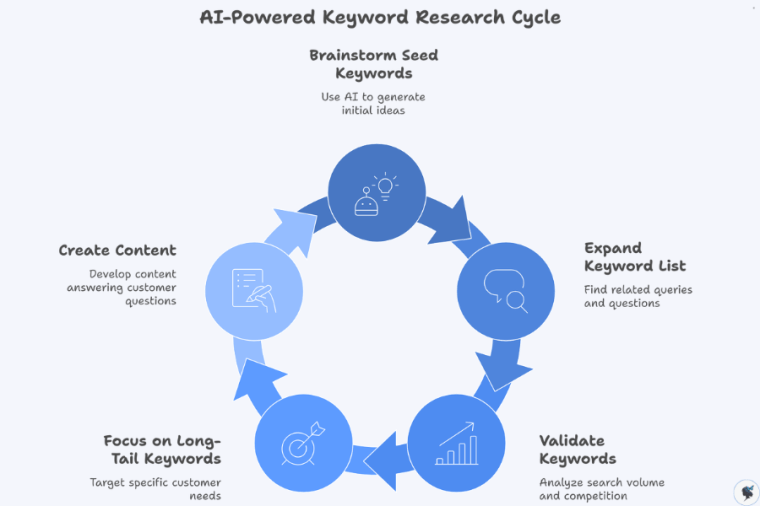
AI-powered keyword research cycle
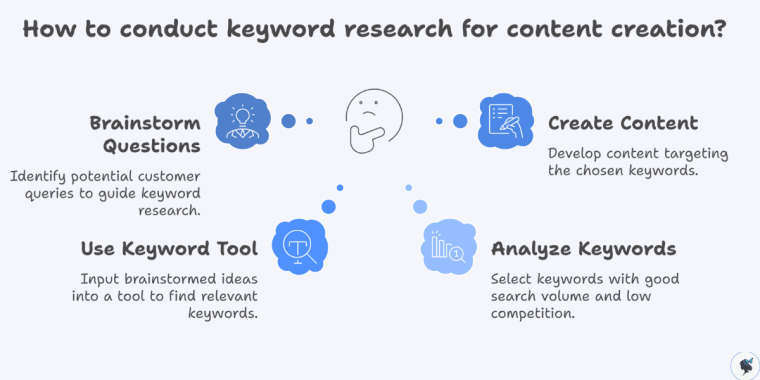
Small businesses can start benefiting from AI-powered keyword research today with just a few simple steps.
Step 1: Brainstorm seed keywords
Use AI tools to generate a list of keyword ideas related to your business.
Step 2: Expand your keyword list
Use Google Autocomplete and AnswerThePublic to find related search queries and questions.
Step 3: Validate keywords
Use Google Keyword Planner or Ubersuggest to analyze search volume and competition.
Step 4: Focus on long-tail keywords
Target specific phrases that reflect customer needs and search intent.
Step 5: Create content around those keywords
Develop blog posts, service pages, and FAQs that answer common customer questions.
Final Thoughts
AI is transforming how businesses approach keyword research and SEO.
Instead of relying on guesswork and manual analysis, small businesses can now use AI tools to quickly discover high-value keywords and content opportunities.
By combining AI-powered insights with helpful, relevant content, small businesses can improve their visibility in search results and attract more potential customers online.
The best part is that many of these tools are free or low cost, making them accessible to businesses of any size.
With a little experimentation and the right strategy, AI-powered keyword research can become one of the most powerful tools in your digital marketing toolkit.
Introduction: Why SEO Matters for Small Businesses
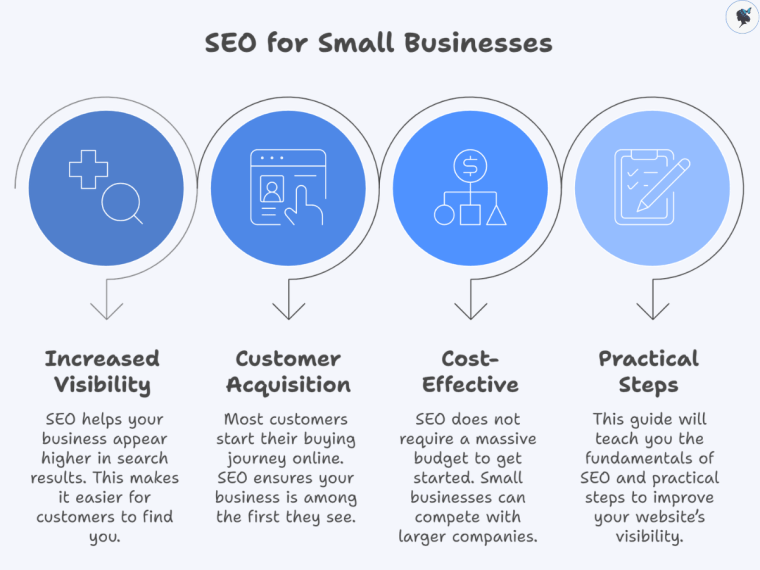
If you run a small business, you probably want more customers to find you online. One of the most effective ways to achieve that is through Search Engine Optimization (SEO).
SEO is the process of improving your website so that it appears higher in search engine results when people search for products or services related to your business. For example, if someone searches for “best bakery near me,” SEO helps ensure your bakery appears among the results.
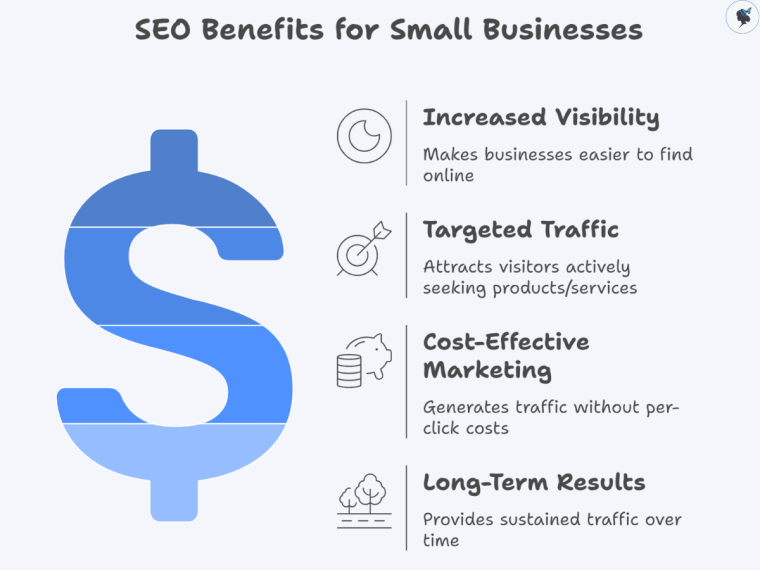
SEO is incredibly important for small businesses because most customers start their buying journey online. Research shows that organic search drives more than 50% of website traffic, making it one of the largest sources of visitors for businesses online.
SEO for small businesses
The good news is that SEO does not require a massive budget to get started. With the right strategies and consistent effort, small businesses can compete with larger companies in search results.
In this guide, you’ll learn the fundamentals of SEO and practical steps to improve your website’s visibility.
Understanding SEO Basics
What Is SEO?
Search Engine Optimization (SEO) refers to the process of improving a website’s visibility in search engines like Google. The goal is to attract organic (unpaid) traffic from people who are searching for information, products, or services.
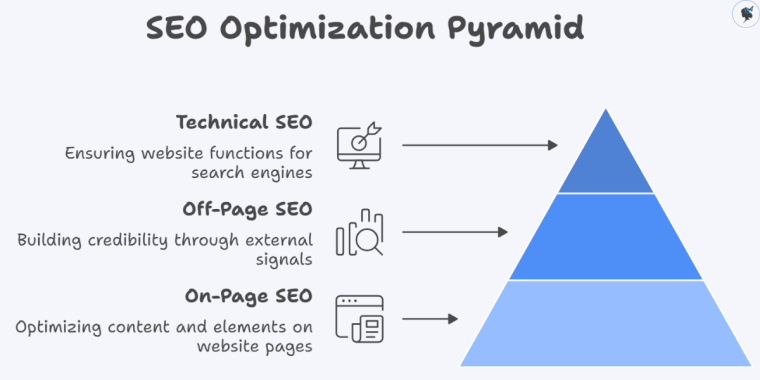
SEO optimization pyramid
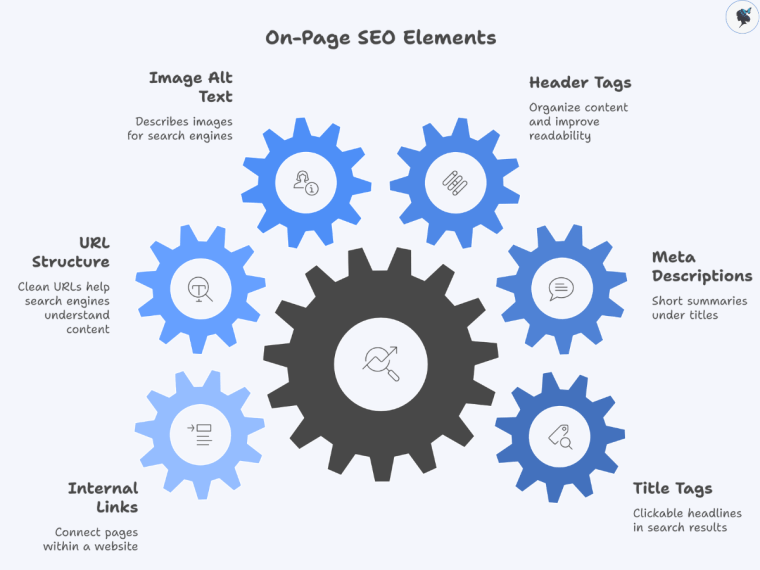
SEO typically consists of three main components:
On-page SEO Optimizing the content and elements on your website pages.
Off-page SEO Building credibility and authority through external signals such as backlinks.
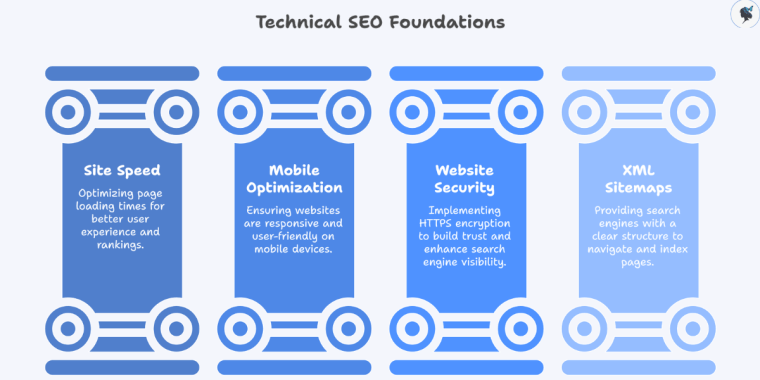
Technical SEO Ensuring your website functions properly so search engines can crawl and index it.
When these three components work together, search engines can better understand your website and rank it higher for relevant searches.
How do Search Engines Work?
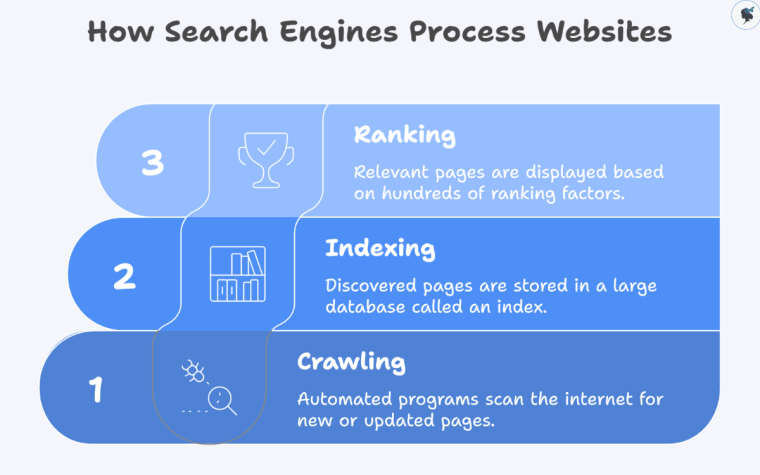
How search engines process websites
Search engines follow three main steps when processing websites:
Crawling
Search engines use automated programs called crawlers or spiders to scan the internet and discover new or updated pages.
Indexing
Once a page is discovered, it is stored in a large database called an index. This index contains billions of webpages.
Ranking
When a user performs a search, the search engine analyzes its index and displays the most relevant pages based on hundreds of ranking factors.
These factors include content relevance, page quality, user experience, and website authority.
SEO is a long-term strategy, so tracking progress is essential.
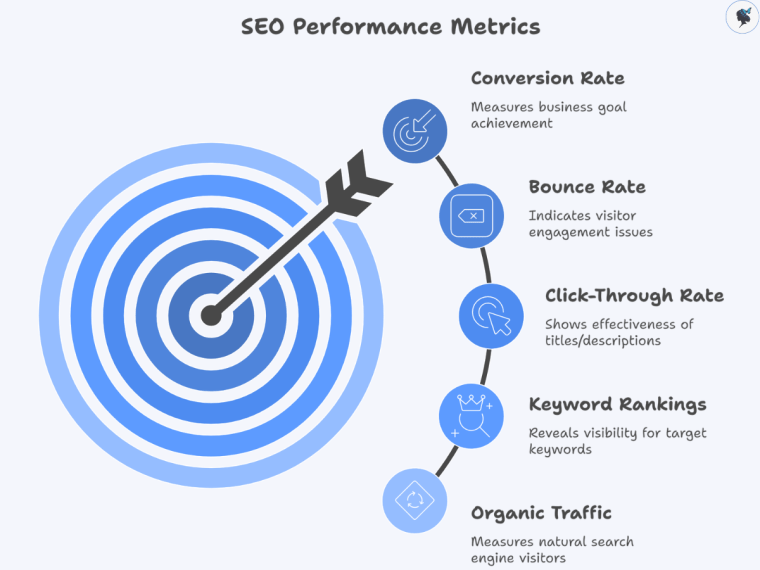
Key Metrics to Monitor
SEO performance metrics
Important SEO metrics include:
Organic traffic The number of visitors arriving from search engines. Organic traffic shows how many people find your website naturally, and increases here indicate that your SEO efforts are effectively improving visibility.
Keyword rankings Where your website appears for target keywords. Monitoring keyword rankings helps you understand which search terms you are visible for and identify opportunities to improve your position in search results.
Click-through rate (CTR) The percentage of users who click your result. A high CTR means your title tags and meta descriptions are compelling, which helps drive more traffic even if your ranking doesn’t change.
Bounce rate The percentage of visitors who leave without interacting. A high bounce rate can indicate that visitors aren’t finding what they expected, signaling potential issues with content relevance or user experience.
Conversion rate How many visitors become customers. Conversion rate measures the actual impact of your SEO traffic on your business goals, showing whether visitors are taking meaningful actions.
Essential SEO Tools
These tools help monitor performance:
Google Analytics
Google Search Console
Semrush
Ahrefs
Moz
They provide insights into traffic, rankings, and website performance.
Common SEO Mistakes Small Businesses Should Avoid
Many beginners make similar SEO mistakes.
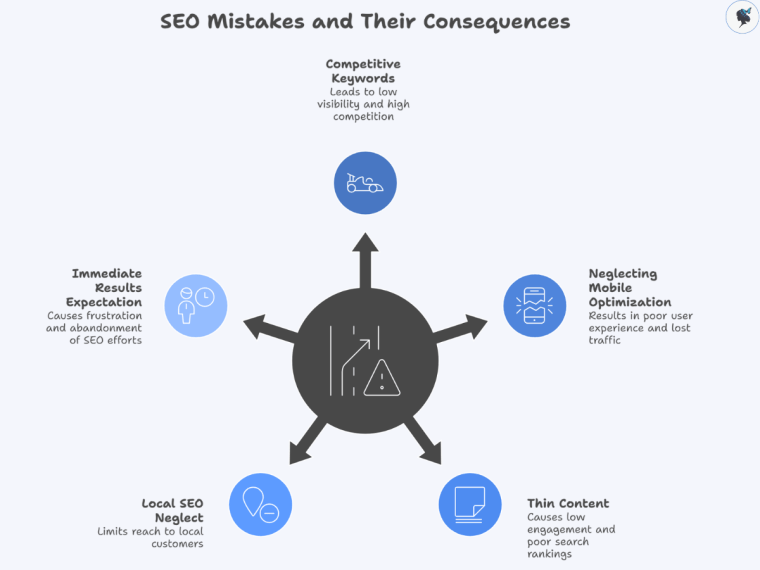
SEO mistakes and their consequences
Common ones include:
Targeting extremely competitive keywords
Ignoring mobile optimization
Publishing thin or low-quality content
Neglecting local SEO
Expecting immediate results
SEO takes time, but consistent improvements can lead to significant growth.
SEO Trends Small Businesses Should Watch
Search engine optimization continues to evolve.
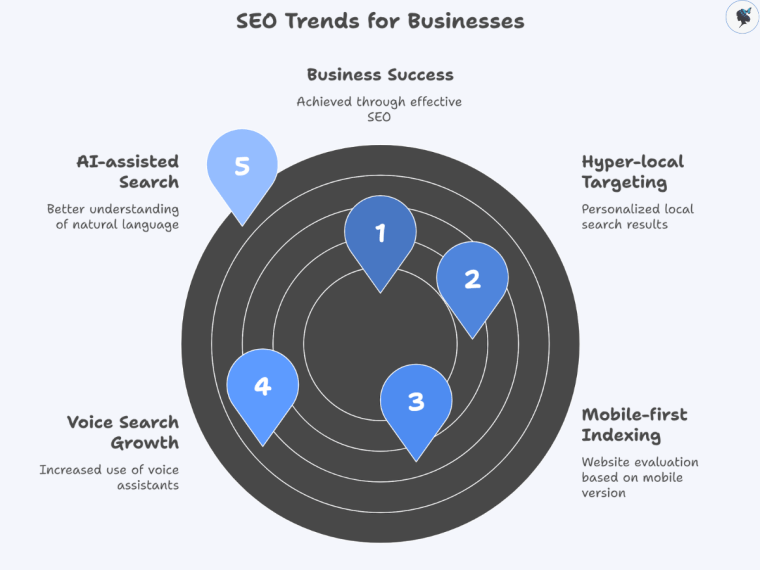
SEO trends for businesses
Important trends include:
AI-assisted search Search engines are becoming better at understanding natural language.
Spring is often a transitional season, but for travel agencies, it offers unique opportunities to attract and engage travelers. From cherry blossoms in Japan and the U.S. to birdwatching in wetland sanctuaries and spring festivals across Europe, the season is packed with experiences that travelers actively seek.
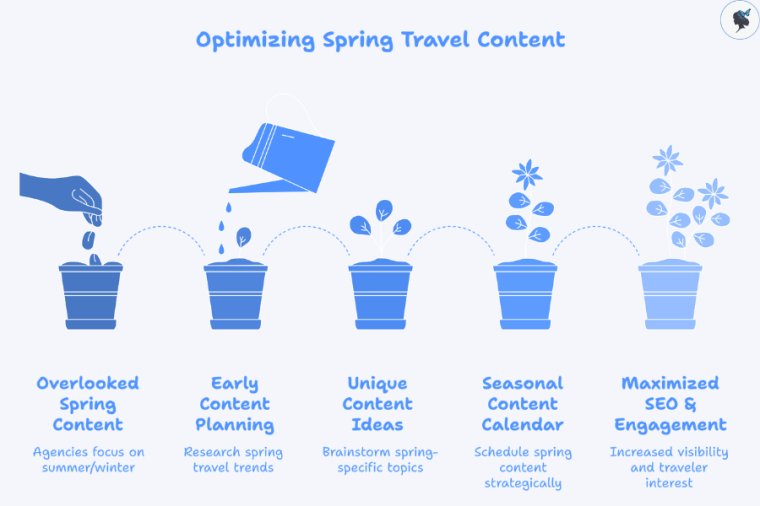
Optimizing spring travel content
Yet, spring content is frequently overlooked. Many agencies focus their efforts on summer vacations or winter holidays, leaving spring-specific topics under-optimized. According to Google Trends, searches for “spring break destinations” or “cherry blossom tours” spike in late winter to early spring, highlighting the importance of early content planning.
This blog provides actionable strategies for managing spring content, including common challenges, short-term fixes, long-term strategies, unique content ideas, and a seasonal content calendar to help travel agencies maximize SEO visibility and traveler engagement.
Spring Content Challenges
Understanding the challenges unique to spring content helps travel agencies develop effective strategies.
Spring content challenges for travel agencies
1. Lack of Early Ramp-Up
Many travelers begin planning spring trips late, resulting in missed opportunities for early bookings.
Agencies that fail to publish spring content early often see low traffic compared to summer or winter campaigns.
Focus on Long-Tail Keywords: Target queries like “best cherry blossom viewing in Tokyo spring 2026” to attract high-intent travelers.
Promote Across Channels: Use newsletters, social media, and paid search to drive traffic to spring content.
Incorporate Multimedia: Use high-quality images, videos, and interactive maps to enhance engagement.
Measure and Optimize: Track performance metrics using analytics tools and adjust strategy for improved results next season.
Conclusion
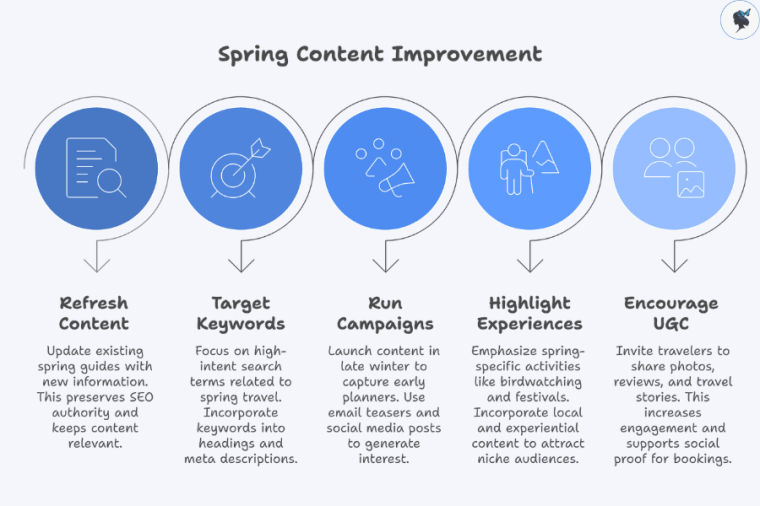
Spring content represents a prime opportunity for travel agencies to engage travelers during a transitional season. While challenges like limited early planning, time-sensitive events, and under-optimized SEO exist, implementing short-term fixes such as refreshing content, targeting spring-specific keywords, and leveraging UGC can quickly improve visibility and engagement.
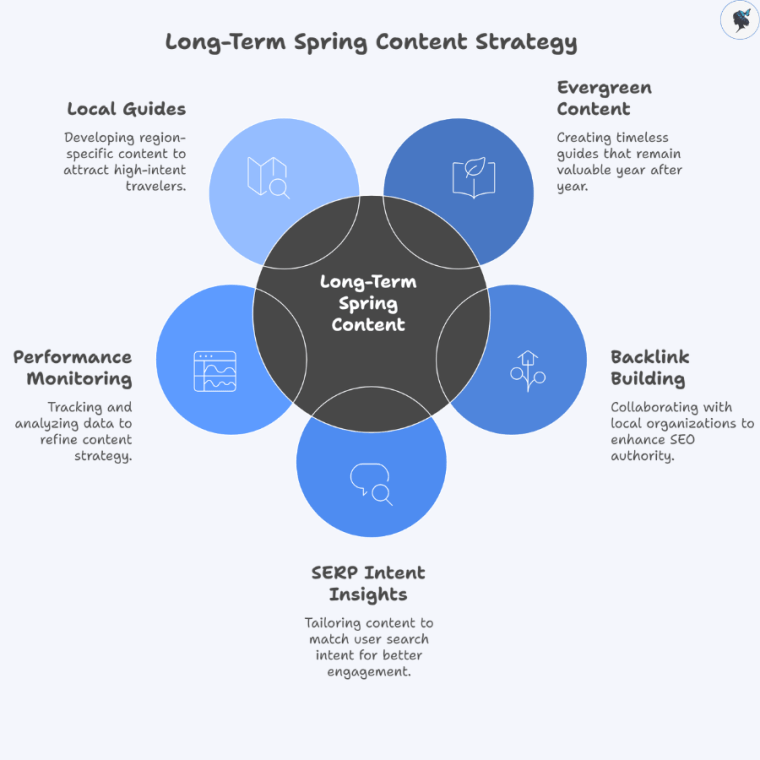
Long-term strategies, including evergreen guides, backlink building, SERP intent insights, and local content creation, ensure that spring content remains relevant and effective year after year.
By implementing these strategies and following a structured content calendar, travel agencies can maximize engagement, improve SEO performance, and convert seasonal interest into bookings.
Start auditing your spring content today. Update guides, incorporate regional experiences, and plan early campaigns to make your spring travel offerings stand out in a competitive market.
If you’re in the travel business — whether you run a tour operator, travel agency, or destination‑content site — you already know how fiercely competitive search is. The difference between page two and page one of Google often comes down to more than keyword stuffing. One of the most powerful tools you can use today is schema markup and its resulting rich results.
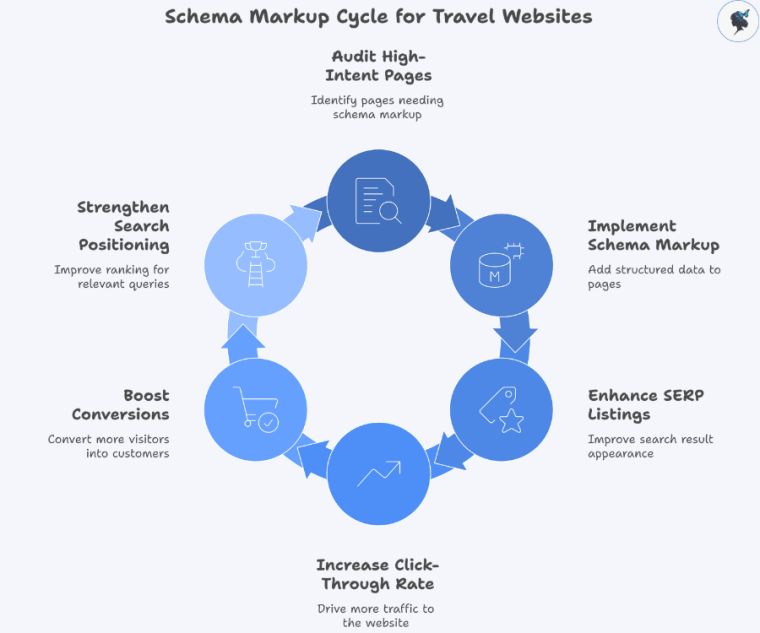
Schema markup cycle for travel websites
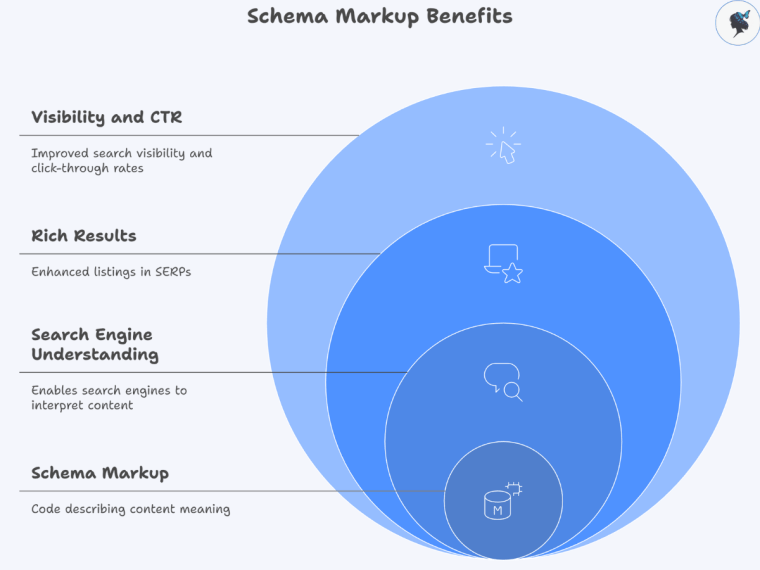
Schema markup is structured data (often in JSON‑LD format) that tells search engines exactly what your page is about: a tour, an event, an offer, an itinerary, a FAQ, and so on. Rich results are the enhanced listings you see in Google (star ratings, price, event dates, accordions) that make your SERP listing stand out. You might like our article: AI overview & SERP integration.
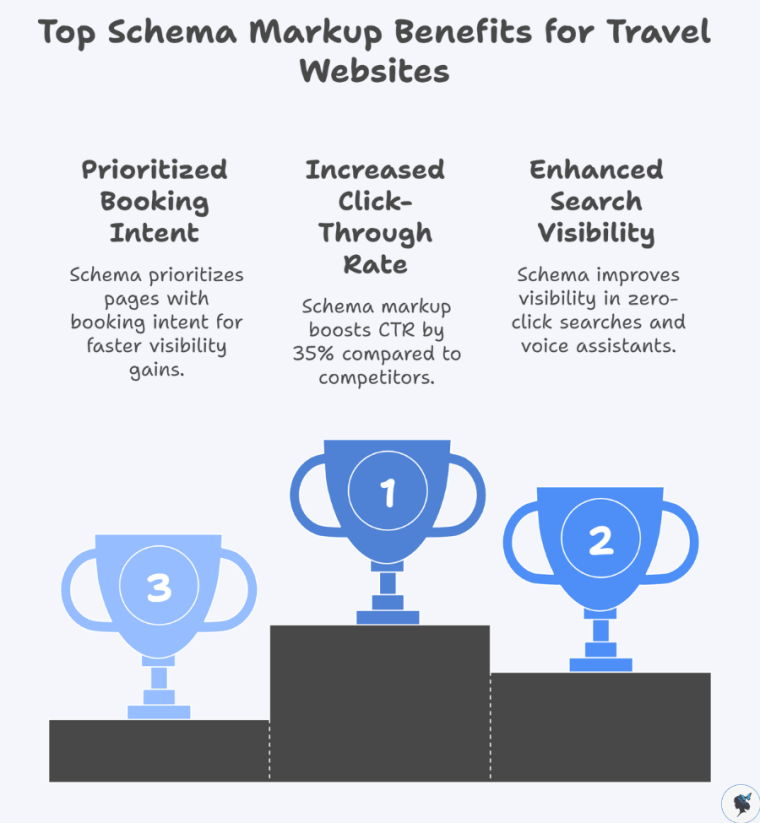
According to a recent article, travel websites that implement comprehensive schema markup see up to a 30%–35% improvement in click‑through rate (CTR) compared with sites without it.
For travel agencies, that means more organic traffic, better conversion opportunities, and stronger positioning in search for high‑intent traveller queries. Throughout this article we’ll explore what this means, the types of schema most relevant for travel (offers, itineraries, events, FAQs), how to implement them, and real‑world case examples.
Wander Women Hot Tip: Start by auditing your high‑intent pages (booking/offers, itineraries, event pages) and check whether they have any schema markup. If none, schedule them for markup as priority.
Importance of Schema Markup for Travel Content
Why It Matters
While it’s accurate that schema markup isn’t a direct ranking factor in Google’s algorithm, it has several indirect but highly valuable effects:
Rich results increase CTR. As noted, travel sites with robust schema reported up to a 30% increase in organic CTR.
It helps search engines better understand your content, which is particularly useful for complex travel content (itineraries, multi‑day tours, events).
Top benefits of schema markup for travel content
Why Travel Content Specifically
Travel content is complex: you have offers, tours, events, frequently updated inventory, seasonal packages. Read our article: managing seasonal content.
Without schema you’re relying purely on generic page content and hope search engines interpret it properly. For travel agencies:
Your offer pages (seasonal deals, last‑minute packages) benefit from Offer schema so that price/availability appear.
Your tours or multi‐day itineraries benefit from Tour/ItemList schema so search engines understand “day 1: city A; day 2: city B”.
Events and festivals (that drive travel) benefit from Event schema, which can surface your page in event carousels.
Wander Women Hot Tip: Prioritize the commercial decision pages (offers, booking pages, featured tours) for schema implementation first — these are more likely to convert once you attract traffic.
Types of Schema Markup Relevant to Travel Agencies
Here are key categories travel agencies should exploit.
Offers
Offer schema markup
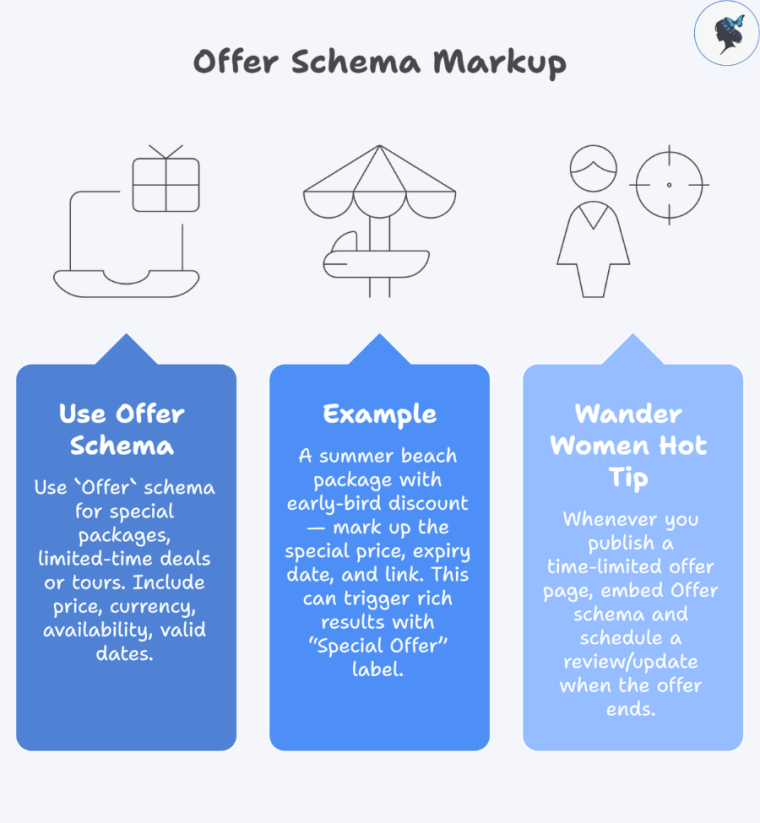
Use Offer schema for special packages, limited‑time deals or tours. Include price, currency, availability, valid dates.
Example: A summer beach package with early‑bird discount — mark up the special price, expiry date, and link. This can trigger rich results with “Special Offer” label.
Wander Women Hot Tip: Whenever you publish a time‑limited offer page (e.g., “Summer 2025 Beach Escape – 10% off if you book by 31 May”), embed Offer schema and schedule a review/update when the offer ends (so you avoid showing expired info to search engines).
Itineraries
Itinerary markup
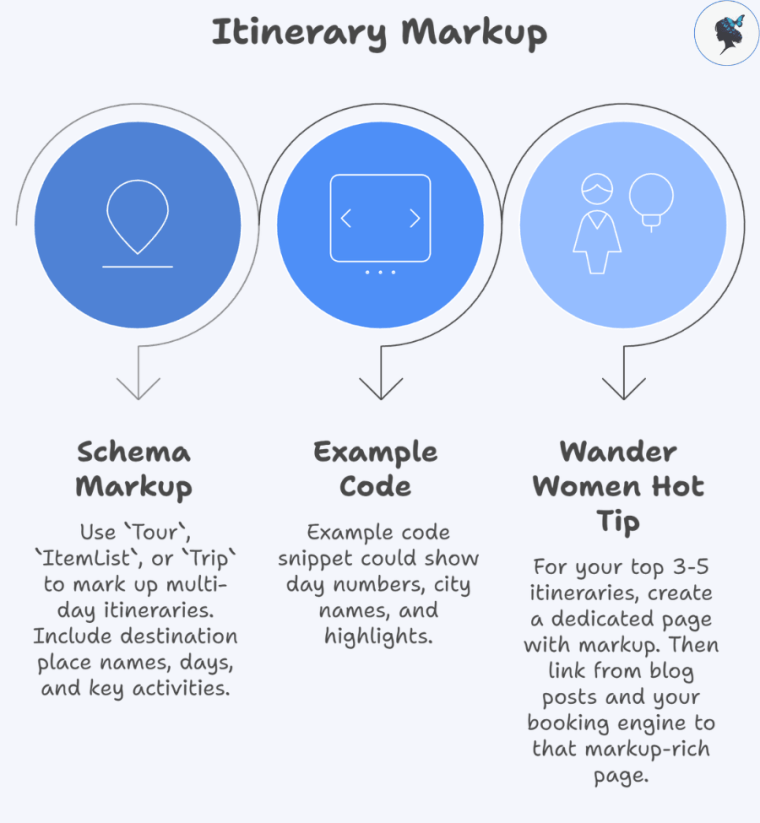
Use Tour, ItemList or Trip (depending on what schema vocabulary you choose) to mark up multi‑day itineraries. Include destination place names, days, key activities.
Example code snippet could show day numbers, city names, highlights.
Wander Women Hot Tip: For your top 3‑5 itineraries (eg: “7‑day Italy Highlights”, “10‑day Safari & Beach”) create a dedicated page with markup. Then link from blog posts and your booking engine to that markup‑rich page.
Events
Event schema markup
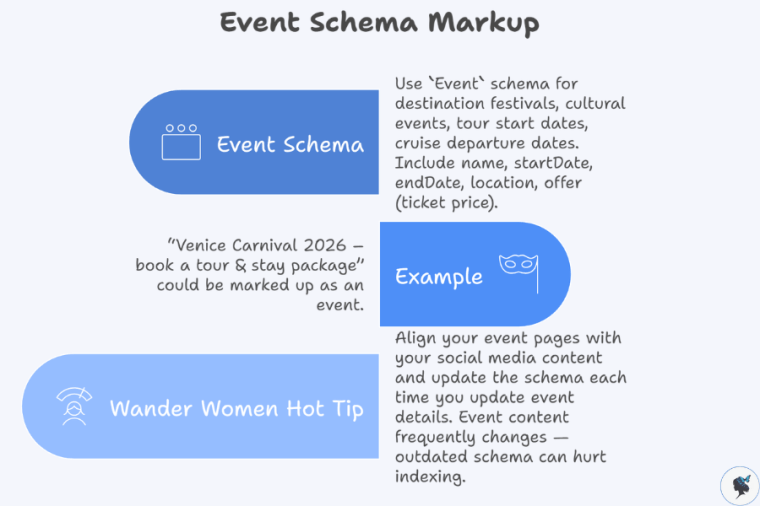
Use Event schema for destination festivals, cultural events, tour start dates, cruise departure dates. Include name, startDate, endDate, location, offer (ticket price).
Example: “Venice Carnival 2026 – book a tour & stay package” could be marked up as an event.
Wander Women Hot Tip: Align your event pages with your social media content and update the schema each time you update event details. Event content frequently changes — outdated schema can hurt indexing. More about aligning social media calendars here.
FAQs
FAQ visibility cycle
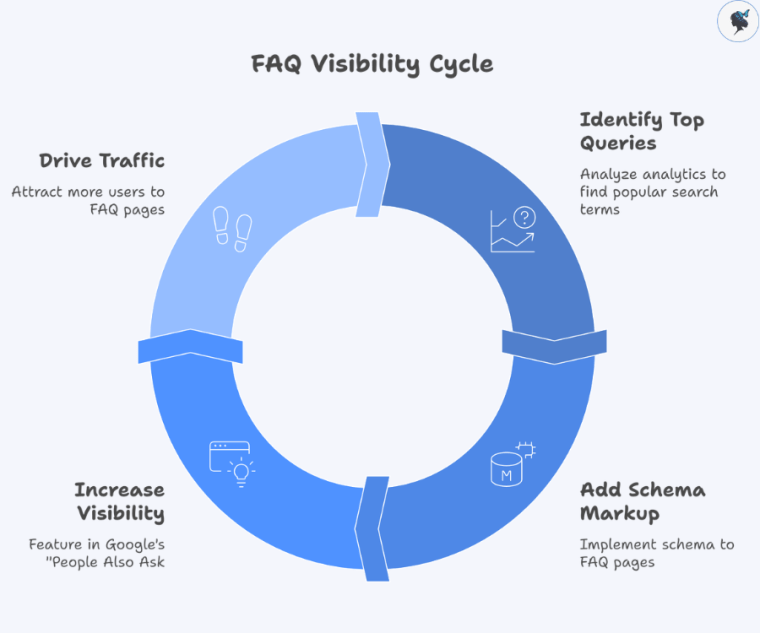
Use FAQPage schema for your Q&A content targeted at travellers (e.g., “What is the best time to visit Iceland in winter?”, “Do I need a visa for Costa Rica?”).
When implemented correctly, these can feature in Google’s “People Also Ask” boxes.
Wander Women Hot Tip: Go through your analytics/search console and list the top 10‑15 query‑phrases that bring users to FAQ pages. Then add schema markup to those FAQ pages to increase visibility.
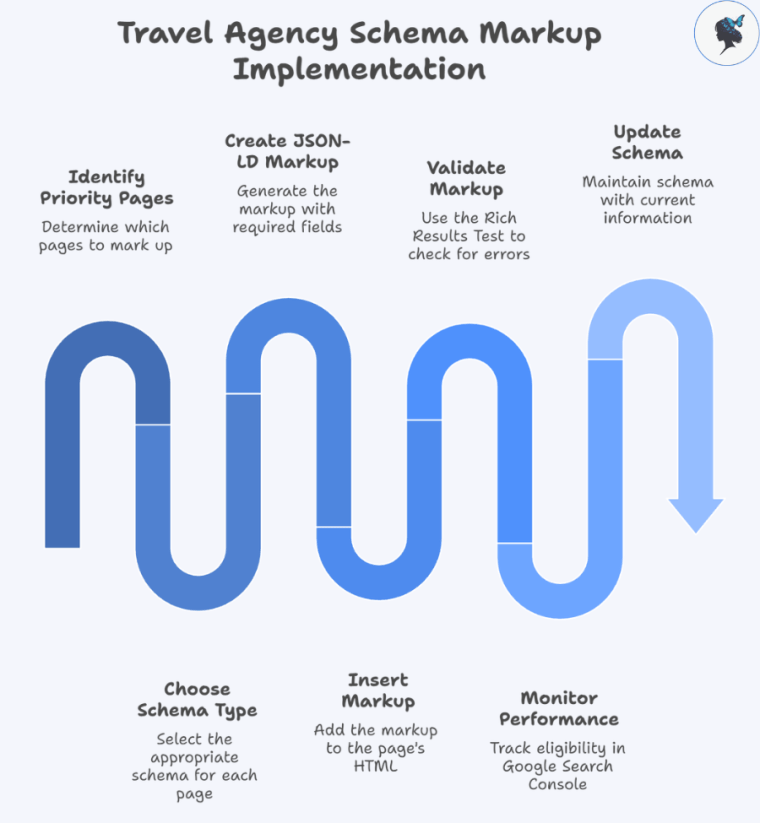
Identify your priority pages: offers, itineraries, event pages, FAQ pages.
Choose the correct schema type (Offer, Tour/ItemList, Event, FAQPage).
Create the JSON‑LD markup with required fields (e.g., @context, @type, name, price, availability, startDate).
Insert the markup into the <head> or before </body> of the page HTML.
Use the Rich Results Test to validate. Fix any errors or warnings.
Monitor via Google Search Console > Enhancements section to check how many pages are eligible for rich results.
Update schema when offers expire or event start dates change. Schema maintenance is ongoing.
Wander Women Hot Tip: Use a staging site to test markup implementation and monitor how Google displays rich results before deploying live – this avoids unintended CTR drops.
Case Study of Successful Implementation
In one hotel‑industry case study, implementing schema markup (local business + hotel review + offer) helped a property reduce reliance on OTAs and improve direct bookings.
Wander Women Hot Tip: Document what types of schema you implemented (Offer vs Tour vs Event) and track the corresponding CTR or conversion lift. Use this data as proof to scale your schema efforts across other pages.
Conclusion
Schema and rich results are no longer optional extras — they’re strategic tools, especially for travel agencies operating in competitive organic search environments. By implementing key schema types such as Offers, Itineraries, Events and FAQs, your pages can stand out in SERPs, capture user attention earlier in the funnel, and drive stronger engagement and bookings.
Start with your most important pages (highest‑intent offers or your most popular itineraries), implement schema, validate it, monitor performance. Then scale across your site.
Wander Women Hot Tip: Schedule a quarterly audit of structured data across your site — verify that all schema is valid, current, and aligned with your content calendar and offer calendar.
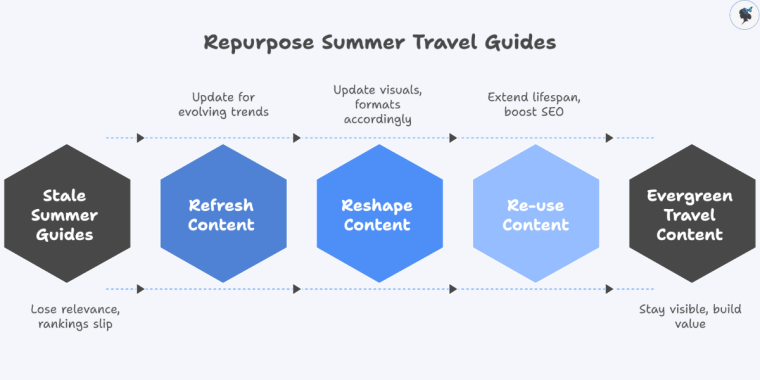
In the travel industry, creating content such as summer travel guides is a major investment — in time, research, visuals, SEO and social media effort. But when the summer season ends, too many of those guides simply go stale, losing relevance and letting rankings slip. That’s where content repurposing comes in: consciously refreshing, reshaping, and re‑using your best seasonal assets to extend their lifespan, boost SEO value, and maintain social media traffic well into the off‑season and into the next year.
Repurpose summer travel guides
For travel agencies, repurposing is not just a cost saver — it’s an opportunity to stay visible when travel intent dips, build evergreen value, and position for the next peak season. According to a recent guide, one of the “what’s in” travel marketing trends for 2025 is ongoing repurposing rather than one‑and‑done posts. It allows you to refresh content for evolving trends (e.g., “slow travel” or “digital nomad stays”) and update visuals, formats and distribution channels accordingly.
Strategies for Repurposing Summer Guides for Off‑Season Travel
1. Adapt Content for Off‑Season Relevance
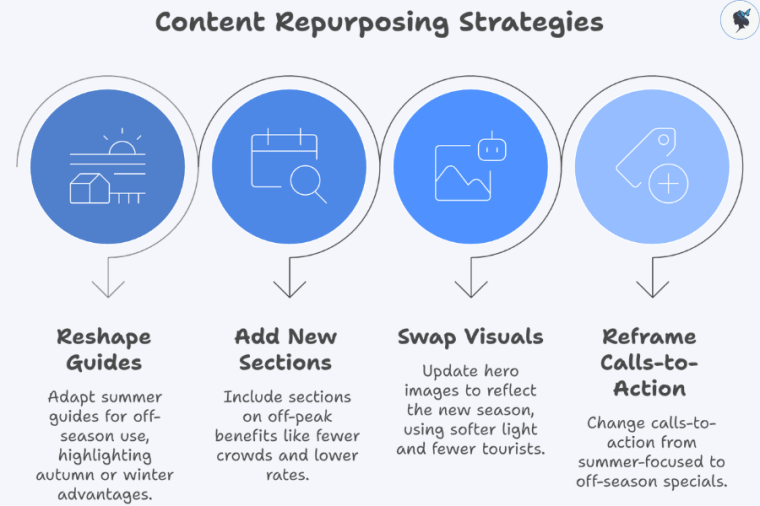
Content repurposing strategies
Take your “Summer 2025 Beach Destinations” guides and reshape them for off‑season uses: e.g., “Why this beach destination is still great in early autumn”, “Winter escape alternatives at low season rates”.
Add new sections reflecting off‑peak advantages: fewer crowds, lower rates, local cultural events, indoor experiences, shoulder‑season weather.
Swap visuals or update hero images to reflect the new season (e.g., softer light, fewer tourists) to keep content feeling timely.
Reframe calls‑to‑action: instead of “Book your summer escape now!”, try “Discover our off‑season specials”.
2. Update Data, Trends & Statistics
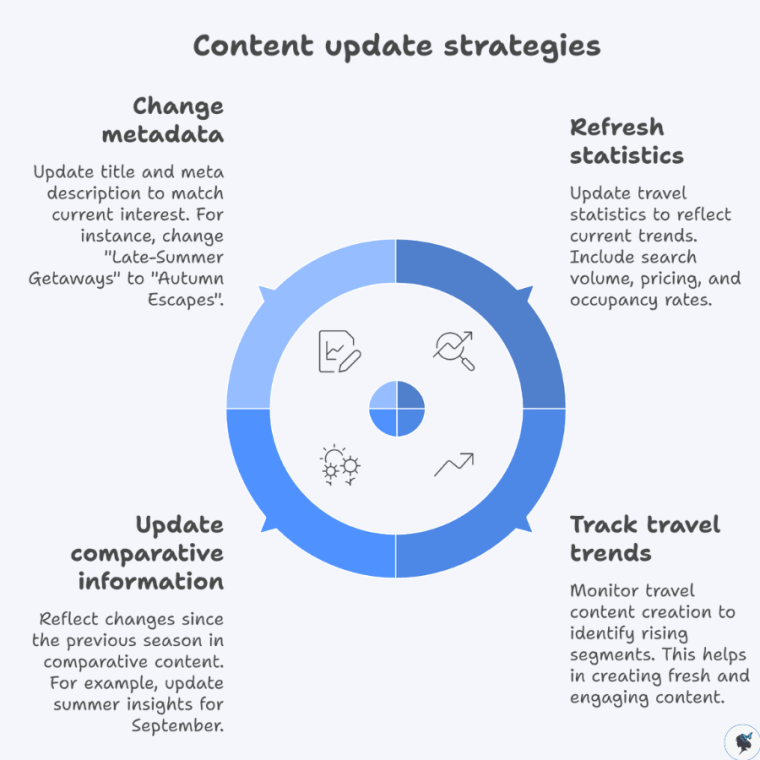
Content update strategies
Refresh travel statistics: search volume for off‑season travel, pricing trends, occupancy rates in shoulder seasons.
According to industry data, trend‑tracking in travel content creation (spotting which segments are rising) is more important than ever.
Update any comparative info: e.g., if you publish in September, reflect the “What’s changed since summer” insight.
Change metadata (title, meta description) to reflect current interest—e.g., “Late‑Summer Getaways 2025” becomes “Autumn Escapes at the Same Destinations”.
3. Transform Formats & Channels
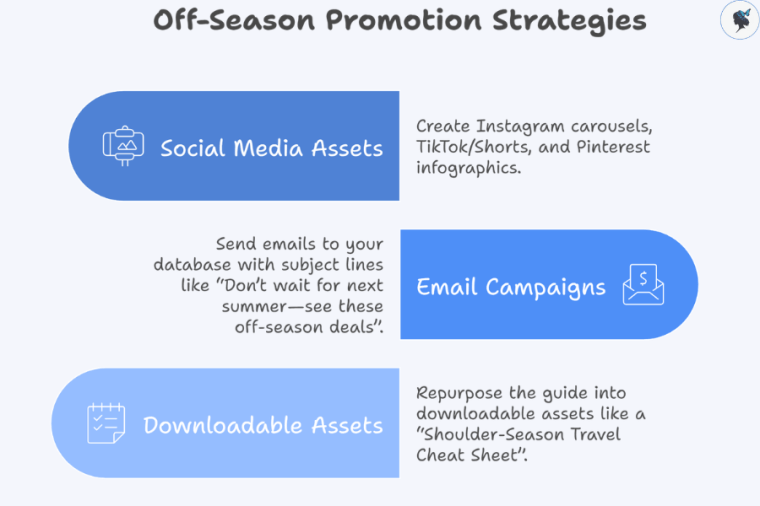
Off-season promotion strategies
Break the guide into social media assets: Instagram carousel of “5 things to do off‑peak”, TikTok/Shorts showing quieter scenes, Pinterest infographics of “Why travel in shoulder season”.
Use email campaigns: send to your database with subject line “Don’t wait for next summer—see these off‑season deals”.
Consider repurposing into downloadable assets: e.g., a “Shoulder‑Season Travel Cheat Sheet” based on the guide.
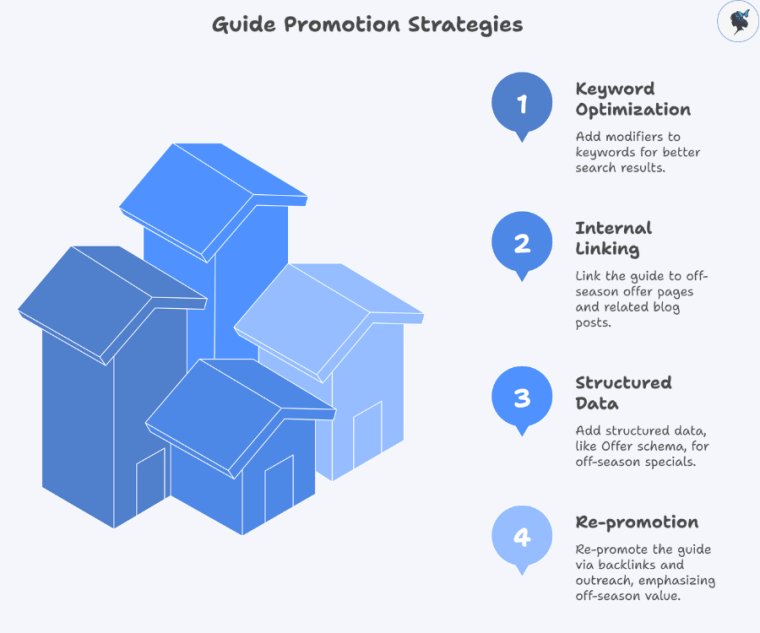
4. Optimize for SEO & Discoverability
Guide promotion strategies
Change or supplement keywords: for instance, add “autumn beach break”, “low‑season deals”, “winter escape” modifiers.
Internal linking: link the guide to your off‑season offer pages, or update related blog posts with the refreshed guide.
Add structured data where applicable (e.g., Offer schema for off‑season specials).
Wander Women Hot Tip: Create a repurposing calendar for each summer guide: schedule when it will be updated for off‑season, which social posts will derive from it, and when it will be refreshed again for next summer.
Tips for Refreshing Content for the Next Summer Season
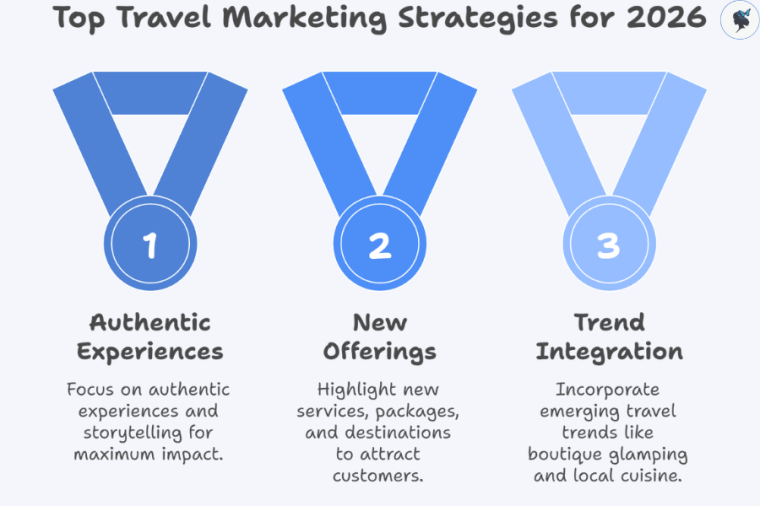
1. Incorporate New Trends and Experiences
Top travel marketing strategies for 2026
Ahead of next summer, add sections like: “New for 2026: boutique glamping on the beach”, “Emerging travel trend: local cuisine experiences you’ll see more of”.
According to travel marketing trend reports, focusing on authentic experiences and storytelling matters more than ever in 2025.
Highlight services you’ve added, new packages, or new destinations within the same region.
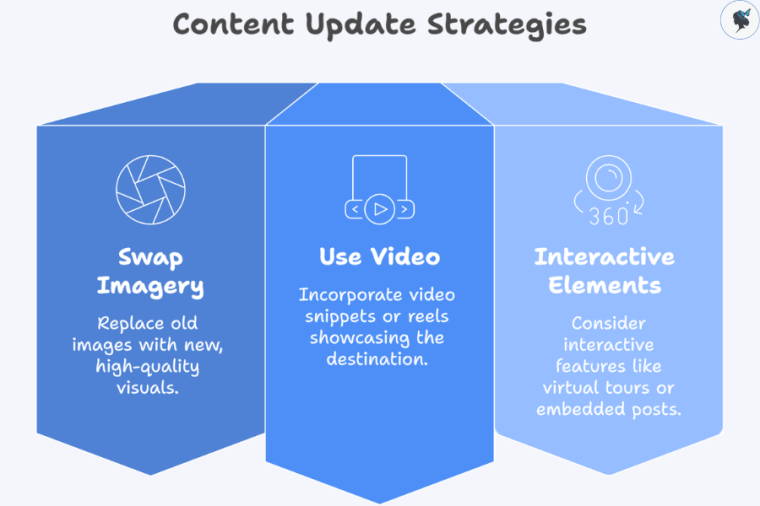
2. Update Visuals and Media
Content update strategies
Swap out dated imagery (e.g., “Summer 2024” labelled) with fresh high‑quality visuals for the coming year.
Use video snippets or reels showing the destination in its new or improved state.
Consider interactive elements: a 360° virtual tour of your newest offering, or embedded Instagram posts featuring guests.
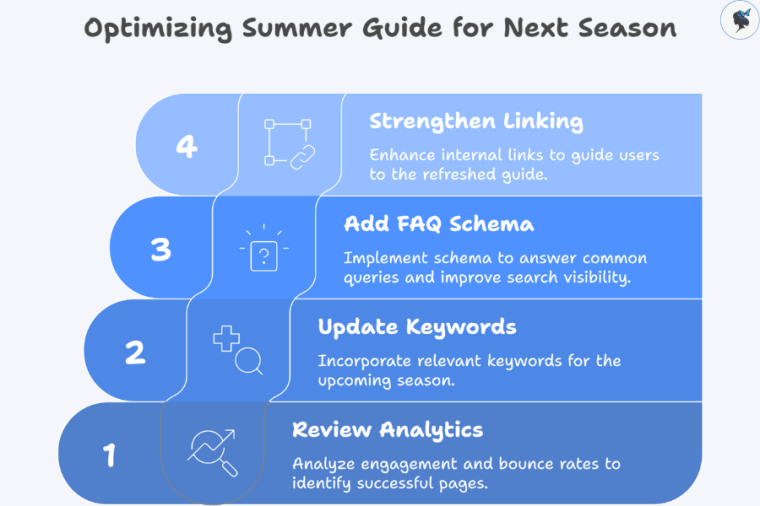
3. Audit SEO Performance and Improve
Optimizing summer guide for next season
Review analytics: Which summer guide pages had high engagement, which had low bounce? Which led to bookings? Use this to inform what you keep, what you expand, what you retire.
Update keywords for next season: e.g., “2026 summer beach break”, “early‑bird summer deals 2026”, or destination‑specific high intent modifiers.
Add FAQ schema targeting next‑season queries: “When is best time to visit X in summer 2026?”, “What’s new at resort Y for summer 2026?”
Strengthen internal linking from your blog archive or off‑season pieces into the refreshed guide.
4. Plan Ahead & Pre‑Position Content
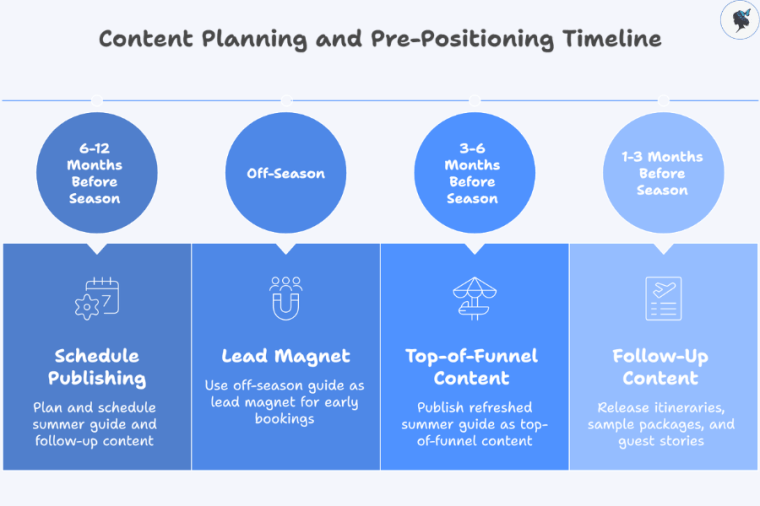
Content planning and pre-positioning timeline
Schedule publishing well ahead of the upcoming season — travelers often start planning 6‑12 months in advance.
Use your refreshed summer guide as top‑of‑funnel content, then build follow‑up pieces (itineraries, sample packages, guest stories) into your content calendar.
Use the off‑season version of the guide as a lead magnet for early bookings or pre‑season promotions.
Wander Women Hot Tip: Keep a seasonal insights tracker where you log what worked (topics, visuals, offers) this summer, so you can build into next summer’s content strategy with data‑backed decisions.
Successful Content Repurposing in Travel
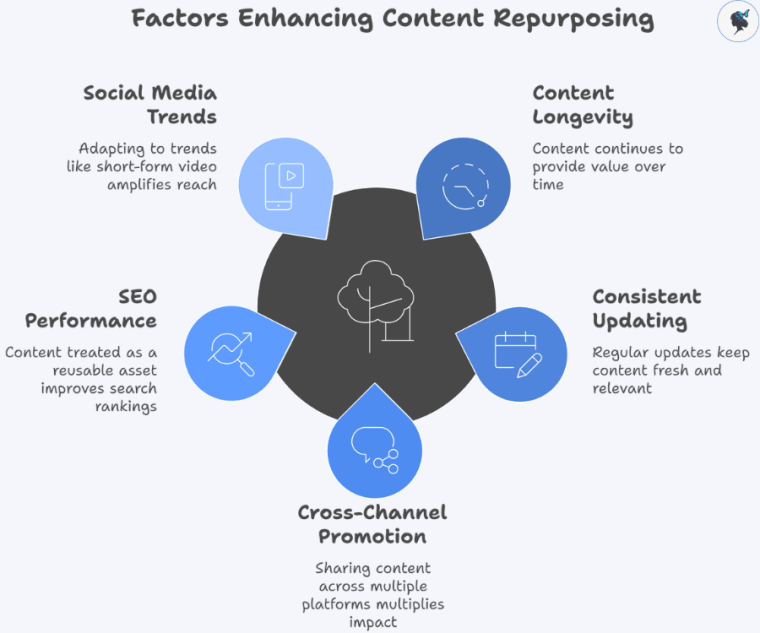
Factors enhancing content repurposing
Repurposing allows content to live longer and continue delivering value outside the peak season.
SEO performance improves when content is treated as a re‑usable asset, not a one‑time post.
Social media trends (e.g., short‑form video) amplify repurposed content when you adapt format accordingly.
Wander Women Hot Tip: Document each repurposing iteration: note old version’s metrics, what you changed, new version’s performance. This becomes your internal benchmark for future seasons.
Conclusion
Content repurposing is a powerful strategy for travel agencies dealing with seasonal peaks. By adapting your summer travel guides for the off‑season, refreshing them ahead of the next summer, and leveraging multi‑channel distribution, you maximize ROI, maintain search engine visibility, and keep your audience engaged year‑round. The benefits are clear: lower content costs, extended content lifespan, improved SEO, and stronger social media reach.
Now is the time to audit your content library: pick your top summer guides, map how they can be repurposed, schedule updates, then refresh for next year using your insights.
Wander Women Hot Tip: Develop a content repurposing calendar that covers all seasons: summer launch, off‑season refresh, pre‑next summer relaunch. Let each guide follow this loop and you’ll extract far more value from your content investment.
In today’s highly competitive travel market, simply publishing destination guides, tour offers and event listings isn’t enough. To stand out in search engines and capture high‑intent travellers, agencies must help search engines understand the nature of their pages.
That’s where schema markup (structured data) comes in. According to one study, travel websites that properly implement schema saw up to 30‑35 % higher organic click‑through rate (CTR).
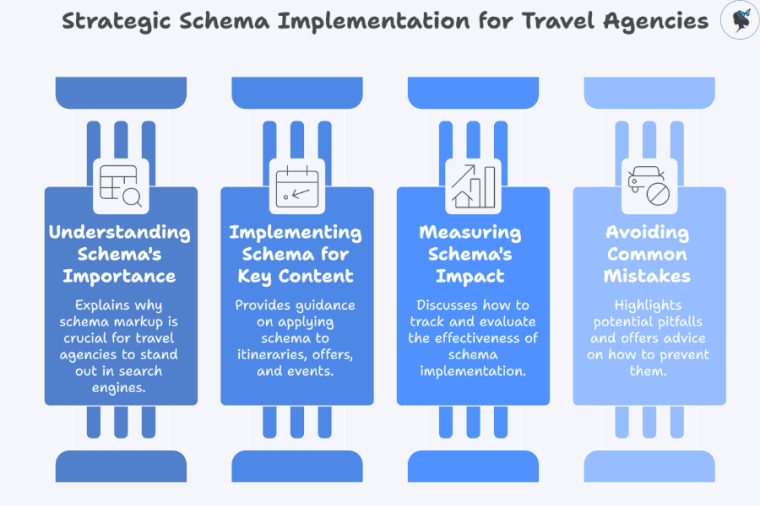
Strategic schema implementation for travel agencies
For travel agencies, pages like itineraries, limited‑time offers, and seasonal events are prime candidates for schema markup—but they also present unique challenges (changing dates, availability, etc.). This article will help you understand why schema matters, how to implement it for key travel content types (itineraries, offers, events), how to measure its impact, and ensure you avoid common mistakes.
Wander Women Hot Tip: Start by auditing your key pages—identify your top itineraries, offers and event pages—and check whether they currently include schema. Use that baseline for measurement.
Understanding Schema Markup
Schema markup (also called structured data) is code you add to your webpages (usually in JSON‑LD format) that describes the content’s meaning in a way search engines understand.
Search engines like Google use this to display enhanced listings known as rich results: these might show star ratings, prices, dates, or even event information directly in SERPs. For instance, Google’s documentation for the Event type shows that event‑marked pages can feature in Google’s event‑search experience.
Schema markup benefits
While schema isn’t a direct ranking factor, its impact on visibility and click‑through rates is substantial. For example, one article noted that pages with rich results can enjoy 58 % CTR compared to 41 % for standard listings.
Wander Women Hot Tip: Use Google’s Rich Results Test or Structured Data Testing Tool to validate your markup before publishing. Avoid implementing schema without testing.
Importance of Schema Markup for Travel‑Specific Pages
For travel websites, comprehensive schema implementation led to observation of a 35 % higher CTR compared with competitors lacking structured data.
Top schema markup benefits for travel websites
Moreover, given the rise of “zero‑click searches”, voice assistants and AI‑driven search experiences favour content that is richly structured and clearly defined. For travel agencies, this means schema isn’t optional—it’s increasingly fundamental.
Wander Women Hot Tip: Prioritise pages with booking intent (offers) and planning intent (itineraries/events). These are the pages where schema delivers the fastest visibility gains.
How to Implement Schema Markup for Itineraries
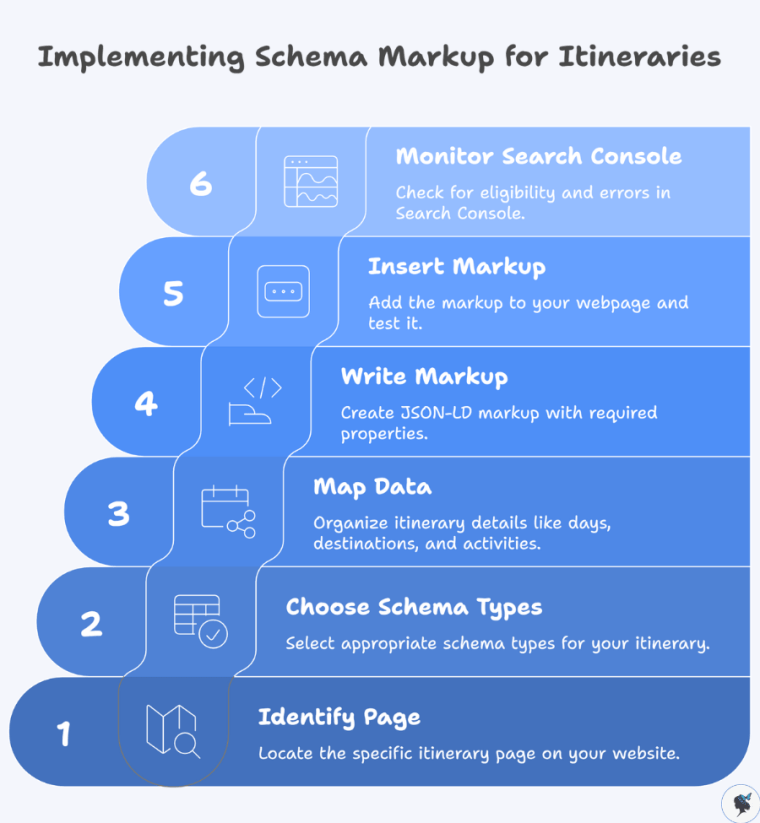
Step‑by‑step guide:
Implementing schema markup for itineraries
Identify the itinerary page: e.g., “7‑day Italy Highlights Tour”.
Map your data: days, destinations, activities, durations, images.
Write the JSON‑LD markup, ensuring required properties.
Insert the markup (ideally in <head> or just before </body>) and run the Rich Results Test.
Monitor Search Console. Look in the Enhancements section for eligibility and errors.
Wander Women Hot Tip: For multi‑day tours, break out each day as an item in the itinerary array—not only does this help search engines, but it can also support more structured snippets.
Offers often involve price, validity, availability and limited‑time deals—all data search engines love for enhanced listings.
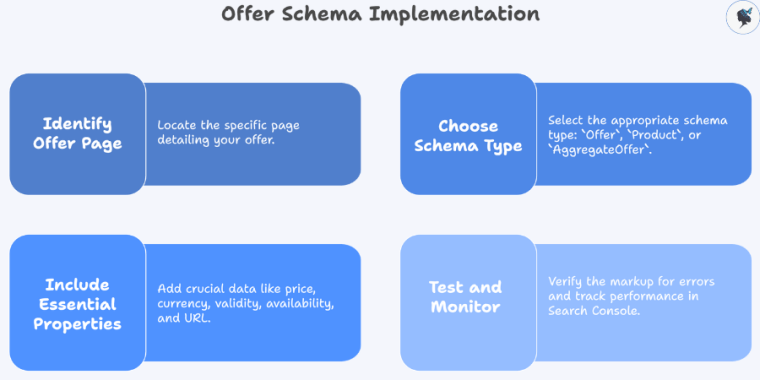
Offer schema implementation
Implementation steps:
Identify your offer page: e.g., “Summer 2026 Beach Special – 10 % off”.
Use Offer, Product, or AggregateOffer schema.
Include essential properties: price, priceCurrency, validFrom, validThrough, availability, url.
Test and fix errors, then monitor impressions and CTR in Search Console.
Wander Women Hot Tip: Remember to update your valid dates, availability and price each season. Stale markup can mislead search engines and users, reducing effectiveness.
Events like festivals, guided tours or seasonal happenings have a date/time/location format that search engines replicate in event carousels. Google’s own documentation confirms event markup can boost discoverability.
Wander Women Hot Tip: For recurring events, update your event page annually—and archive past editions—so markup remains current and avoids “expired event” signals to search engines.
Measuring the Impact of Schema Markup on Visibility
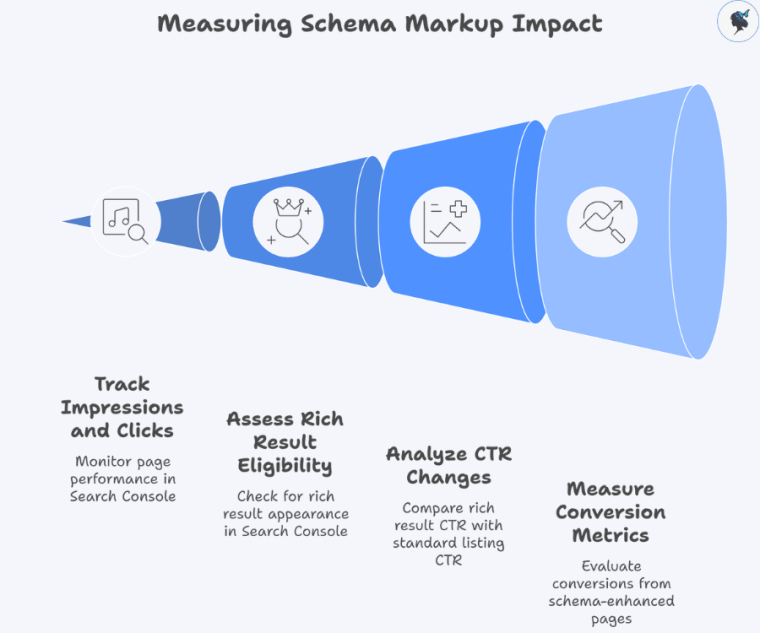
Measuring schema markup impact
What to measure:
Impressions and clicks for pages with schema (via Search Console: Performance).
Rich result eligibility and appearance (Search Console: Enhancements).
CTR changes pre‑ and post‑implementation (rich result vs standard listing).
Conversion metrics (bookings/inquiries) from schema‑enhanced pages vs baseline.
Tools you’ll use:
Google Search Console
Google Analytics (traffic, user behaviour, conversion)
Wander Women Hot Tip: Set up a before/after report: pick 3 high‑priority pages, implement schema, then track metrics for 90 days to measure lift in visibility, click‑through and conversions.
Best Practices and Common Mistakes
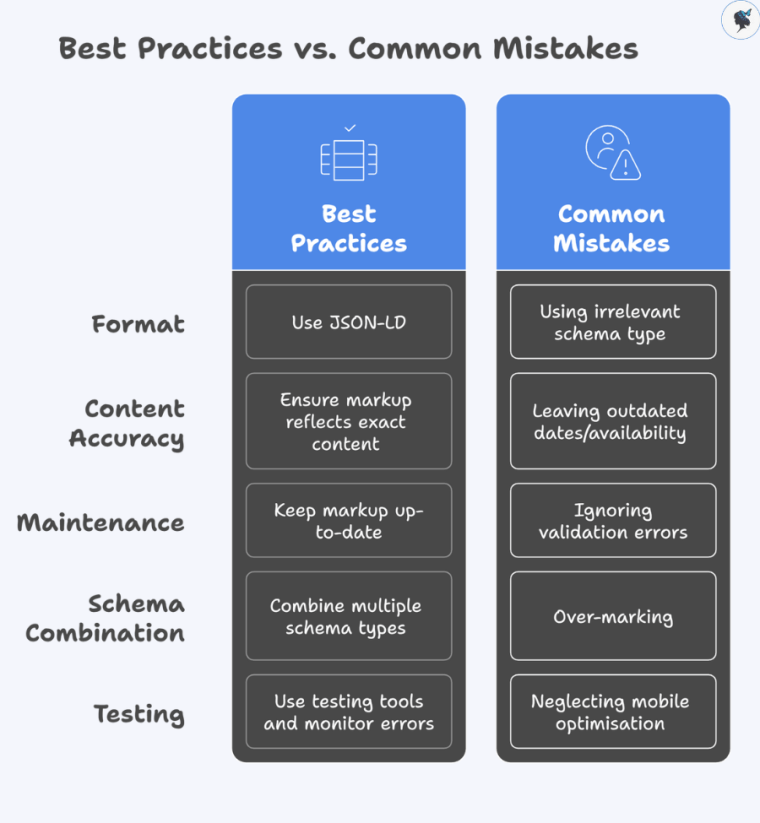
Best practices vs common mistakes
Best Practices:
Use JSON‑LD format (Google’s recommended format).
Ensure markup reflects exact on‑page content (primary element rule).
Keep markup up‑to‑date with changing offers, events and itineraries.
Combine multiple schema types when relevant (e.g., Offer + TouristTrip on one page).
Use testing tools and monitor errors regularly.
Common Mistakes:
Using irrelevant schema type or mismatching the page content (e.g., Product on an event page).
Leaving outdated dates/availability in markup, leading to stale rich features.
Ignoring validation errors—unresolved warnings may prevent rich results.
Over‑marking (adding schema where it doesn’t apply) which can confuse engines.
Neglecting mobile optimisation of pages with schema—most users search on mobile and mobile SERPs are increasingly crucial.
Wander Women Hot Tip: Create a schema maintenance calendar. Review your markup every 3–6 months—or sooner for seasonal pages—to ensure continued accuracy and effectiveness.
Conclusion
Schema markup is no longer a nice‑to‑have—it’s a strategic necessity for travel agencies aiming to boost visibility, click‑throughs and bookings. By implementing tailored markup for itineraries, offers and events, and tracking the performance thoughtfully, you can gain a meaningful competitive edge in search results.
Start small: pick one key itinerary, one offer and one event page. Implement appropriate schema, validate it, and monitor the impact over 90 days. Then scale your approach across more pages.
Wander Women Hot Tip: Remember—schema is only part of the picture. Combine your structured data efforts with optimized content, speedy mobile performance and effective internal linking to maximise impact.
If your travel agency serves multiple cities, countries, or even continents, one of the most overlooked aspects of SEO and user experience is the structure of your website’s regional hierarchy. A clear, logical hierarchy not only helps your visitors find the information they need quickly but also improves how search engines understand and rank your content.
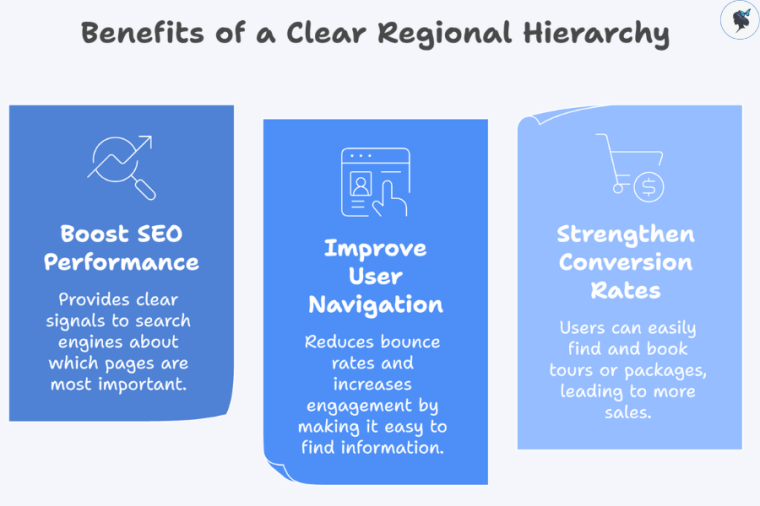
Benefits of a clear regional hierarchy
When done correctly, your hierarchy can:
Boost SEO performance by providing clear signals to search engines about which pages are most important.
Improve user navigation, reducing bounce rates and increasing engagement.
Strengthen conversion rates, as users can easily find and book tours or packages.
Semrush emphasizes that good site structure (clear architecture, logical hierarchy, internal linking) helps both users and search engines navigate a site, which in turn can improve rankings and organic traffic.
Wander Women Hot Tip: Start by mapping out all destinations your agency serves—regions, countries, and cities—before designing your hierarchy. A visual sitemap can save hours of restructuring later.
Understanding the Importance of Regional/Destination Hierarchy
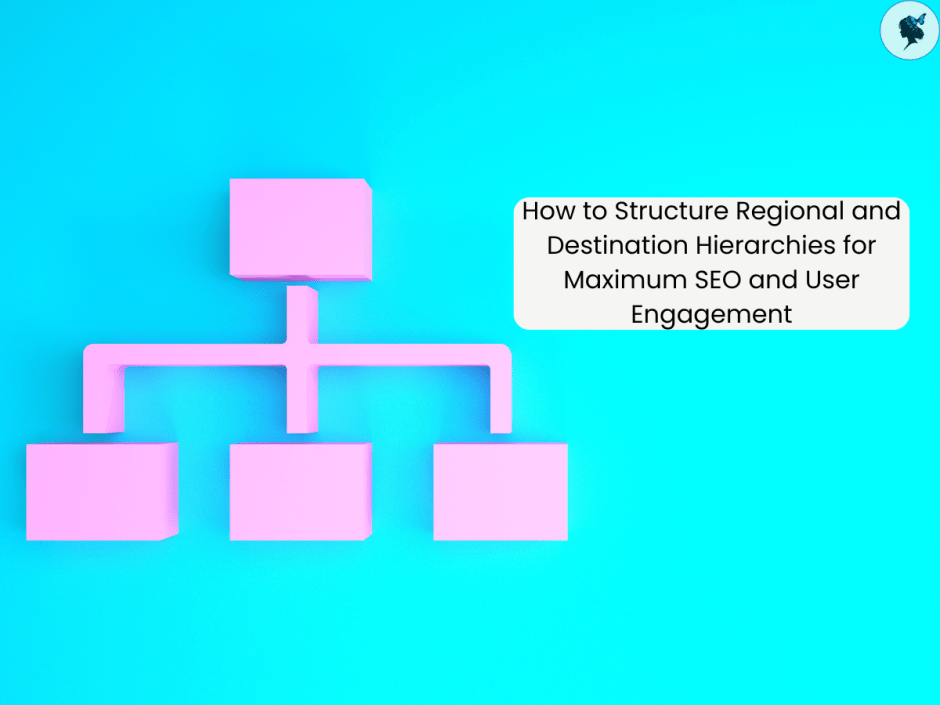
A regional hierarchy is a way of organizing your website so that broader geographic areas (regions or continents) lead to narrower destinations (countries and cities). This hierarchy serves both your users and search engines:
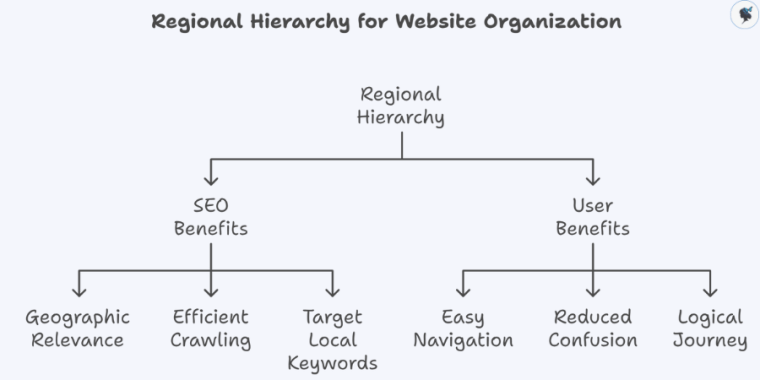
Regional hierarchy for website organization
For SEO:
It signals geographic relevance for location-based searches.
Helps search engines crawl and index pages efficiently.
Visitors can easily navigate from a general region to specific cities or experiences.
Reduces confusion and friction when searching for relevant tours, events, or packages.
Provides a logical journey through your site, increasing engagement and time on site.
Wander Women Hot Tip: Use a visual sitemap or flowchart to plan the hierarchy. Seeing how regions branch into countries and cities helps identify gaps or overlaps.
Best Practices for Structuring Your Website
1. Top-Level Structure
Decide whether your top-level navigation should be based on region, country, or continent.
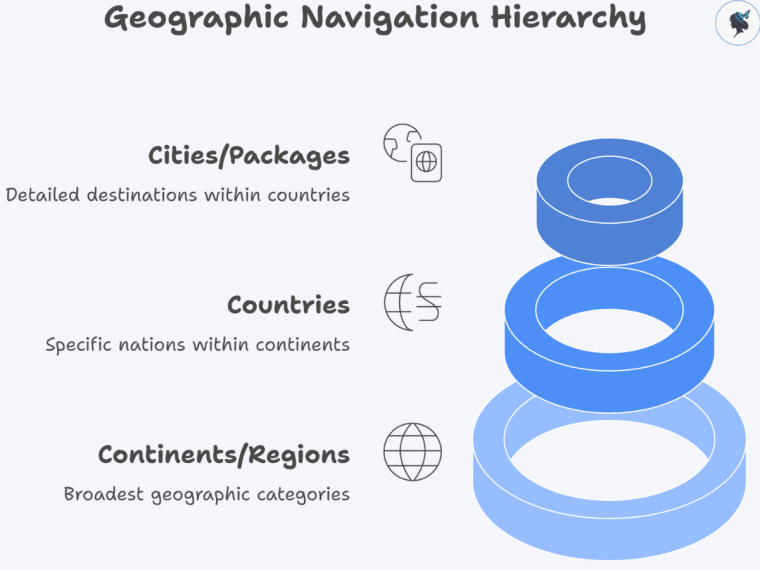
Geographic navigation hierarchy
For example:
Continents/Regions as Top-Level: Europe, Asia, Americas
Countries as Second-Level: France, Italy, Japan
Cities or Packages as Third-Level: Paris, Rome, Tokyo
SEO Benefits:
Clean URLs like /europe/france/paris clearly indicate the geographic hierarchy.
Breadcrumbs can mirror this structure, improving both UX and search engine understanding.
Wander Women Hot Tip: Keep your main menu concise (7–8 top-level items max). Use dropdowns to handle subregions or countries to avoid overwhelming users.
2. Subcategories for Cities/Countries
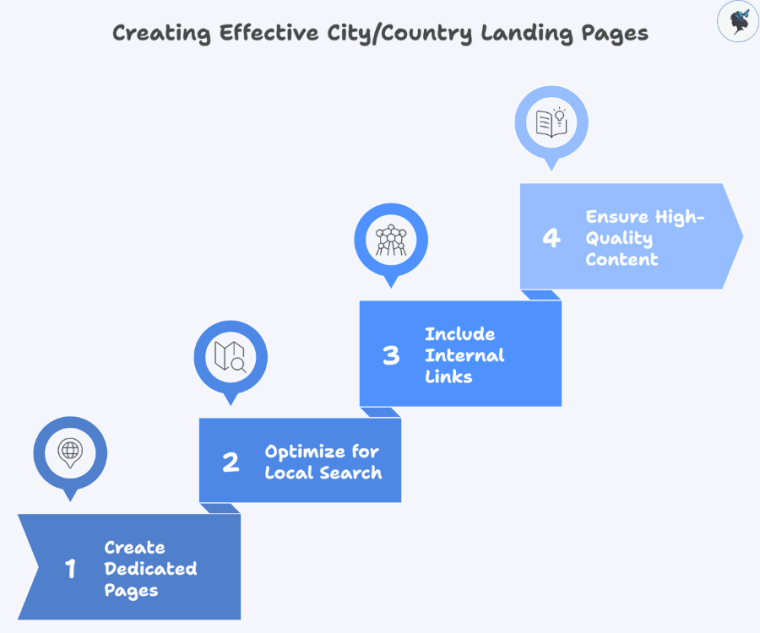
Creating effective city/country landing pages
Create dedicated landing pages for each country and city. These pages should include:
Travel guides, must-see attractions, itineraries.
Seasonal events or festivals.
Tours or packages available in that location.
Optimize each page for local search terms such as “Paris walking tours” or “Rome family-friendly experiences.”
Include internal links to related cities or regions to encourage users to explore more destinations.
Wander Women Hot Tip: Don’t create thin pages. Each city or country page should have at least 800–1,200 words of high-quality content, with images, maps, and structured data where appropriate.
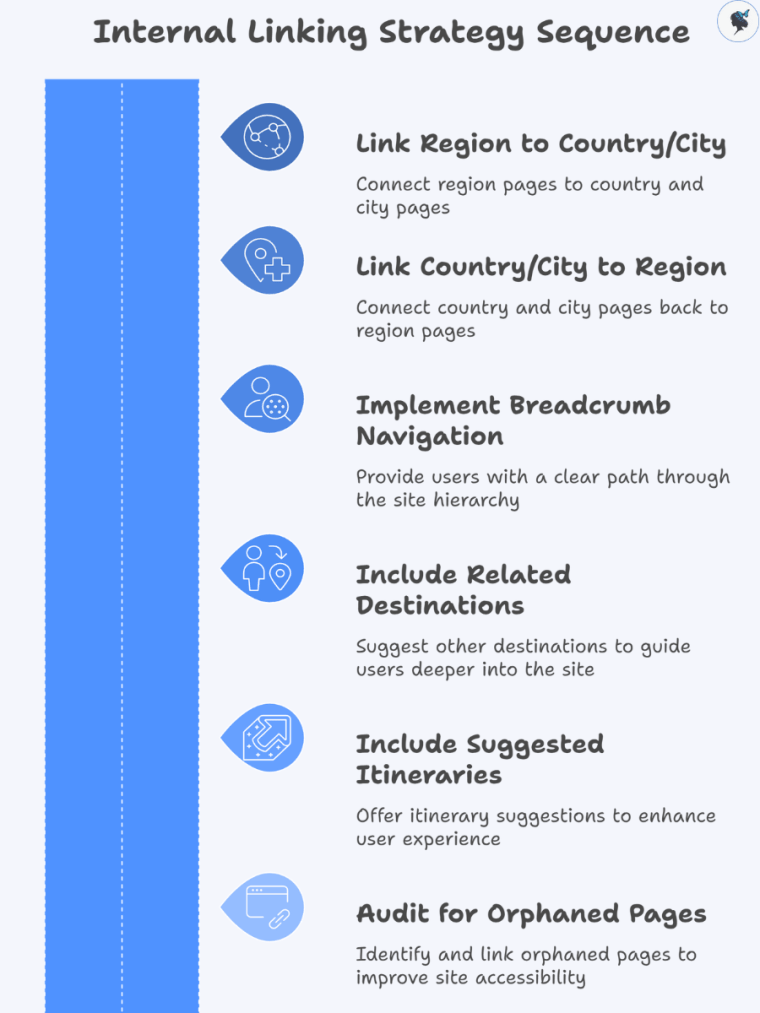
Link from region pages to country and city pages, and vice versa.
Use breadcrumb navigation so users always know where they are in the hierarchy.
Include related destinations or suggested itineraries sections to guide users deeper into your site.
Example: A “France” landing page links to Paris, Lyon, and Marseille. Paris links back to France and to related tours (e.g., “Day Trips from Paris”).
Wander Women Hot Tip: Audit your site for orphaned pages that aren’t linked from any other page. Orphan pages are difficult for both users and search engines to find.
Common Mistakes and How to Avoid Them
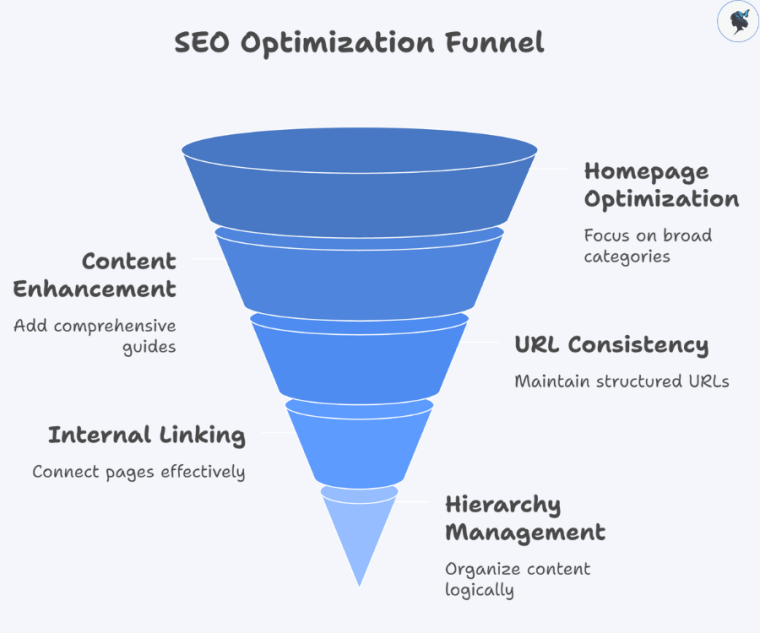
SEO optimization funnel
Overloading the Homepage: Don’t list all cities or packages directly on the homepage. Focus on broad categories and guide users deeper.
Thin Content: Avoid generic city pages with only one or two sentences. Google values comprehensive guides.
Inconsistent URL Structure: Use consistent patterns like /region/country/city rather than mixing formats.
Mixing Content Types Without Hierarchy: Avoid embedding blog posts, offers, and city guides randomly; keep them under the appropriate hierarchical parent pages.
Wander Women Hot Tip: Conduct quarterly audits with tools like Screaming Frog or Ahrefs to identify weak pages, orphaned content, or broken links.
SEO & Audit Tools: Screaming Frog, Semrush, Ahrefs
CMS Plugins: Yoast SEO, Rank Math (for breadcrumbs, structured navigation, schema)
Analytics & User Behavior: Google Analytics, Hotjar
Wander Women Hot Tip: Track how users navigate your destination hierarchy and adjust based on engagement. Pages that receive few clicks may need better linking or content updates.
Conclusion
A clear, well-structured regional and destination hierarchy is essential for travel agencies serving multiple cities or countries. Benefits include:
Improved search engine rankings and local SEO relevance.
Enhanced user experience, making it easier for visitors to find and book experiences.
Stronger conversion rates through logical navigation and CTAs.
Wander Women Hot Tip: Treat your hierarchy as a living document. Revisit it every quarter as new destinations, tours, and seasonal packages are added to maintain clarity and SEO strength.
By following these best practices, your travel website can become both user-friendly and search-engine optimized, positioning your agency for long-term growth in competitive destination markets.
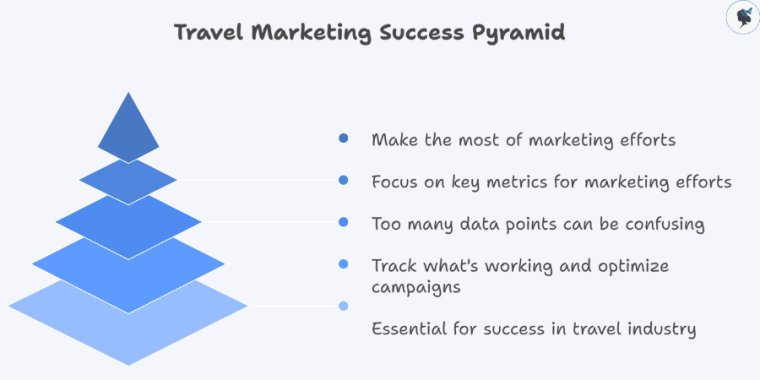
In today’s competitive travel industry, data-driven decisions are essential for success. Tracking the right marketing metrics helps travel brands understand what’s working, optimize campaigns, and boost bookings. However, with so many data points available, knowing which ones truly matter can be overwhelming.
Travel marketing success pyramid
This guide breaks down the top metrics every travel marketer should track, with examples and actionable tips to help you make the most of your marketing efforts.
Website Traffic Metrics
Tracking your website’s traffic provides a clear picture of your brand’s online visibility and user engagement.
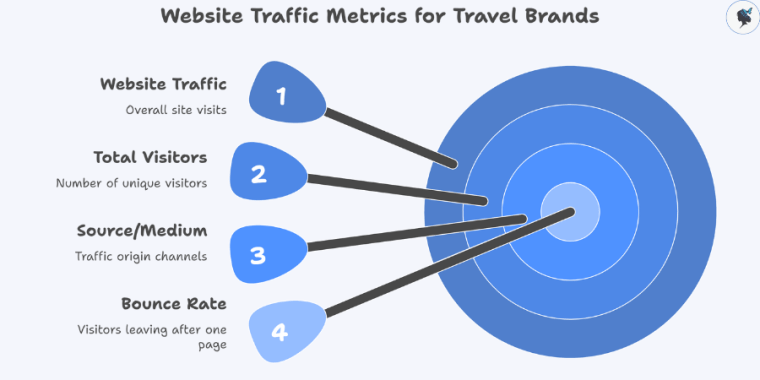
Website traffic metrics for travel brands
Total Visitors: This is the number of people visiting your site. Monitoring growth here helps gauge the effectiveness of your awareness campaigns. For example, a spike in visitors after launching a new Instagram campaign indicates successful cross-channel promotion.
Source/Medium: Understand where your traffic comes from—organic search, paid ads, social media, or referrals. This insight helps allocate budget effectively. If most visitors come from organic search, investing in SEO makes sense.
Bounce Rate: The percentage of visitors who leave after viewing only one page. A high bounce rate may suggest your landing pages need improvement or your audience targeting is off.
Wander Women Hot Tip: Use Google Analytics to segment traffic sources and identify your most valuable channels. Aim to reduce bounce rates by improving page load speed and creating compelling content.
Conversion Metrics
Conversions show how well your website turns visitors into customers or leads.
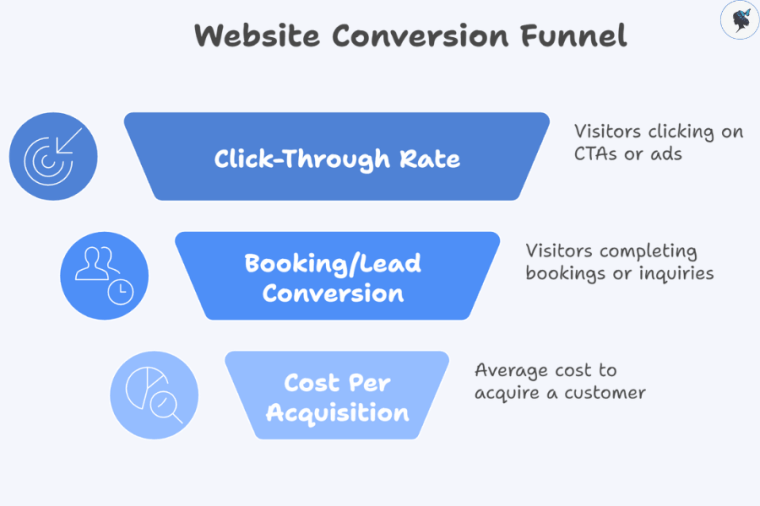
Website conversion funnel
Booking/Lead Conversion Rate: Track the percentage of visitors who complete bookings or submit inquiries. Improving this metric directly impacts revenue.
Click-Through Rate (CTR): Measures how often users click on your calls-to-action (CTAs) or ads. For example, a low CTR on a “Book Now” button might signal unclear messaging or poor placement.
Cost Per Acquisition (CPA): The average amount spent to gain a paying customer. Knowing your CPA helps optimize ad spend and marketing ROI.
Wander Women HotTip: Use conversion tracking tools like Google Ads Conversion Tracking or Facebook Pixel to monitor and optimize user journeys.
SEO Performance Metrics
SEO is crucial for attracting organic traffic, especially for travel brands targeting specific destinations or experiences.
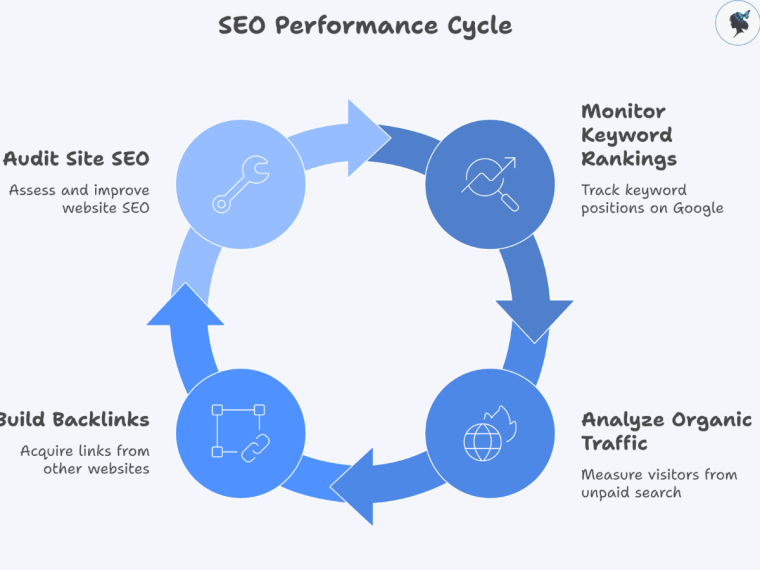
SEO performance cycle
Keyword Rankings: Monitor how well your targeted keywords rank on Google. Tools like Semrush or Ahrefs can track changes over time.
Organic Traffic: The number of visitors arriving through unpaid search results. Growth here indicates successful SEO strategies.
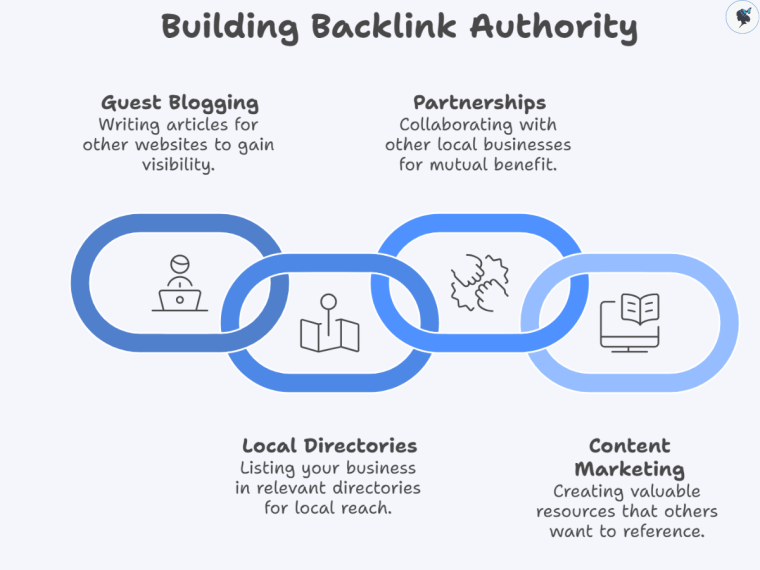
Backlinks: Quantity and quality of other websites linking to your site affect your search ranking and credibility.
Wander Women Hot Tip: Regularly audit your site’s SEO health and build backlinks through guest posts, partnerships, and high-quality content.
Social Media Metrics
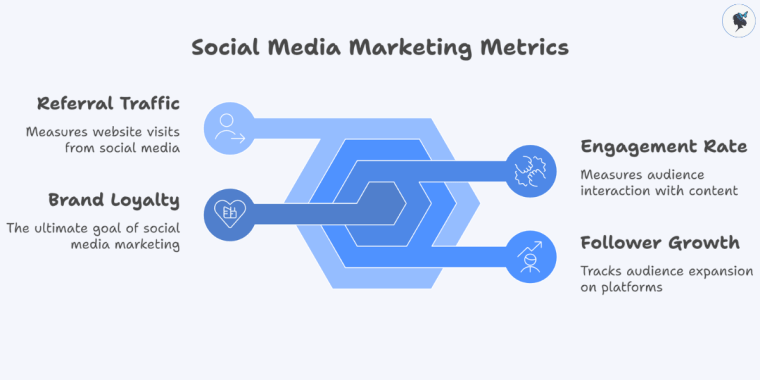
Social media drives engagement and brand loyalty in travel marketing.
Social media marketing metrics
Engagement Rate: This includes likes, comments, and shares relative to your follower count. High engagement signals resonant content.
Follower Growth: Track how fast your audience grows on platforms like Instagram, Facebook, or TikTok.
Referral Traffic: Measure how many visitors come to your site from social media posts.
Wander Women Hot Tip: Use native platform analytics (e.g., Instagram Insights) and tools like Sprout Social to analyze engagement and adjust your content strategy accordingly.
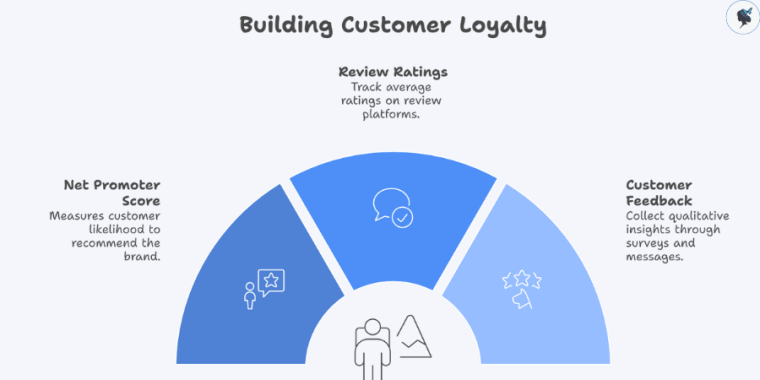
Net Promoter Score (NPS): Measures likelihood of customers recommending your brand. Scores above 50 are considered excellent.
Review Ratings: Track average ratings on platforms like TripAdvisor or Google Reviews to monitor brand reputation.
Customer Feedback: Collect qualitative insights through surveys or direct messages to uncover pain points and opportunities.
Wander Women Hot Tip: Actively respond to reviews and use feedback to improve your services, which boosts loyalty and referrals.
Advertising Metrics
Paid advertising fuels rapid growth but must be carefully managed.
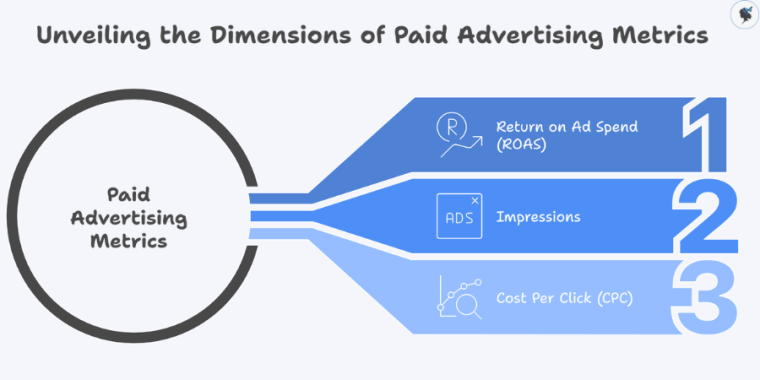
Unveiling the dimensions of paid advertising metrics
Return on Ad Spend (ROAS): Revenue generated per dollar spent on ads. A ROAS greater than 4:1 is often targeted in travel campaigns.
Impressions: How often your ads are shown. Useful for brand awareness metrics.
Cost Per Click (CPC): Average cost per ad click; lower CPC means more efficient spending.
Wander Women Hot Tip: Continuously test ad creatives and targeting options to maximize ROAS. Use A/B testing for best results.
Conclusion
Tracking these key metrics empowers travel marketers to make informed decisions, optimize campaigns, and grow their brands sustainably. Use the right analytics tools, regularly review your data, and adjust your strategies accordingly to stay competitive in the evolving travel marketplace.
Need help setting up analytics dashboards or interpreting your data? Contact us today!