Why Isn’t My Business Showing Up on Google?

▶ Table of Contents
  1. Is My Website Actually Indexed by Google?
  2. Is My Website Too New to Rank?
  3. Am I Targeting the Wrong Keywords?
  4. Does My Website Clearly Explain What I Do?
  5. Does My Website Have Enough Content?
  6. Why Are My Competitors Showing Up Instead of Me?
  7. Does Local SEO Affect Whether My Business Appears on Google?
  8. Could My Website Have Technical SEO Problems?
  9. Why Isn’t Social Media Helping My Google Rankings?
  10. Do Reviews Affect My Google Visibility?
  11. Am I Expecting SEO Results Too Quickly?
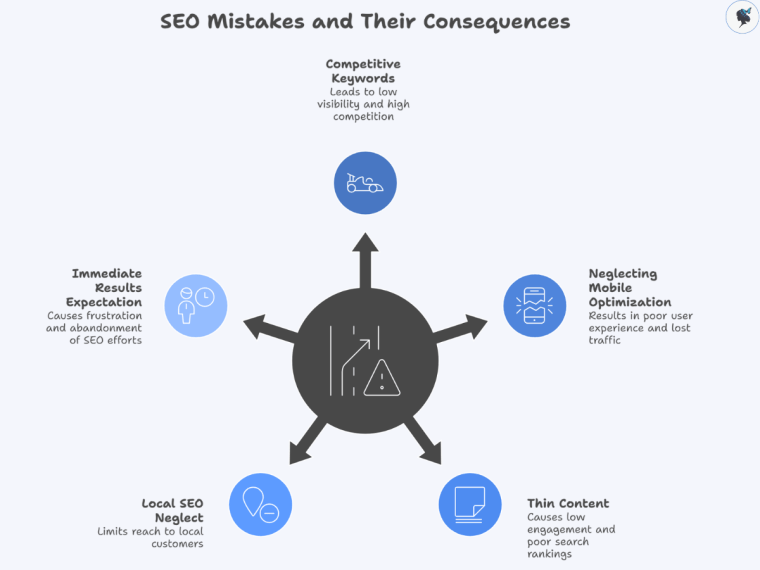
  12. What Are the Biggest Reasons Small Businesses Fail to Rank on Google?
  13. What Should I Fix First If My Business Isn’t Showing Up on Google?
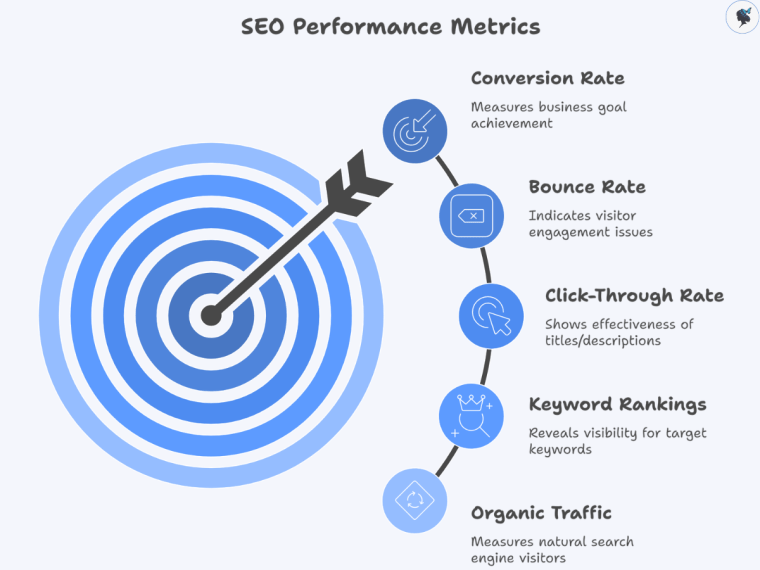
  14. How Do I Know If My SEO Is Improving?
  15. Final Thoughts: Why Isn’t My Business Showing Up on Google?

If your business is not showing up on Google, it usually means Google either does not fully understand your website yet or does not see enough relevance, authority, or trust signals to rank it highly.

This is one of the most common frustrations small business owners face. You launch a website, publish your services, maybe even post on social media regularly — but when you search for your business or services online, you are nowhere to be found.

The good news is that most visibility problems are fixable. In many cases, small improvements in SEO, website clarity, and content strategy can significantly improve your rankings over time.


Is My Website Actually Indexed by Google?

Your website must be indexed before it can appear in search results.

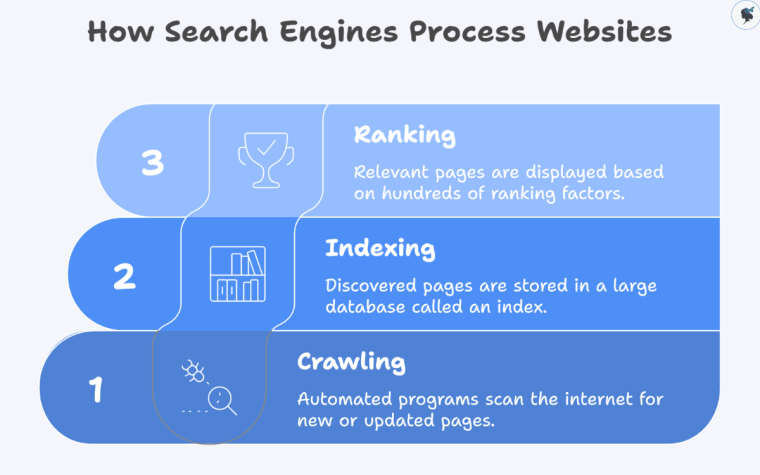
Indexing means Google has discovered and stored your website pages in its database. If your pages are not indexed, they cannot rank.

The easiest way to check is to search:

site:yourwebsite.com

If no pages appear, Google may not have indexed your site yet.

Common reasons this happens include:

  • Your website is brand new
  • Your site was accidentally blocked from search engines
  • You do not have enough content
  • Your sitemap has not been submitted
  • Google has not discovered your pages yet

Indexing is the first step. Ranking comes afterward.


Is My Website Too New to Rank?

New websites often take time to gain visibility on Google.

Google tends to trust websites more as they establish consistency, authority, and relevance over time. This means even a well-designed website may not rank immediately.

SEO is usually a long-term strategy rather than an instant result.

Typical timelines look like this:

  • First few weeks: indexing and discovery
  • First 3 months: early keyword visibility
  • 3–6 months: growing traffic potential
  • 6–12 months: stronger rankings and authority

Slow early growth is normal and does not necessarily mean your website is failing.


Am I Targeting the Wrong Keywords?

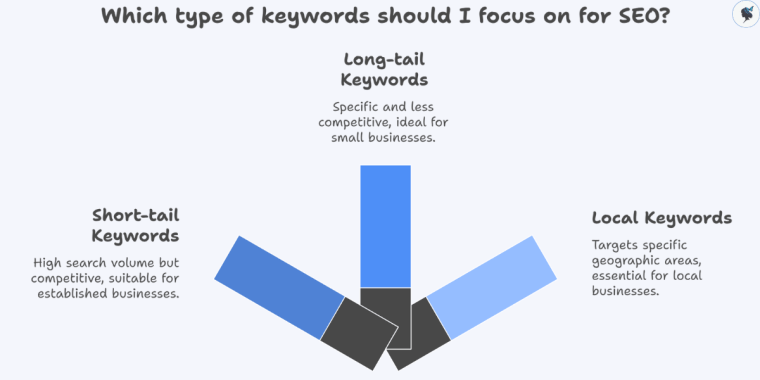
Many small businesses struggle to rank because they target keywords that are too broad or too competitive.

For example, trying to rank for a term like:

  • “photographer”

is much harder than targeting:

  • “wedding photographer for outdoor ceremonies”
  • “brand photography for small businesses”
  • “family photographer with weekend sessions”

More specific keywords are often easier to rank for and tend to attract people who are already looking for exactly what you offer.

Good keyword targeting should align with:

  • Your specific services
  • Your ideal customer
  • The problems people are actively trying to solve
  • The language your audience naturally uses when searching online

In many cases, narrower keywords bring in higher-quality traffic than broad, highly competitive terms.


Does My Website Clearly Explain What I Do?

Google and your visitors both need clarity to understand your business.

One of the biggest SEO mistakes small businesses make is using vague messaging that never clearly explains:

  • What the business does
  • Who it helps
  • What problem it solves
  • Why someone should choose them

Ask yourself:

  • Can a new visitor understand my business within 5 seconds?
  • Are my services clearly explained?
  • Does every page have a clear purpose?
  • Am I using language my customers actually search for?

Clear messaging improves both search rankings and conversions.


Does My Website Have Enough Content?

Websites with very little content often struggle to rank well on Google.

Many small business websites only include:

  • A homepage
  • A short about page
  • A contact page

While that may be enough for visitors, it often is not enough for search engines to understand your expertise or relevance.

Helpful content can include:

  • Service pages
  • FAQs
  • Blog posts
  • Guides
  • Case studies
  • Location pages
  • Educational resources

Content helps Google connect your website to relevant searches.

The more useful and focused your content is, the easier it becomes for search engines to understand what your business offers.


Why Are My Competitors Showing Up Instead of Me?

Your competitors may have stronger SEO foundations than your business right now.

Businesses ranking above you often have:

  • Older websites
  • More content
  • Better keyword optimization
  • More backlinks
  • Stronger local SEO
  • More customer reviews
  • Higher website authority

This does not mean you cannot compete.

Smaller businesses often perform well by focusing on:

  • Niche services
  • Specific audiences
  • Local markets
  • Better customer experience
  • More helpful content

SEO is not always about being the biggest company. It is often about being the most relevant result.


Does Local SEO Affect Whether My Business Appears on Google?

Yes, local SEO is extremely important for businesses serving specific geographic areas.

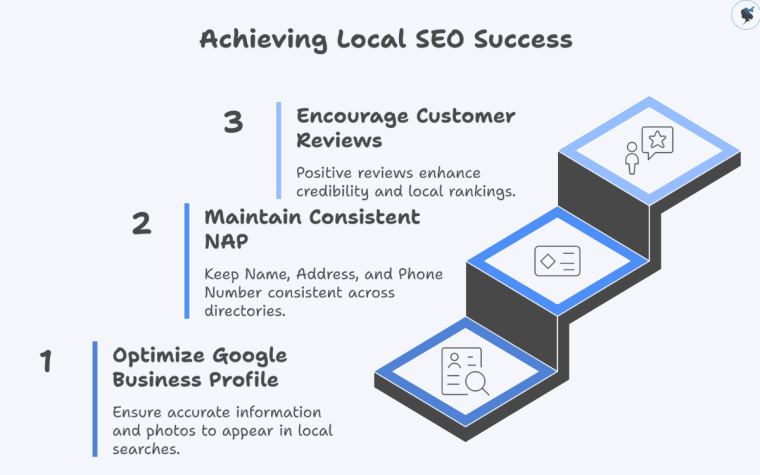
If you rely on local customers, your Google Business Profile plays a major role in visibility.

Important local SEO factors include:

  • A fully completed Google Business Profile
  • Accurate business information
  • Customer reviews
  • Consistent contact details
  • Location-specific keywords
  • Updated business hours
  • Local website content

Without local optimization, your business may struggle to appear in Google Maps or local search results.

Read our guide: The Ultimate Guide to Local SEO for Small Businesses


Could My Website Have Technical SEO Problems?

Technical issues can prevent your website from performing well even if your services are excellent.

Common technical SEO problems include:

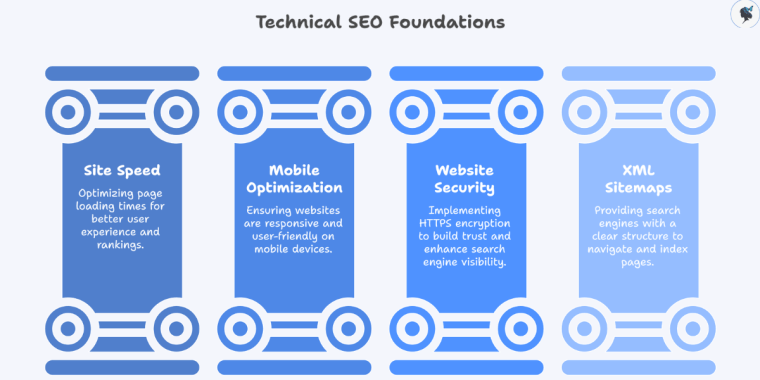
  • Slow website speed
  • Poor mobile usability
  • Broken links
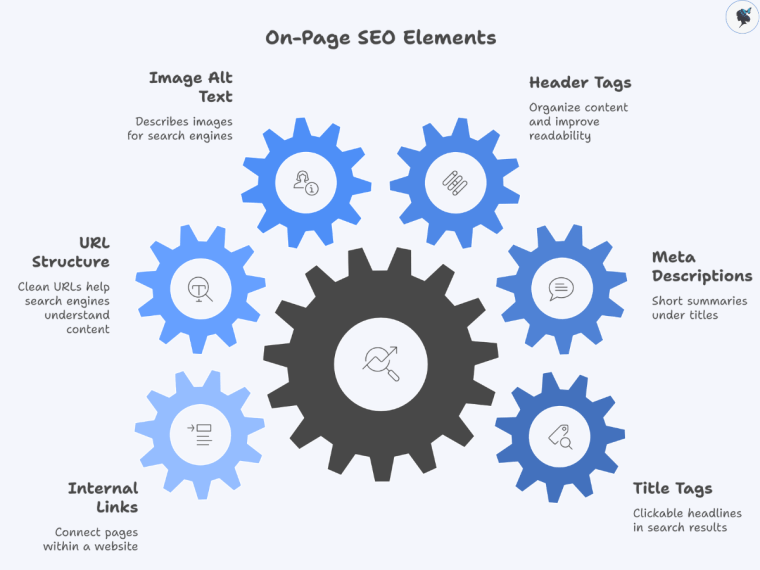
  • Missing page titles or meta descriptions
  • Duplicate pages
  • Poor navigation structure
  • Pages blocked from search engines

Google prioritizes websites that provide a good user experience.

If your website is difficult to use, slow to load, or confusing to navigate, rankings may suffer.


Why Isn’t Social Media Helping My Google Rankings?

Social media and SEO work differently.

Posting on Instagram, Facebook, or LinkedIn may increase visibility and engagement, but social media activity alone does not automatically improve Google rankings.

Google primarily ranks:

  • Website content
  • Relevance
  • Authority
  • User experience
  • Search intent

Social media can support SEO indirectly by:

  • Driving traffic
  • Increasing brand awareness
  • Generating backlinks
  • Encouraging content sharing

However, a strong website and SEO strategy are still necessary for long-term search visibility.


Do Reviews Affect My Google Visibility?

Yes, customer reviews can improve both local SEO and trust.

Positive reviews help Google understand that your business is active, credible, and trusted by customers.

Reviews also influence whether people click on your business when they find it in search results.

Encourage reviews by:

  • Asking satisfied customers directly
  • Making the review process simple
  • Following up after projects or purchases
  • Responding professionally to feedback

Consistency matters more than perfection.


Am I Expecting SEO Results Too Quickly?

Many business owners expect SEO to work faster than it realistically does.

Unlike paid ads, SEO compounds gradually over time.

Search visibility grows through:

  • Consistent content
  • Website improvements
  • Keyword relevance
  • Authority building
  • User engagement
  • Technical optimization

SEO is often slower at the beginning because Google needs enough data and trust signals to evaluate your website properly.

Long-term consistency usually matters more than short-term intensity.


What Are the Biggest Reasons Small Businesses Fail to Rank on Google?

Most ranking problems come down to a few common issues.

The biggest reasons include:

  • Weak or unclear website content
  • Poor keyword targeting
  • No SEO strategy
  • Limited content
  • Weak local SEO
  • Technical website issues
  • Low authority or backlinks
  • Inconsistent publishing
  • Poor user experience
  • Unrealistic expectations

The good news is that nearly all of these issues can be improved with the right strategy.

Read our guide: 5 Common Website Navigation Mistakes Small Businesses Make


What Should I Fix First If My Business Isn’t Showing Up on Google?

Start with the foundational issues before worrying about advanced SEO tactics.

A strong starting checklist includes:

  1. Make sure your website is indexed
  2. Clarify your homepage messaging
  3. Optimize your Google Business Profile
  4. Research realistic keywords
  5. Improve service page content
  6. Publish helpful blog or FAQ content
  7. Improve website speed and mobile usability
  8. Build trust through reviews and backlinks

Small improvements compound over time.

You do not need to fix everything at once to begin seeing progress.


How Do I Know If My SEO Is Improving?

SEO improvements often appear gradually before traffic increases significantly.

Positive signs include:

  • More impressions in Google Search Console
  • Increased keyword rankings
  • More organic website traffic
  • Better visibility in Google Maps
  • More inquiries or leads
  • Longer time spent on your website
  • Higher click-through rates

SEO progress is rarely instant, but consistency tends to produce meaningful long-term results.


Final Thoughts: Why Isn’t My Business Showing Up on Google?

Most businesses are not invisible because Google is ignoring them. They are invisible because Google does not yet see enough relevance, clarity, authority, or trust signals.

SEO is not about tricks or shortcuts. It is about helping search engines understand:

  • What your business does
  • Who it helps
  • Why it matters
  • Why your website deserves visibility

With the right strategy, even small businesses can compete effectively in search results over time.

The key is consistency, clarity, and creating genuinely helpful content that serves your audience well.

Need help? Contact us today!

Creating SEO-Friendly Blog Posts

A Practical Guide for Small Business Owners


▶ Table of Contents

If you’ve ever published a blog post and wondered why nobody found it on Google, you’re not alone. Many small business owners know they should blog, but SEO can feel overwhelming, technical, and constantly changing.

The good news is that modern SEO is no longer about gaming algorithms or stuffing keywords into every paragraph. In 2026, successful SEO is mostly about creating useful, well-structured content that genuinely helps readers solve problems.

This guide breaks the process into practical steps you can apply immediately — even if you’re new to SEO.


1. Understand the Basics of SEO

SEO (Search Engine Optimization) helps search engines understand your content and connect it with people searching for answers online.

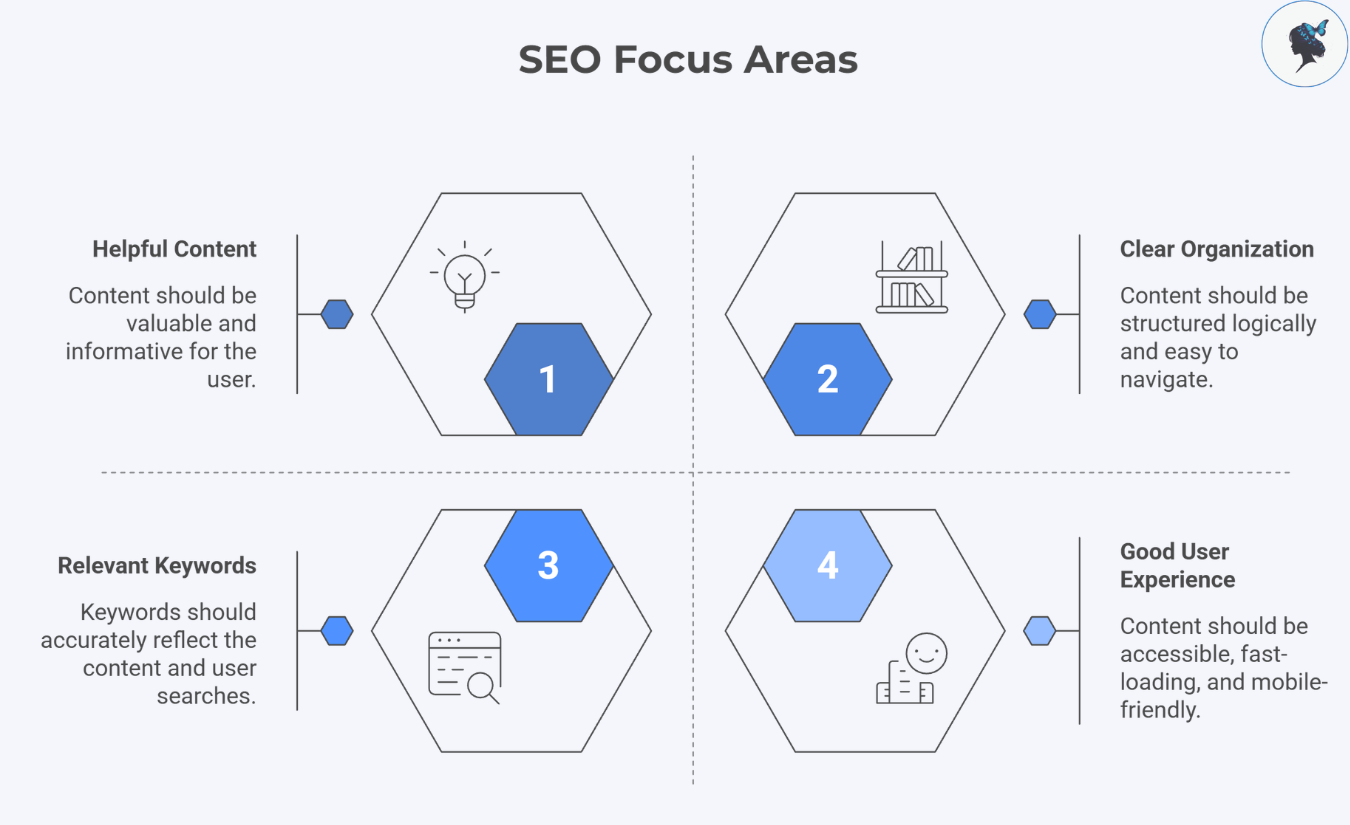
According to Google Search Essentials, strong SEO focuses on:

  • Helpful content
  • Clear organization
  • Relevant keywords
  • Good user experience

That means SEO is no longer about “tricking Google.” Instead, it’s about making your content easier for both people and search engines to understand.

infograph: SEO focus areas
SEO focus areas

Focus on Search Intent

Before writing any blog post, ask:

  • What problem is my audience trying to solve?
  • What information are they hoping to find?
  • What action might they take afterward?

For example:

  • Someone searching “how to choose accounting software” wants educational guidance.
  • Someone searching “best accountant for restaurants in Malaga” likely wants to hire someone.

Understanding intent helps you create content that actually matches what readers expect.

More about mastering search intent here.

Quick Action Step

Search your target keyword in Google and study the top 5 results:

  • Are they guides?
  • Lists?
  • Tutorials?
  • Product comparisons?

Use that information to shape your own article.


2. Start With Smart Keyword Research

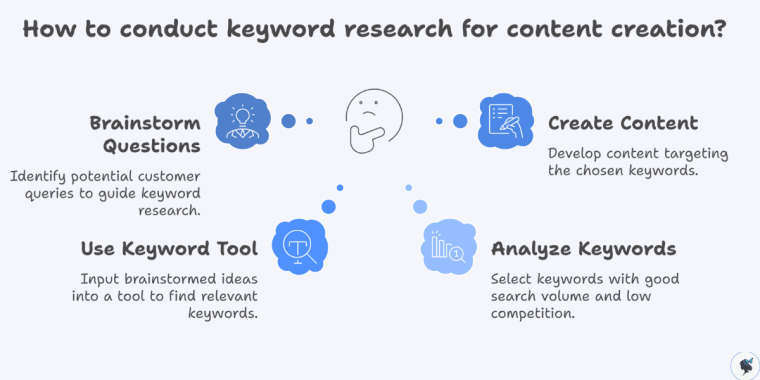
Keyword research helps you discover what your audience is already searching for online.

Many small businesses make the mistake of targeting broad, highly competitive keywords like:

  • “marketing”
  • “fitness”
  • “SEO”

Instead, focus on long-tail keywords — more specific phrases with clearer intent.

Examples:

  • “SEO tips for local restaurants”
  • “best CRM for freelance photographers”
  • “home workout ideas for busy parents”

These searches often bring more qualified visitors.

More about long-tail keywords here.

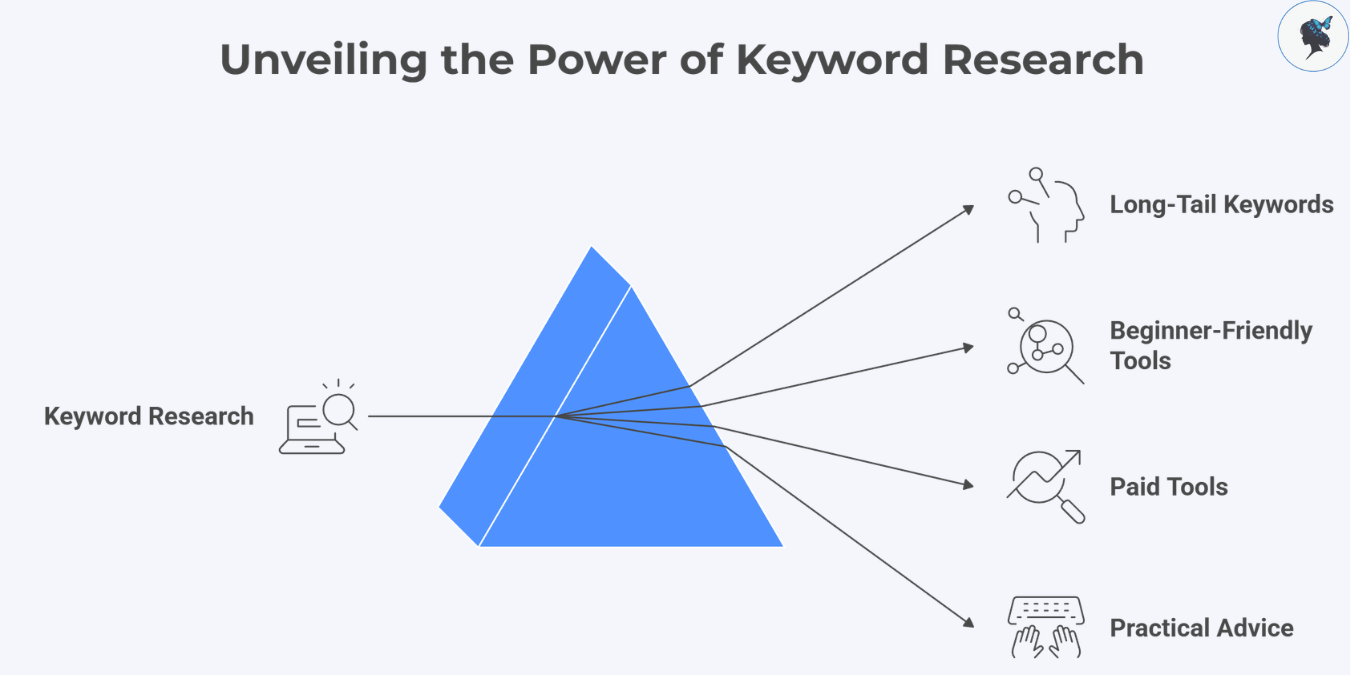
infograph: Unveiling the power of keyword research
Unveiling the power of keyword research

Beginner-Friendly Keyword Research Tools

You do not need expensive software to start.

Useful free tools include:

You can also explore paid tools like:

These platforms help identify:

  • Search volume
  • Keyword difficulty
  • Related questions
  • Competitor content

Recent reviews show these tools increasingly include AI-driven search insights and content optimization features.

Practical Advice

Choose:

  • One primary keyword
  • A few related phrases

Then write naturally around the topic instead of obsessing over exact repetition.


3. Write Better Titles and Meta Descriptions

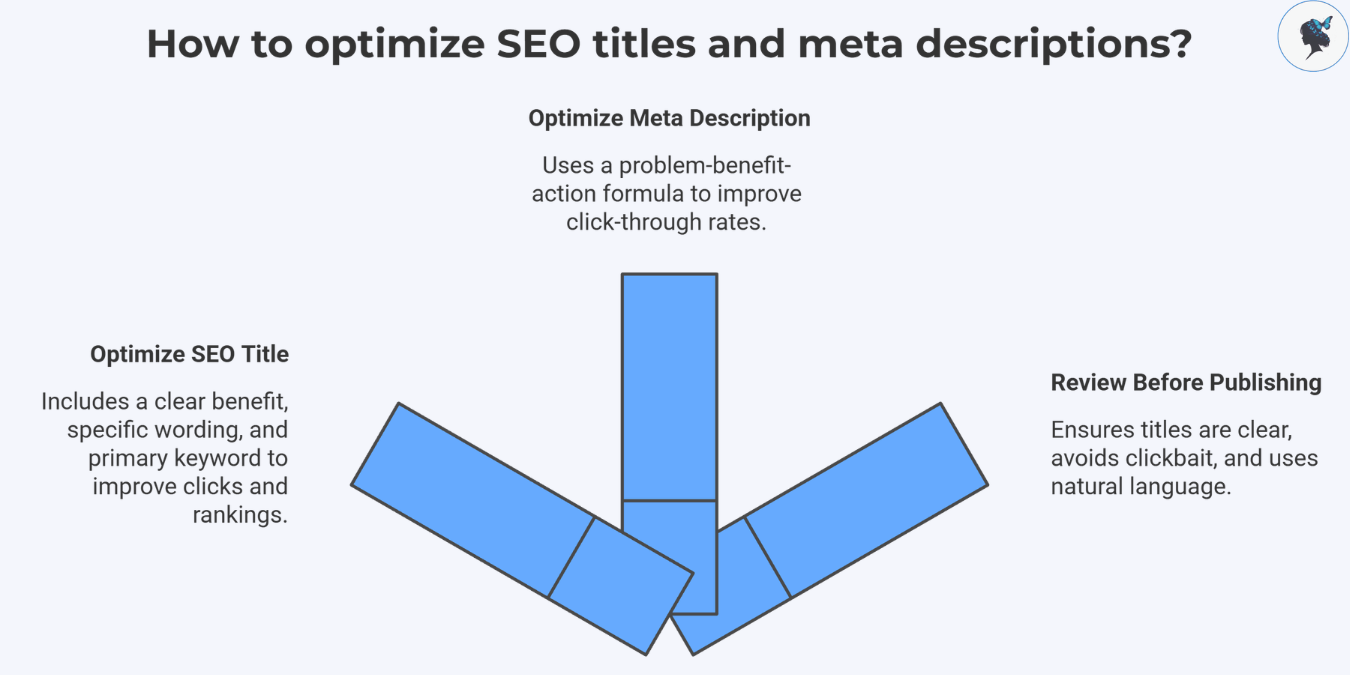
Your title is often the first thing people see in search results. A strong title improves both clicks and rankings.

What Makes a Good SEO Title?

A strong title usually includes:

  • A clear benefit
  • Specific wording
  • Your primary keyword

Compare these examples:

Weak: Baking Tips

Better: 10 Baking Tips for Choc-Chip Muffins

The second version tells readers exactly what they’ll get.

infograph: How to optimize SEO titles and meta descriptions?
How to optimize SEO titles and meta descriptions?

Meta Descriptions Matter Too

Meta descriptions do not directly improve rankings, but they can improve click-through rates.

A simple formula: Problem + benefit + action

Example: Learn how to write SEO-friendly blog posts that attract more traffic and turn readers into customers.

More about titles and meta descriptions here.

Quick Checklist

Before publishing:

  • Keep titles clear and readable
  • Avoid clickbait
  • Use natural language
  • Include your target keyword naturally

4. Structure Blog Posts for Readability

Even great information becomes difficult to read if the structure is messy.

Modern SEO strongly rewards user experience and clarity.

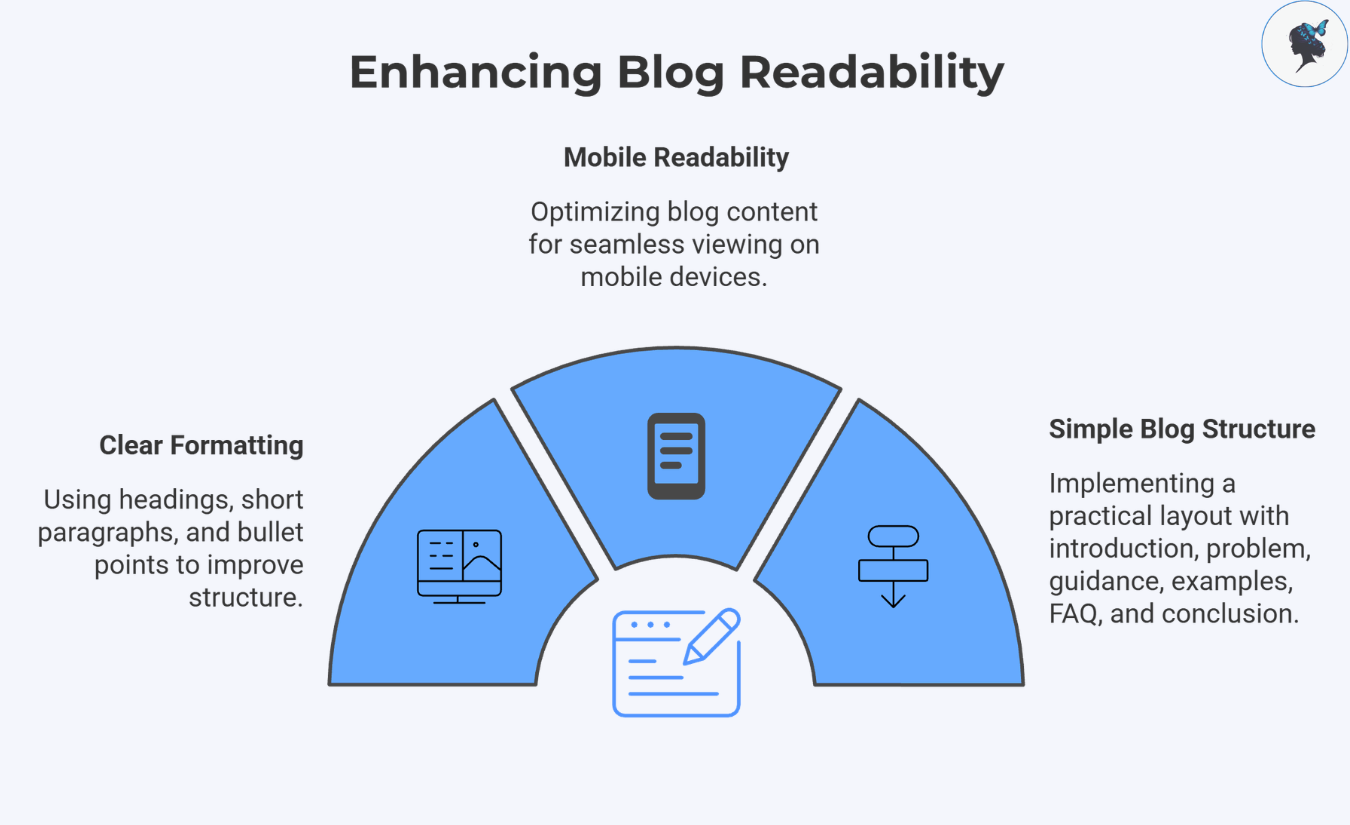
Use Clear Formatting

Good blog structure includes:

  • One H1 title
  • H2 and H3 subheadings
  • Short paragraphs
  • Bullet points
  • Numbered steps

Most readers scan before reading deeply.

infograph: Enhancing blog readability
Enhancing blog readability

Improve Mobile Readability

Many small business websites still struggle with mobile formatting and page clarity.

More about mobile optimization here.

To improve readability:

  • Keep paragraphs short
  • Add spacing between sections
  • Use descriptive subheadings
  • Avoid giant blocks of text

A Simple Blog Structure

A practical layout:

  1. Introduction
  2. Problem explanation
  3. Step-by-step guidance
  4. Examples
  5. FAQ section
  6. Conclusion with CTA

This structure helps both readers and search engines understand your content.


5. Integrate Keywords Naturally

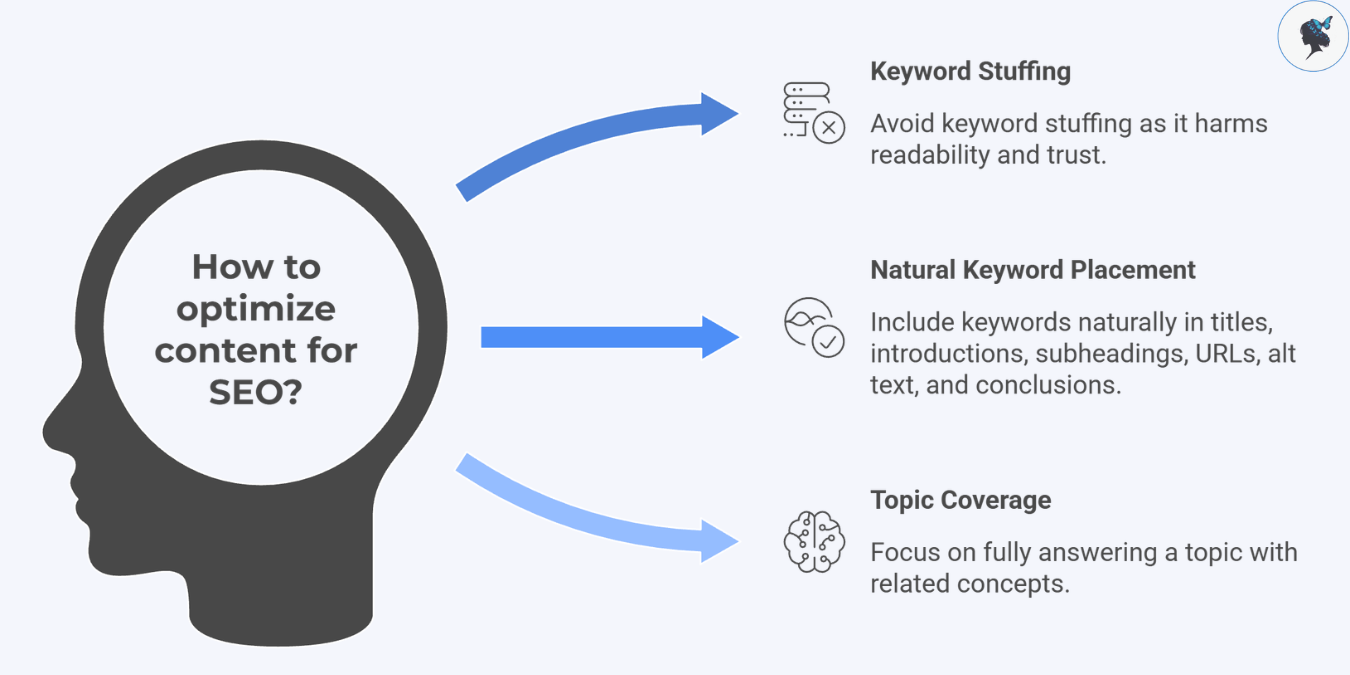
Keyword stuffing used to be common SEO advice. Today, it usually hurts readability and trust.

Google now prioritizes “people-first content.”

Where Keywords Should Appear

Include keywords naturally in:

  • The title
  • Introduction
  • Subheadings
  • URL
  • Image alt text
  • Conclusion

But avoid forcing the same phrase repeatedly.

infograph: How to optimize content for SEO?
How to optimize content for SEO?

Focus on Topic Coverage Instead

Search engines now evaluate whether your content fully answers a topic — not just how many times a keyword appears.

For example, if your article is about “SEO-friendly blog posts,” related concepts may include:

  • Search intent
  • Internal linking
  • Metadata
  • User experience
  • Content structure

This creates more natural, useful content.


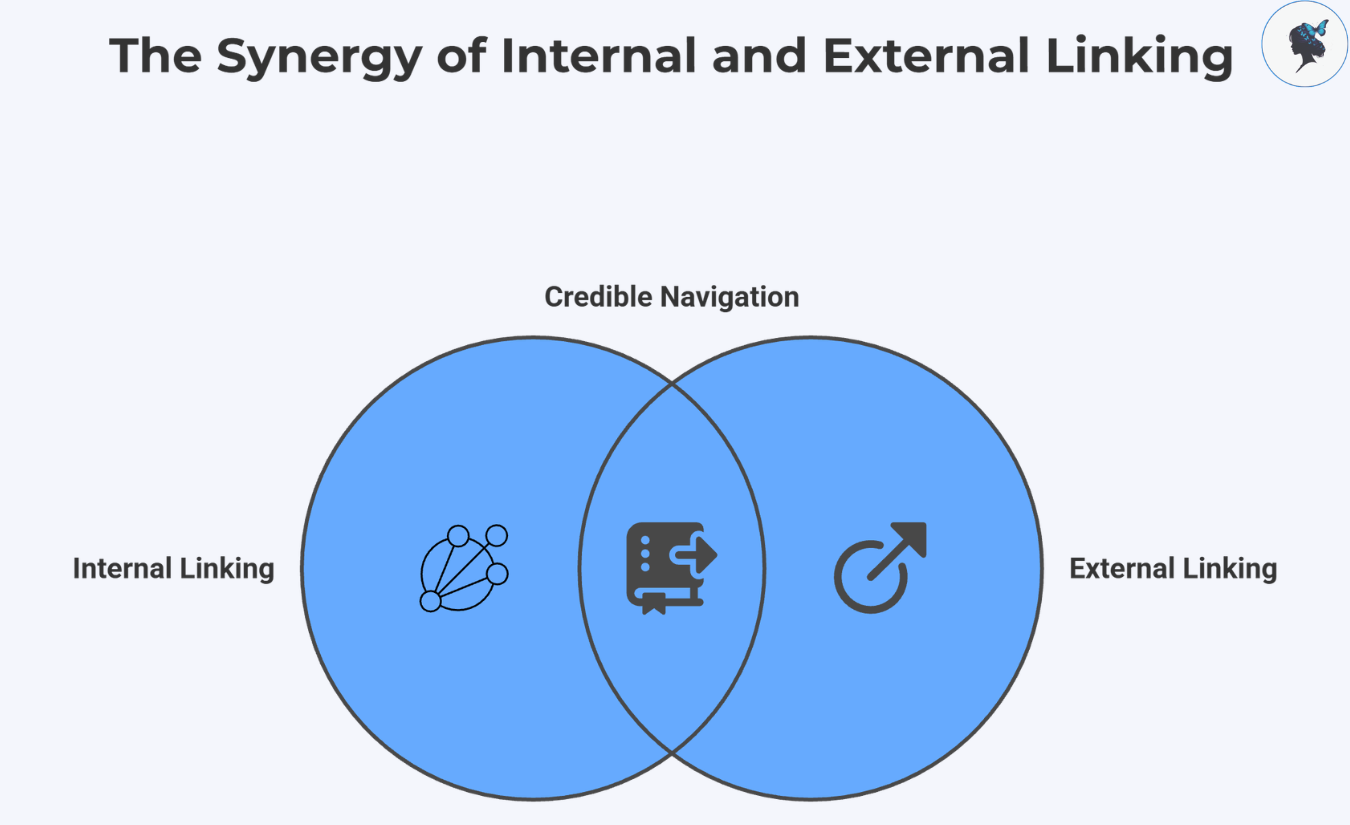
Links help readers navigate your content and help search engines understand your website structure.

Internal Linking

Internal links connect pages on your own website.

Examples:

  • Linking a blog post to your services page
  • Connecting related articles together
  • Directing readers to FAQs or case studies

This improves:

  • User engagement
  • Site organization
  • SEO visibility
infograph: The synergy of internal and external linking
The synergy of internal and external linking

External Linking

Linking to credible external sources builds trust and supports factual claims.

Good external sources include:

  • Government websites
  • Industry research
  • Established publications
  • Official documentation

For example, linking to Google Search Central adds credibility when discussing SEO practices.


7. Optimize Images and Multimedia

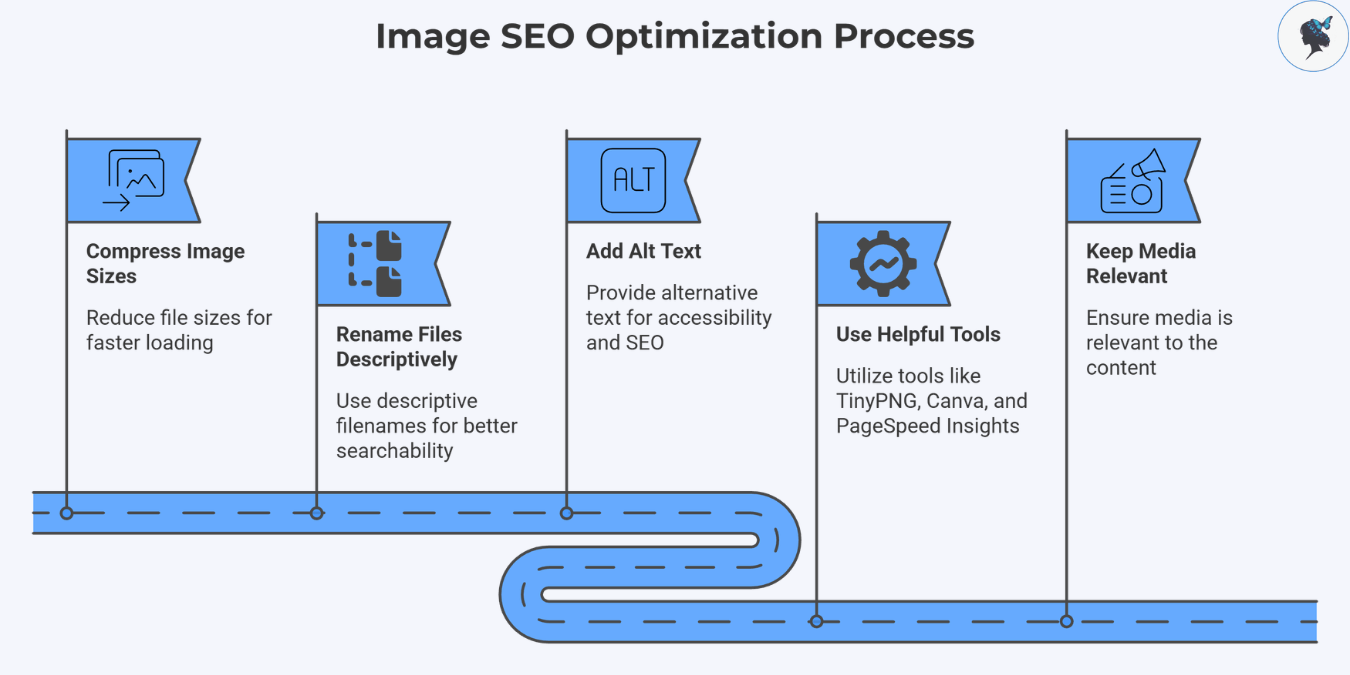
Images improve engagement, but poorly optimized visuals can slow down your website.

Basic Image SEO Tips

Before uploading:

  • Compress image sizes
  • Rename files descriptively
  • Add alt text

Instead of: IMG_4822.jpg

Use: local-bakery-owner-decorating-cake.jpg

infograph: Image SEO optimization process
Image SEO optimization process

More about image optimization here.

Helpful Tools

Useful beginner-friendly tools:

Keep Media Relevant

Every image, chart, or video should support the content — not just decorate the page.


8. Promote Your Blog Posts

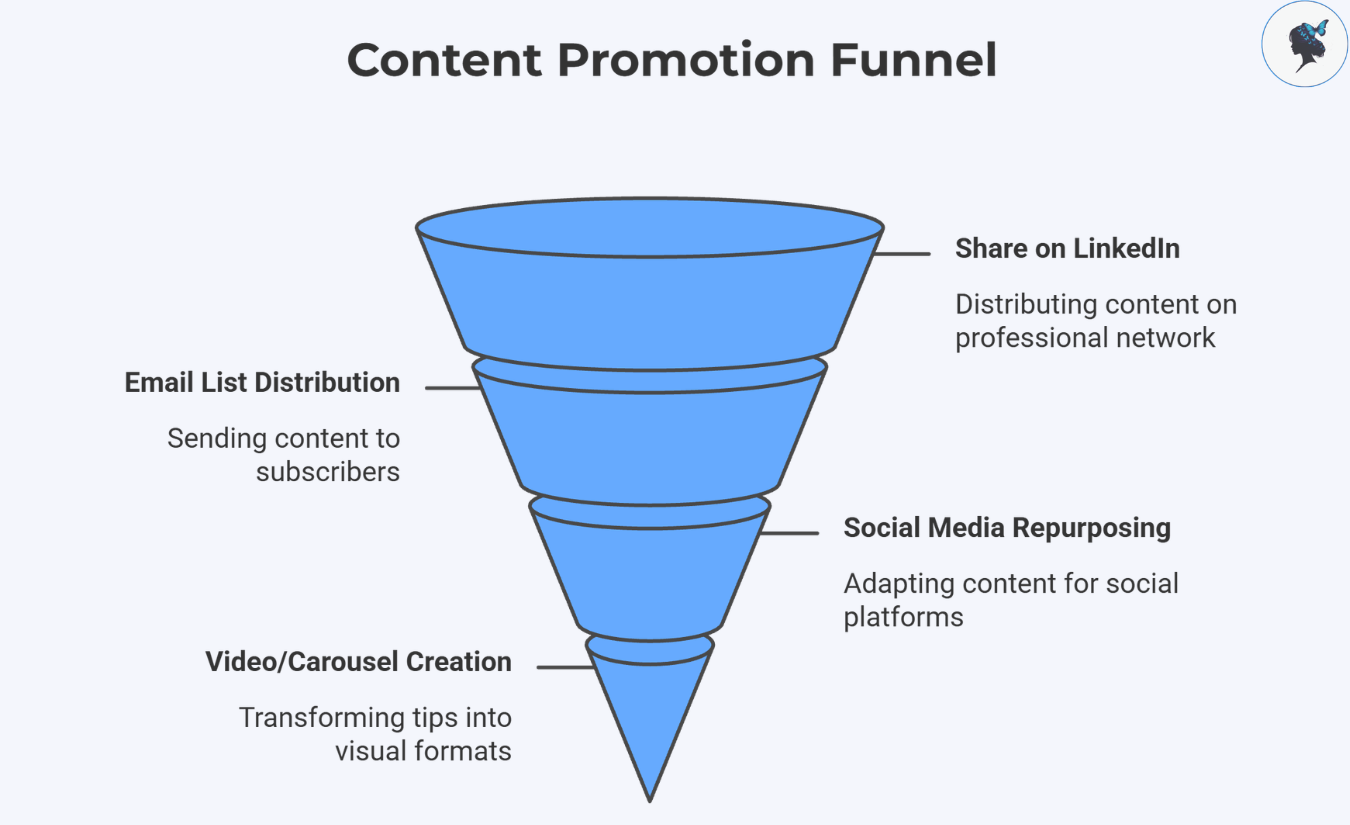
Publishing is only half the job.

Many small businesses create good content but never actively distribute it.

Easy Promotion Channels

After publishing:

  • Share posts on LinkedIn
  • Send them to your email list
  • Repurpose sections into social media posts
  • Turn tips into short videos or carousels
infograph: Content promotion funnel
Content promotion funnel

Focus on Consistency

You do not need to be everywhere.

It is usually better to consistently use:

  • One social platform
  • One email strategy
  • One content format

than trying to master every channel at once.


9. Measure What’s Working

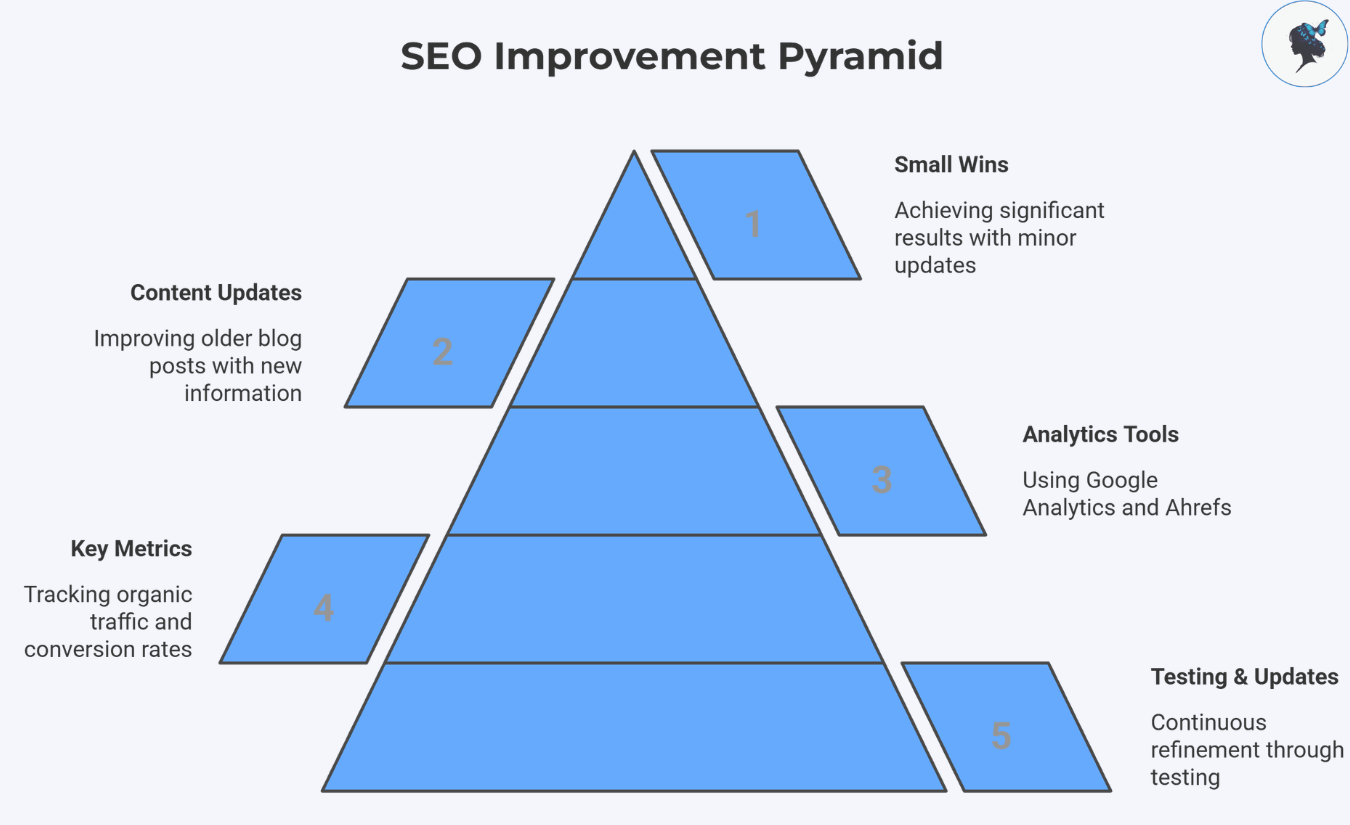
SEO improves through testing and updates.

Metrics Worth Tracking

Focus on:

  • Organic traffic
  • Time on page
  • Click-through rates
  • Keyword rankings
  • Conversion rates
infograph: SEO improvement pyramid
SEO improvement pyramid

More about tracking performance here.

Useful SEO Analytics Tools

Free:

Paid:

Recent SEO discussions increasingly emphasize updating older content rather than constantly publishing new articles.

One of the easiest wins:

  • Find blog posts ranking on page 2 of Google
  • Improve clarity
  • Add updated information
  • Include FAQs
  • Strengthen internal links

Small updates can create meaningful ranking improvements.


Final Thoughts

SEO-friendly blogging is not about complicated hacks or technical tricks.

For most small businesses, success comes from:

  • Understanding customer questions
  • Writing genuinely useful content
  • Organizing posts clearly
  • Improving consistency over time

Google continues to prioritize helpful, reliable, people-first content.

That means small businesses can absolutely compete — even without massive marketing budgets.

Start simple:

  • Choose one helpful topic
  • Write clearly
  • Optimize thoughtfully
  • Measure results
  • Improve over time

Consistent, useful content still wins.

Need help? Contact us today!
How to Track SEO Performance Without Paying a Fortune

A Guide for Small Business Owners


▶ Table of Contents

Introduction

SEO often feels like a mysterious black box: you put in effort, but how do you know if it’s paying off?

For small business owners, every marketing dollar and minute counts. Tracking SEO performance doesn’t have to drain your budget or your energy.

With just two free Google tools, Google Search Console and Google Analytics, you can gain clear insights into how your website attracts visitors, what those visitors do, and which pages convert into real business outcomes.

In this guide,you’ll discover practical ways to set up, track, and interpret SEO data. By mastering these tools, you’ll no longer guess if your SEO is working, you’ll know, and you’ll learn exactly what to fix next.

What “Good SEO Performance” Means for Your Small Business

SEO success is not just ranking #1 on Google. For your business, it means:

Infograph: Small business SEO metrics
Small business SEO metrics
  • Attracting the right visitors who are interested in your products or services.
  • Engaging visitors so they stay longer, explore, and return.
  • Generating conversions such as inquiries, bookings, purchases, or newsletter signups.
  • Maintaining a technically healthy website so Google indexes you properly.

For example, a local yoga studio blog post ranking #8 for “beginner yoga tips” might steadily drive new clients to sign up for classes, even if it’s not #1 on Google. Tracking these patterns reveals what works, so you can focus your energy there.

Your Free, Easy SEO Tracking Toolkit: Google Search Console + Google Analytics

Why these two are enough for small business owners.

infograph: Google Search Console & Google Analytics
Google Search Console & Google Analytics

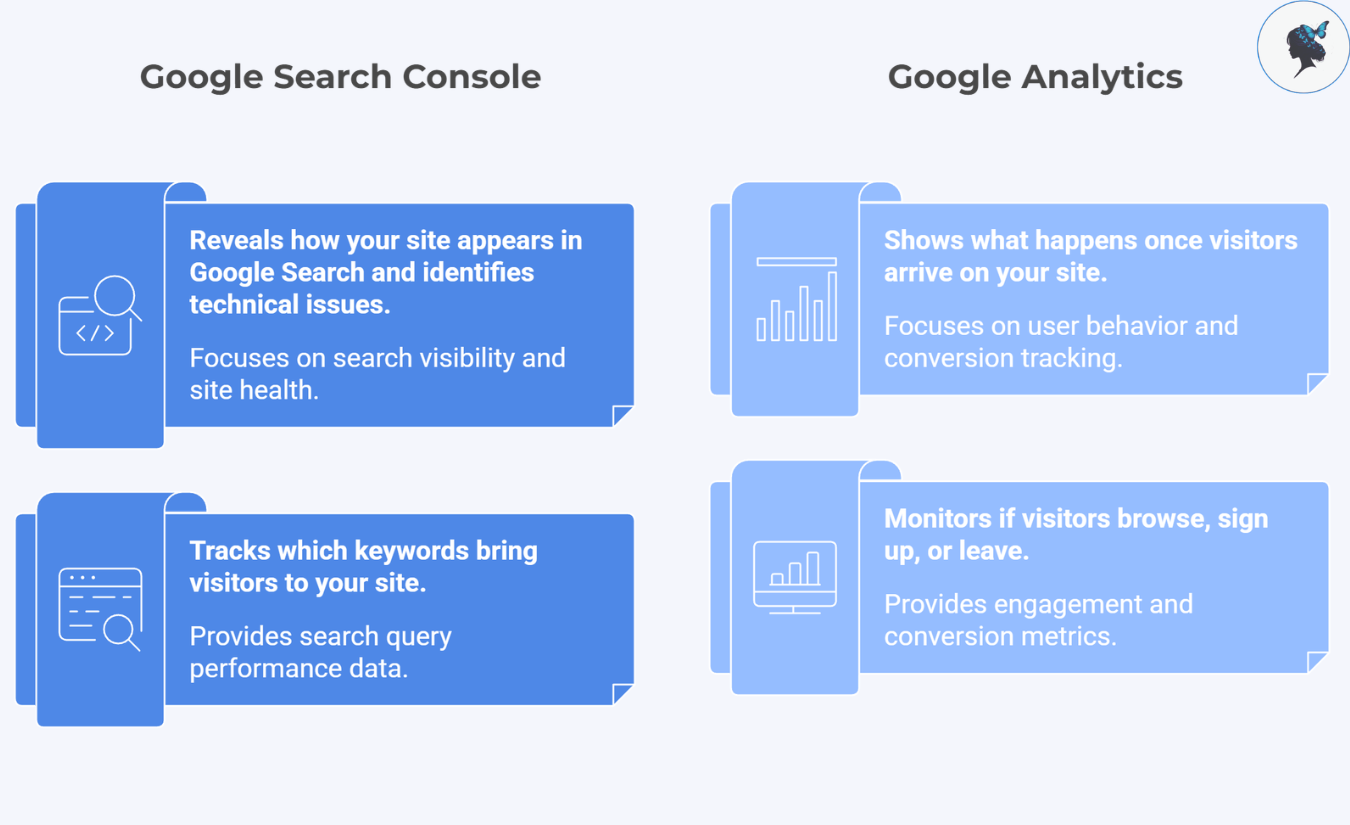
Google Search Console reveals how your site appears in Google Search, what keywords bring visitors, and if there are any technical issues.
Google Analytics shows what happens once visitors arrive, do they browse, sign up, or leave?

These tools are free, reliable, and designed for users of all levels. You don’t need expensive subscriptions until your business scales significantly.

Google Analytics: Track What Matters Without Getting Overwhelmed

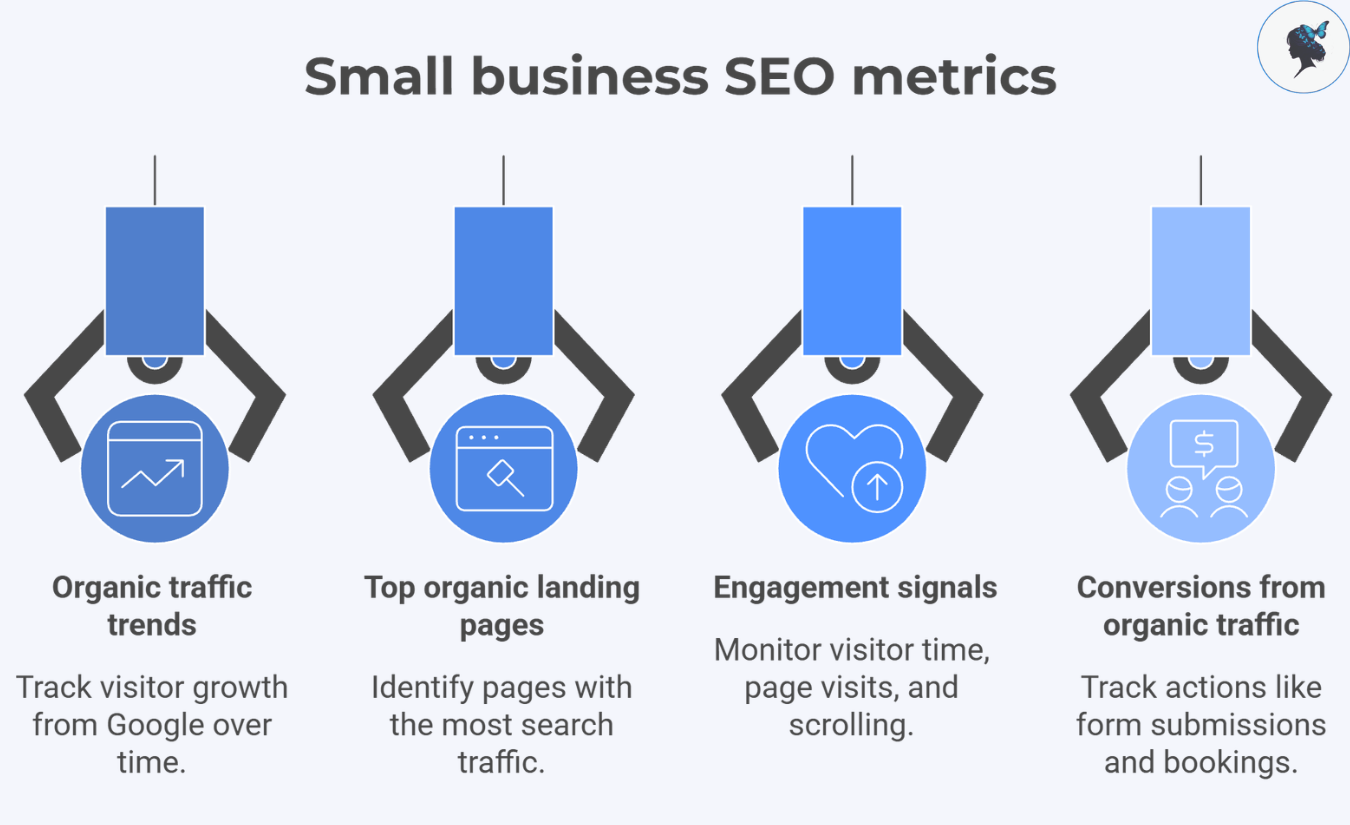
These four metrics are key for your small business SEO:

Small business SEO metrics

Track if your visitors from Google are increasing over weeks and months. Growth here signals your SEO efforts are paying off.

Top organic landing pages

Identify which pages bring the most search traffic. Perhaps your “About Us” or “Services” page is a top entry point, now you know where to focus updates.

Engagement signals

Look for how long visitors stay, how many pages they visit, or if they scroll through your content. Low engagement means it’s time to improve your page’s clarity or design.

Conversions from organic traffic

Set up and track actions that matter to your business, like contact form submissions or appointment bookings. This links SEO directly to your revenue goals.

Helpful Google Analytics references: Engagement metrics overview.

Set Up Google Analytics for Accurate SEO Measurement

infograph: GA4 & SEO setup process
GA4 & SEO setup process

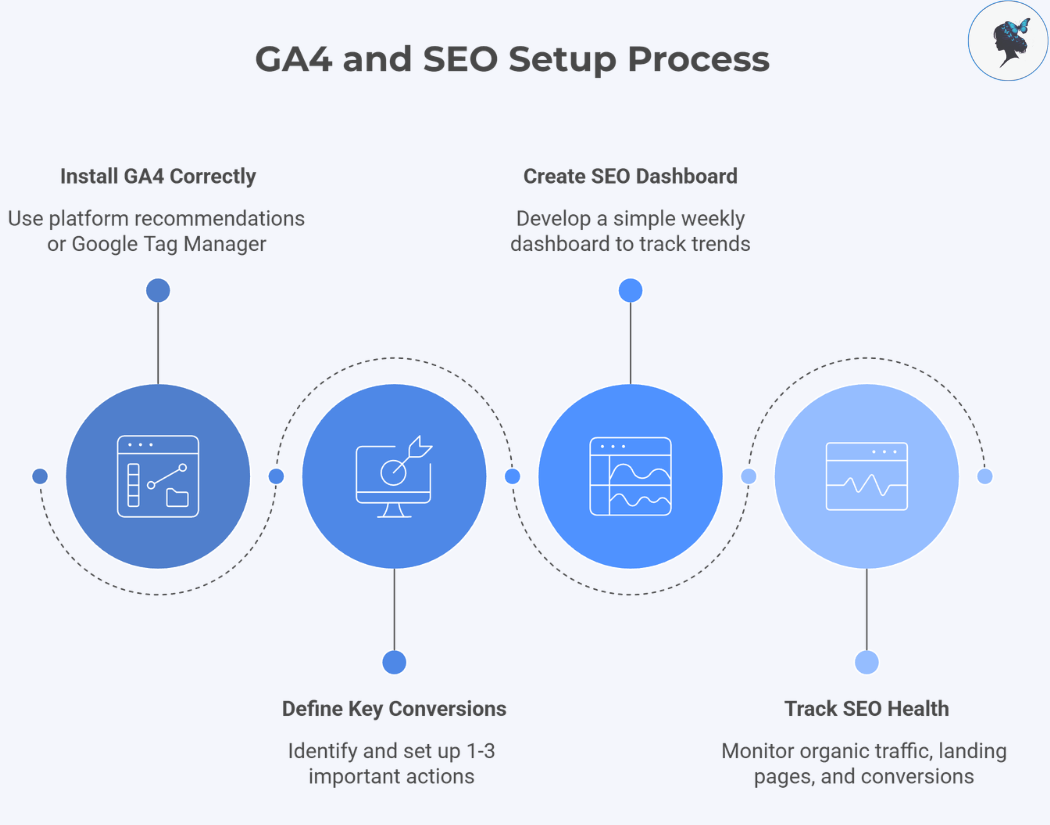
Install GA4 correctly: Use your website platform’s recommended setup, or Google Tag Manager if you’re comfortable.

Define 1 to 3 key conversions: Focus on the most important actions, such as “Contact Form Submitted” or “Newsletter Signup.”

Create a simple weekly SEO dashboard: Track organic traffic trends, top landing pages, and conversion numbers to quickly assess your SEO health.

Google Search Console: Your Free SEO Control Panel

Search Console provides insight into what Google sees:

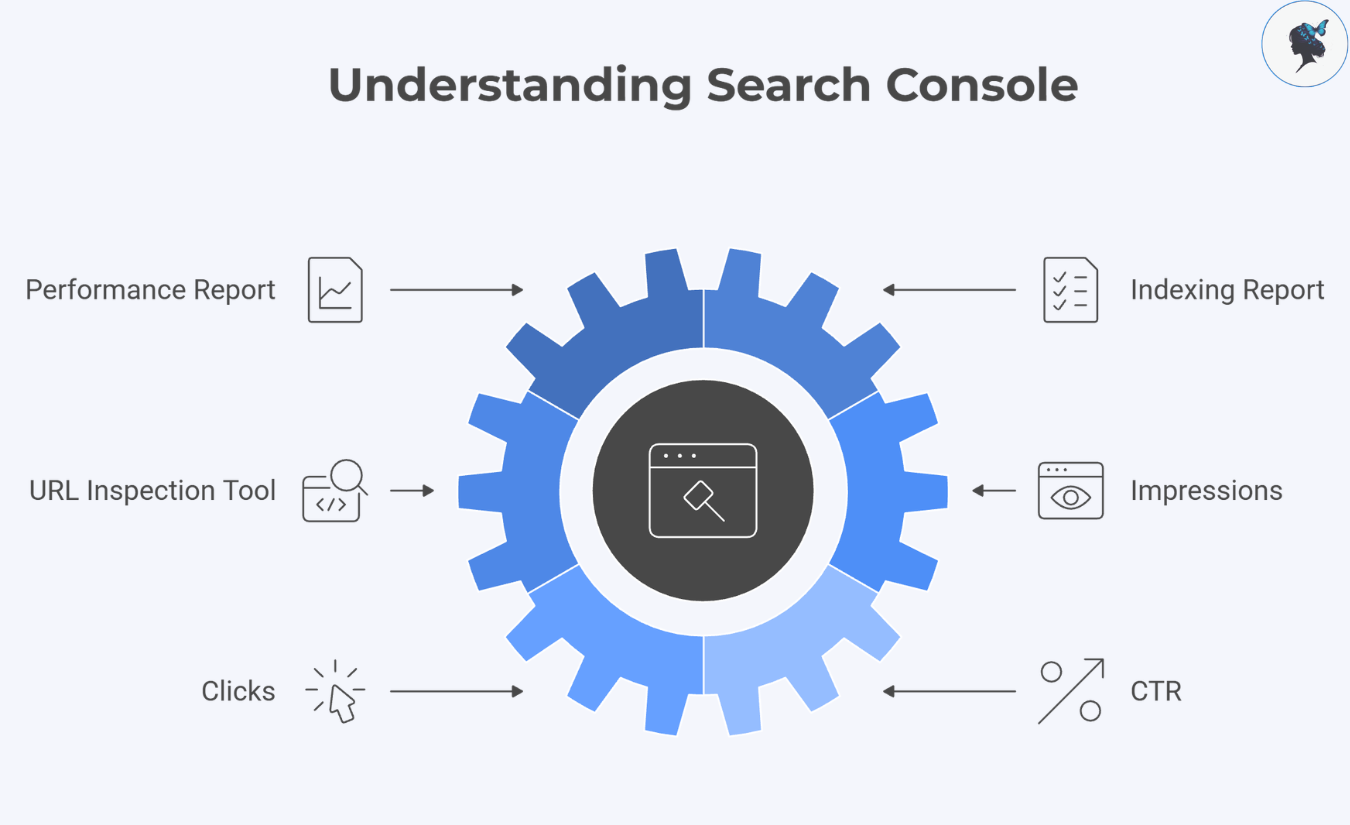
infograph: Understanding Search Console
Understanding Search Console

Performance report: Shows your site’s search queries, pages, clicks, impressions, click-through rates (CTR), and average position.

Indexing report: Ensures your important pages are indexed and visible in search results.

URL Inspection tool: Request Google to re-crawl updated pages fast, keeping your fresh content visible.

Simple explanation

Impressions = how often your page appears in search results
Clicks = how often users visit your site from those results
CTR = clicks divided by impressions, a measure of how attractive your listing is

How to Use Search Console Data to Boost Your SEO

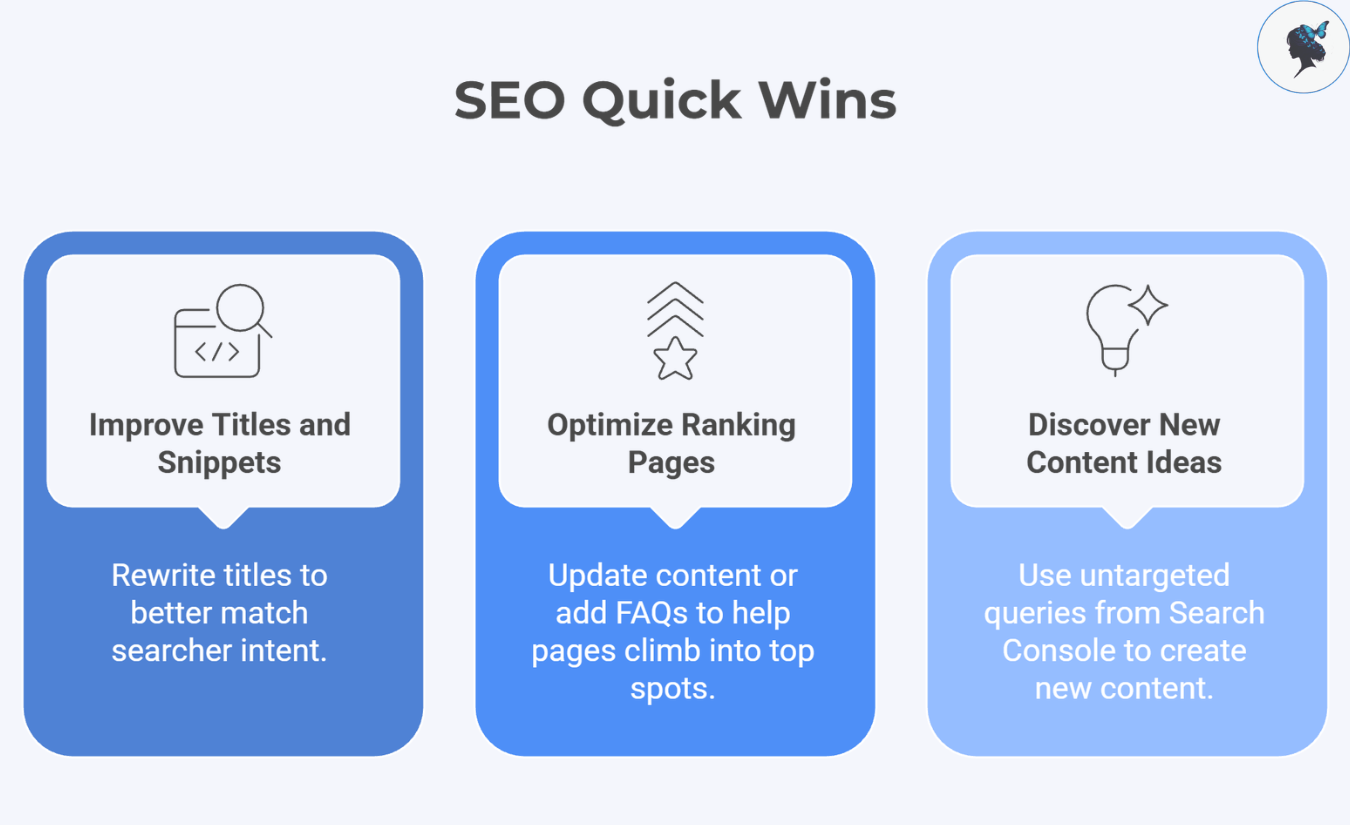
infograph: SEO quick wins
SEO quick wins

Quick win #1: Improve titles and snippets for pages with high impressions but low CTR.
If Google shows your page often but few people click, rewrite titles to better match what searchers want. For example, add a clear benefit or address a pain point your audience has.
Google guidance on title links.

Quick win #2: Optimize pages ranking just outside page 1 (positions 8 to 20).
Small content updates or adding FAQs can help these pages climb into top spots, increasing traffic.

Quick win #3: Discover new content ideas from untargeted queries.
Search Console often reveals unexpected search terms visitors use. Use these to create new blog posts or enhance existing content, expanding your reach.

Combine Google Analytics and Search Console for Full SEO Insights

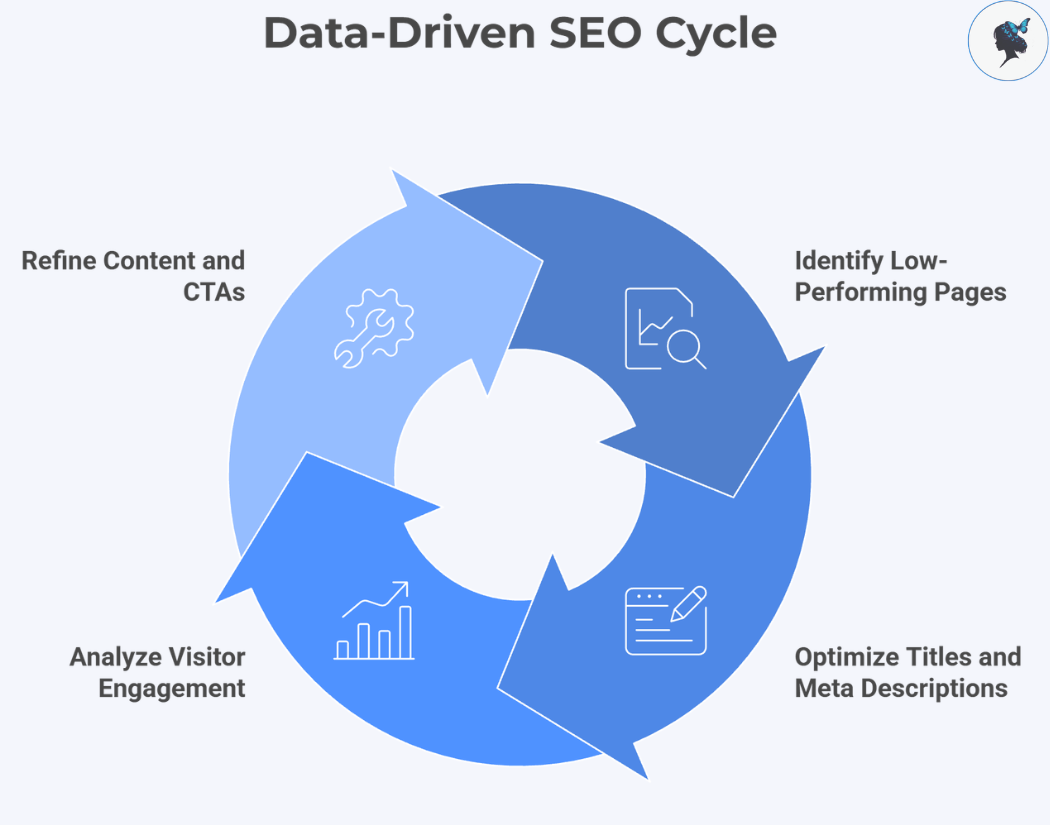
Google Search Console tells you how people find you; GA4 shows what they do next.

Data-driven SEO cycle

Workflow example for a small business owner:

  • Spot a page in Search Console getting impressions but low clicks.
  • Improve its title and meta description.
  • Check GA4 to see if visitors engage or convert.
  • Decide if you need to tweak content or calls to action.

This approach turns data into actionable steps that grow your business.

Build a Simple SEO Tracking Routine That Fits Your Busy Schedule

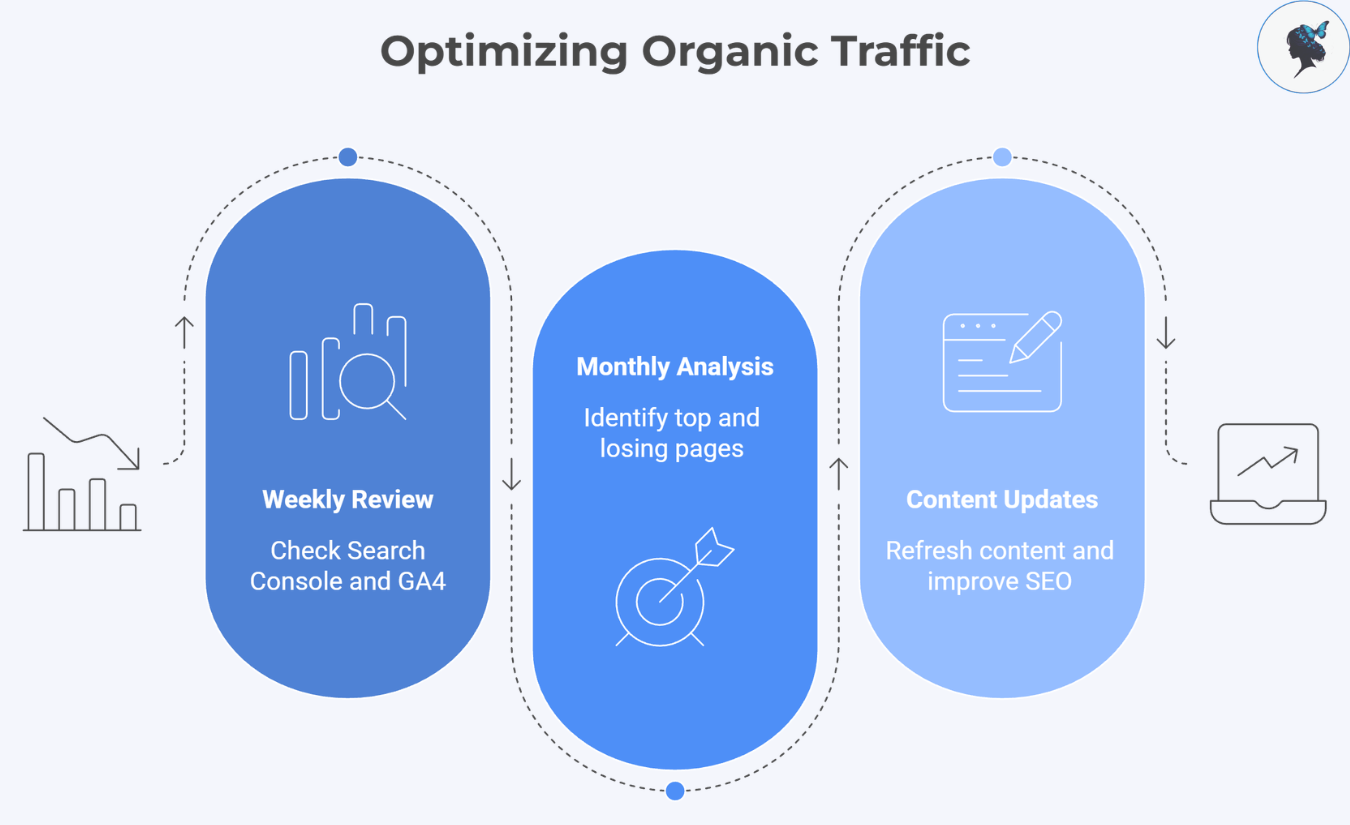
infograph: Optimizing organic traffic
Optimizing organic traffic

Weekly (15 minutes)

  • Check Search Console for sudden drops or indexing issues.
  • Review GA4’s organic traffic trends.
  • Note any big changes.

Monthly (30 to 60 minutes)

  • Identify top-performing organic landing pages.
  • Look for pages losing traffic or conversions.
  • Plan updates: refresh content, improve SEO elements, or add internal links.
  • Keep a log of changes and outcomes.

Common Pitfalls Small Business Owners Should Avoid

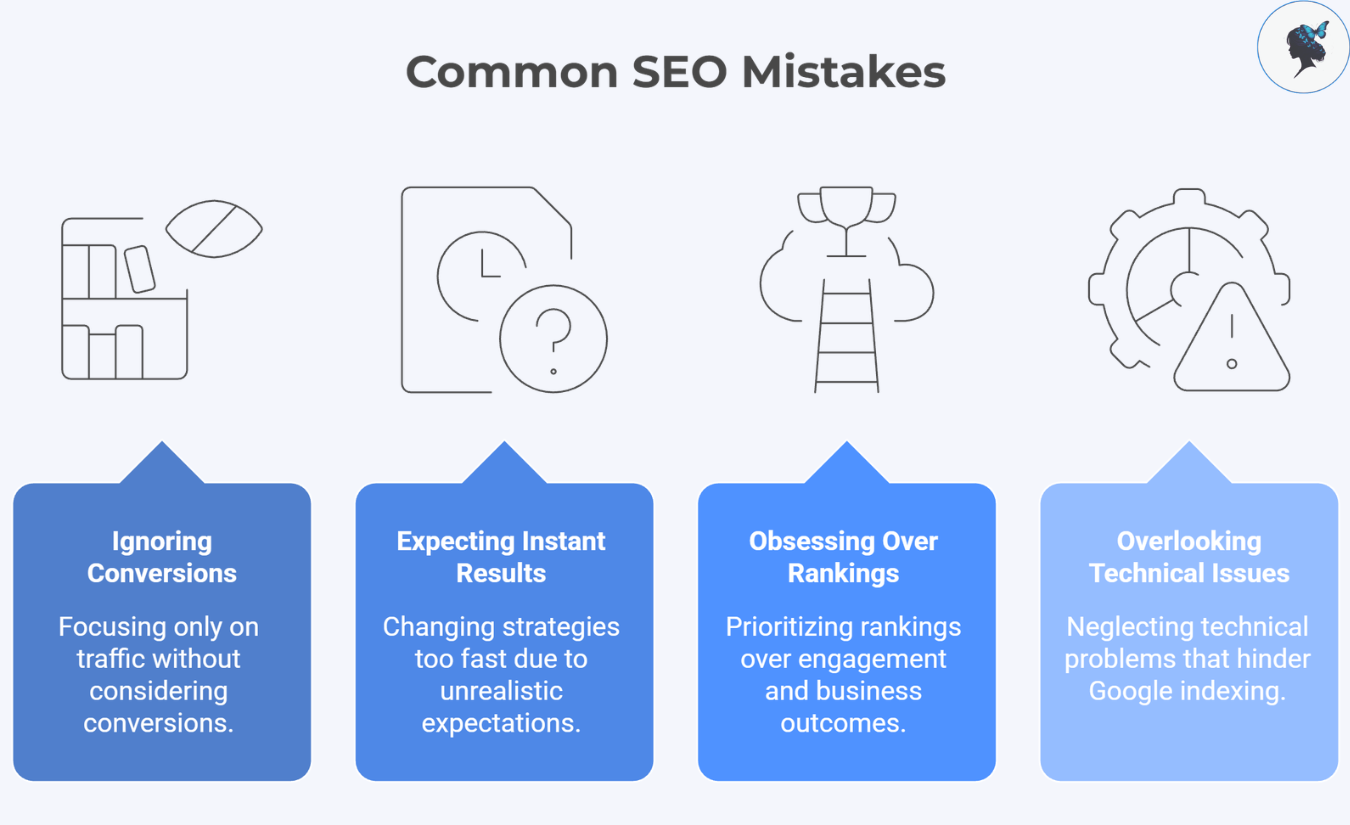
infograph: Common SEO mistakes
Common SEO mistakes
  • Ignoring conversions and focusing only on traffic.
  • Expecting instant SEO results and changing strategies too fast.
  • Obsessing over rankings instead of engagement and business outcomes.
  • Overlooking technical issues that block Google from indexing your site.

You don’t need costly tools to track SEO effectively. With Google Search Console and Google Analytics, you gain a powerful, free toolkit to understand your SEO performance, identify opportunities, and make smart improvements.

Set up these tools, define your key business goals, and build simple weekly and monthly habits to keep your SEO on track. When you do, you’ll find your SEO efforts translate into real growth for your small business, without paying a fortune.

Need help? Contact us today!
Free SEO Tools You Can Use Today

▶ Table of Contents

For small business owners who want practical SEO wins without paying for expensive software.

If your SEO isn’t working, the issue usually isn’t effort — it’s using the wrong tool at the wrong time.

This guide breaks down exactly what to use based on your situation, with quick actions you can take today.

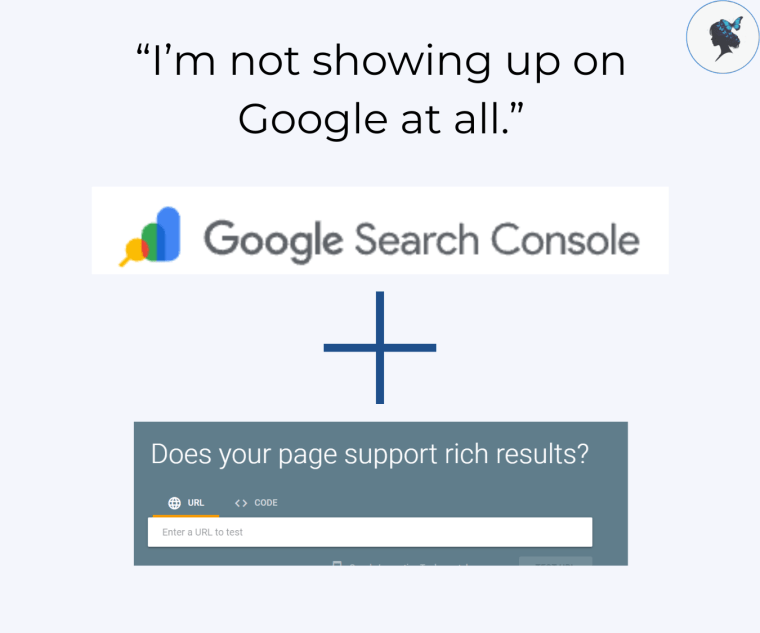
Problem 1: “I’m not showing up on Google at all.”

Start with: Google Search Console

Google still relies on indexing signals from Search Console, and as of 2025–2026 updates, over 90% of newly indexed small business pages are discovered via submitted sitemaps or internal links—not random crawling, making setup critical for visibility.

infograph: “I’m not showing up on Google at all.” GSC + Rich Results logos.
I’m not showing up on Google at all.

Do this today: Add your site, submit your sitemap, check Indexing > Pages to see what’s blocked or excluded.

Then use: Rich Results Test

Do this today: Test a key page URL and fix structured data issues your CMS allows you to edit.


Problem 2: “My pages are indexed, but they’re not ranking.”

Start with: Google Search Console

Google’s ranking systems prioritize helpful, intent-matching content, and pages that don’t clearly satisfy search intent are far less likely to rank—even if indexed.

More about mastering search intent here.

infograph: “My pages are indexed, but they’re not ranking.” GSC Logo.
My pages are indexed, but they’re not ranking.

Do this today: Compare your page to the top 3 results and improve content depth, clarity, and relevance.


Problem 3: “I’m showing up, but getting very few clicks.”

Start with: Google Search Console (Performance report)

With AI summaries and rich SERP features, organic CTR has dropped by 15–30% for many small business queries, making titles and meta descriptions more important than ever.

infograph: “I’m showing up, but getting very few clicks.” GSC + Google trends logos
I’m showing up, but getting very few clicks.

Do this today: Find high impressions + low CTR queries and rewrite titles/meta descriptions.

More about Meta title & description optimization here.

Add: Google Trends

Keyword demand can shift within weeks due to AI-assisted search behavior changes.


Problem 4: “I don’t know what keywords to target.”

Start with: Google Keyword Planner

Long-tail keywords now drive over 70% of search traffic, especially with voice and conversational queries.

infograph: I don’t know what keywords to target. Screenshot google keyword planner + keyword surfer logo.
I don’t know what keywords to target.

Do this today: Enter your service + location and focus on long-tail keyword ideas.

Add: Keyword Surfer

SERP-based keyword tools are one of the most accessible free ways to infer search intent, since they reflect what Google already ranks for a query.

More about long-tail keywords here.


Problem 5: “My rankings are inconsistent or dropping.”

Start with: Screaming Frog SEO Spider

Technical issues still impact crawl efficiency, and crawl budget remains relevant for growing sites.

infograph: “My rankings are inconsistent or dropping.” screaming frog logo + ahrefs webmaster tool logo.
My rankings are inconsistent or dropping.

Do this today: Fix broken links, duplicate titles, and redirect chains.

Add: Ahrefs Webmaster Tools

Fixing critical technical SEO errors can lead to noticeable visibility gains with improvements sometimes reaching 10-30% depending on the severity of the issues.


Problem 6: “My website is slow and losing mobile users.”

Start with: PageSpeed Insights

Pages loading slower than 3 seconds can lose over 50% of mobile visitors.

infograph: “My website is slow and losing mobile users.” page speed insights + chrome UX report screen shot.
My website is slow and losing mobile users.

Do this today: Optimize images and fix Core Web Vitals (LCP, INP, CLS).

(Optional) Cross-check with: Chrome UX Report

Google prioritizes real-user performance data over lab data.

More about Mobile optimization here.


Problem 7: “I need quick SEO checks without installing plugins.”

Start with: SEO Minion

Browser extensions enable fast audits without needing backend or CMS access.

infograph: “I need quick SEO checks without installing plugins.” SEO minion + detailed seo extention logos.
I need quick SEO checks without installing plugins.

Do this today: Check headings, meta tags, and broken links.

Add: Detailed SEO Extension

Missing signals like canonicals can cause indexing issues even on small sites.


Problem 8: “I don’t know which pages bring in leads or sales.”

Start with: Google Analytics (GA4)

SEO traffic often assists conversions rather than being the final click, so its impact is often underestimated.

infograph: “I don’t know which pages bring in leads or sales.” Google analytics screenshot.
I don’t know which pages bring in leads or sales.

Do this today: Review organic landing pages and conversion data.

More about leveraging data analytics here.


Start with: Moz Link Explorer

There is still a strong correlation between referring domains and higher rankings.

infograph: “My competitors outrank me because of backlinks.” Moz link explorer + bing webmaster tools screenshot.
My competitors outrank me because of backlinks.

Do this today: Find websites linking to competitors but not to you.

Add: Bing Webmaster Tools

Using multiple tools reveals backlink opportunities Google tools may miss.


Problem 10: “I want a simple SEO system instead of guessing.”

Start with: Google Search Console + Google Analytics (GA4)

Businesses that track and improve SEO consistently see more stable rankings than those making random changes.

infograph: “I want a simple SEO system instead of guessing.” GSC + Google analytics logos.
I want a simple SEO system instead of guessing.

Do this today:

  • Check rankings (Search Console)
  • Check traffic & conversions (GA4)
  • Fix one issue per week

Final takeaway

SEO gets easier when you stop guessing and start diagnosing.

Use the right tool for the right problem, and focus on consistent improvements over time.

Need help? Contact us today!
Step-By-Step On-Page SEO Checklist for Local Service Businesses

▶ Table of Contents

Introduction

If you run a local service business (plumber, electrician, cleaner, clinic, salon, mechanic, landscaper), on-page SEO is what turns your website into a steady source of calls and bookings, not just an online brochure.

This checklist is written in simple terms, and for each step, I’ll explain why it matters using up-to-date context (how people search now, what Google prioritizes now, and what’s changing).

How to use this checklist

Use it on each core service page (example: “Boiler Repair in Manchester”).
Do the top 5 steps first for quick wins, then complete the rest.

Step 1: Keywords.

Choose one primary keyword that matches local intent.

Do this:

Pick one “main phrase” per page, typically:

[service] + [city/area]

Examples:

“emergency locksmith London”
“aircon servicing Singapore”
“boiler repair Manchester”
“pest control Dubai”
“dentist in Melbourne CBD”
“deep cleaning Dublin”

Add a few related phrases (supporting keywords), like “same day,” “cost,” “near me,” “24/7,” “licensed,” “warranty.”

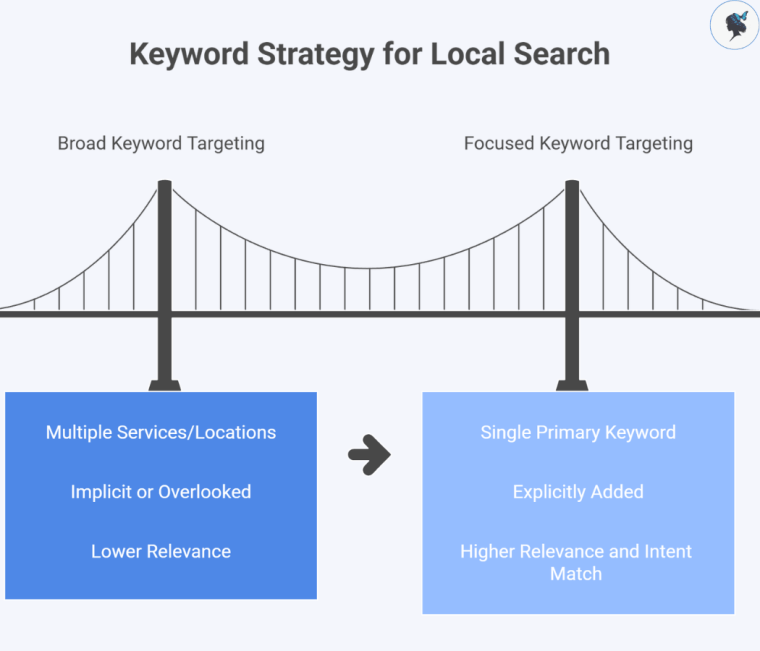
infograph: Keyword strategy for local search
Keyword strategy for local search

Why this matters in 2026:
Google is better than ever at understanding topics, but it still needs clarity. When you try to target too many services and locations on one page, your relevance drops and you lose out to more specific pages. Also, local searches are increasingly “high-intent” (people ready to call), so matching intent precisely is a direct lead driver.

Read our post: How to use AI to help find keywords.

Step 2: Title Tag

Write a clear, click-worthy Title Tag (your Google headline).

Do this:

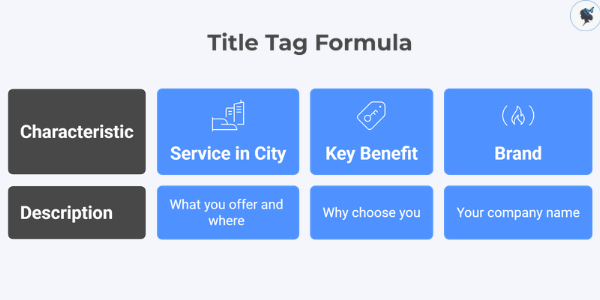
Use this formula:

Service in City | Key benefit | Brand

Examples:

Oven Repair in Sydney | Same-Day Technicians | FixFast
House Cleaning in Glasgow | Trusted Local Team | BrightHome Cleaners
Emergency Plumber in Cape Town | 24/7 Callouts | Tideway Plumbing

Infograph: Title tag formula
Title tag formula

Why this matters in 2026:
Your title tag heavily influences click-through rate, and clicks are your first “conversion.” In competitive local categories, the businesses that win are often the ones that communicate “what + where + why you” fastest.

Step 3: Meta Descriptions

Write a meta description that sells the next step (call, quote, booking).

Do this:

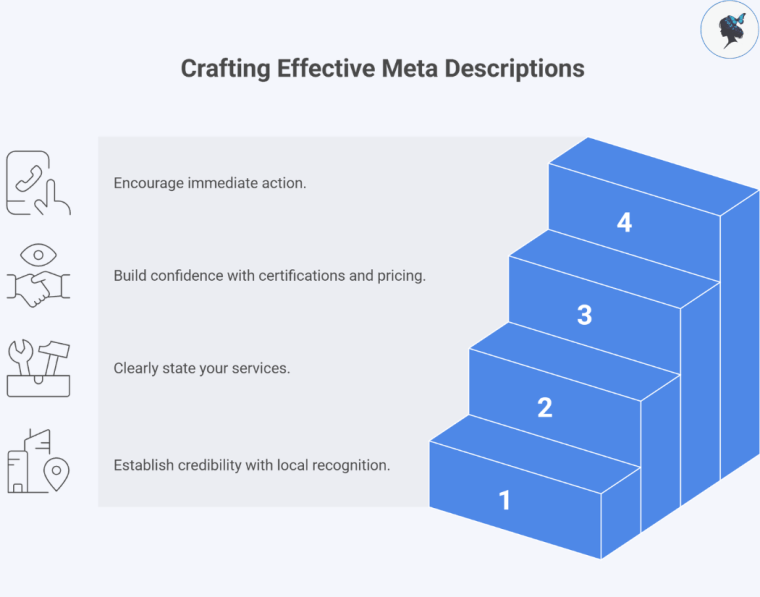
Use this template:

Local proof + what you do + trust + CTA

Example:

“Need boiler repair in Manchester? Gas Safe registered engineers, clear pricing, and fast callouts. Call now or request a quote online.”

infograph: Crafting effective meta descriptions
Crafting effective meta descriptions

Why this matters in 2026:
Meta descriptions don’t “guarantee rankings,” but they strongly impact whether people choose you or the competitor above/below you. In local services, a small lift in clicks can translate into a noticeable lift in leads.

More about Meta Descriptions here.

Step 4: Headings

Use headings properly (H1, H2, H3) so Google and humans can scan.

Do this:

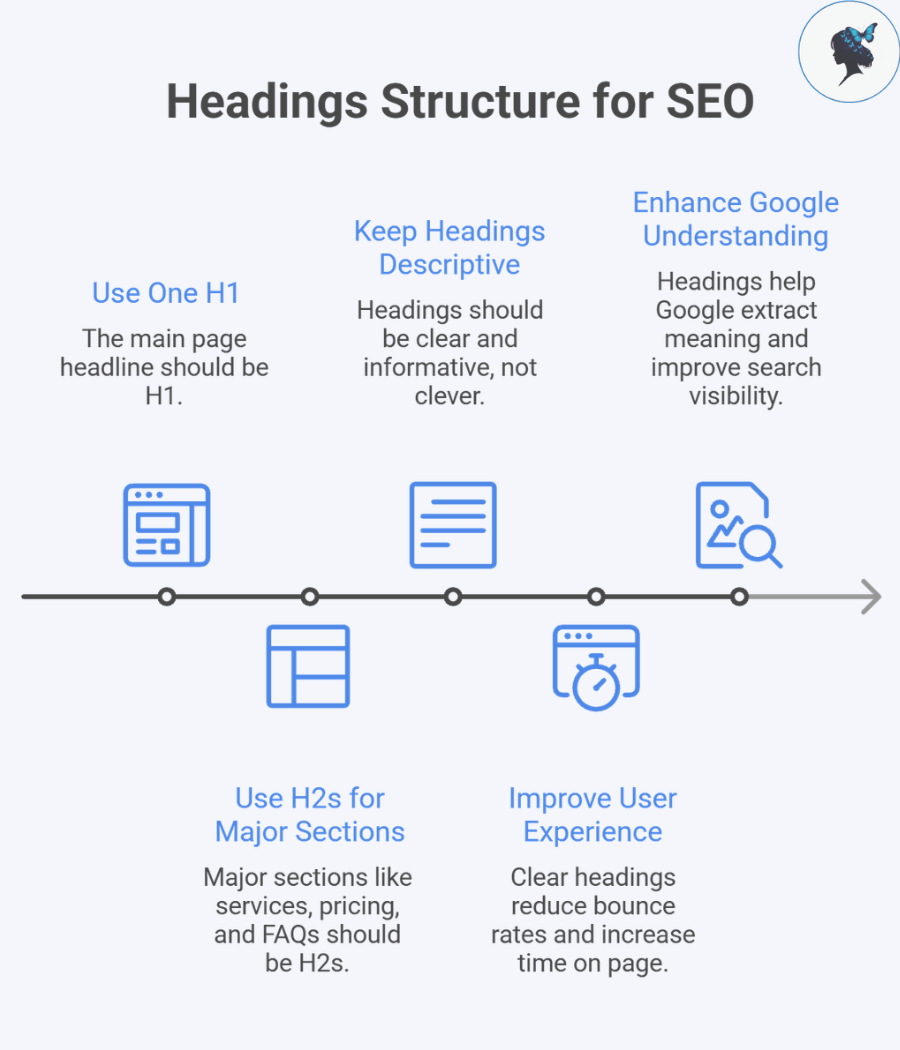
Use one H1 only (the main page headline)
Use H2s for major sections: services, pricing, areas served, FAQs
Keep headings descriptive, not clever

Example:

H1: “Air Conditioner Repair in Singapore”
H2: “Common AC Problems We Fix”
H2: “Pricing and What Affects Cost”
H2: “Areas We Serve”
H2: “FAQs”

infograph: Headings structure for SEO
Headings structure for SEO

Why this matters in 2026:
People skim on mobile. Clear headings reduce bounce, increase time on page, and help Google extract meaning (and potentially surface your content for more long-tail queries).

More about headings here.

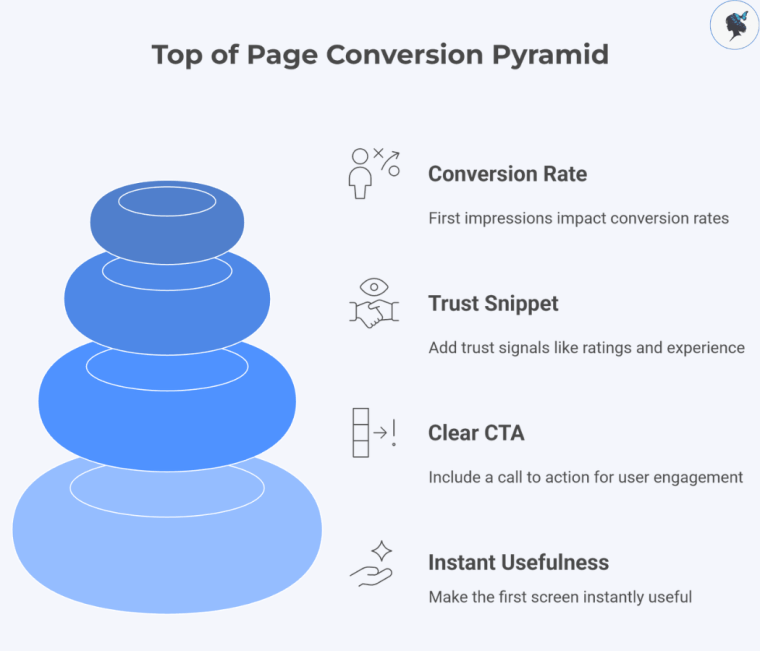
Step 5: Top of page

Make the first screen (above the fold) instantly useful.

Do this (top of page):

Include:

1–2 sentences: what you do + where + outcome
A clear CTA: Call, WhatsApp, Book online, Get quote
Trust snippet: “licensed/insured,” “4.8-star rating,” “10+ years,” “warranty”

Example:

Emergency plumber in London — fast leak repairs, clear pricing, no disruption.
Available 24/7 for urgent plumbing, repairs, and installations.

Call now | WhatsApp | Get a quote
4.9 rating · Licensed and insured · 12+ years experience · Same-day service

infograph: Top of page conversion pyramid
Top of page conversion pyramid

Why this matters in 2026:
Local service customers are often in a rush. If they can’t immediately confirm they’re in the right place, they hit back and choose another listing. First impressions are conversion rate.

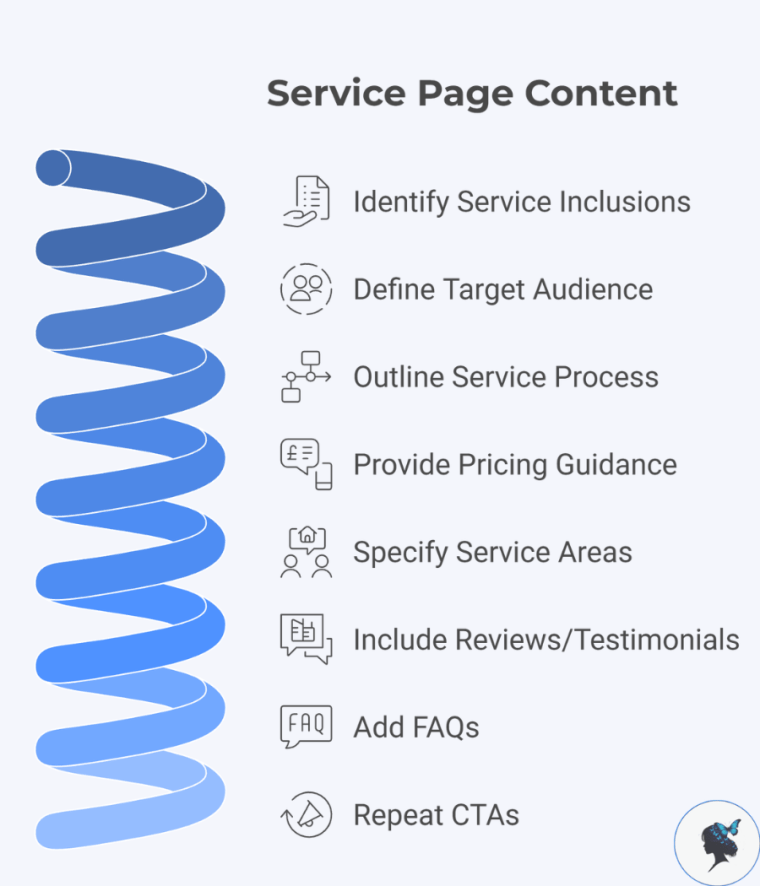
Step 6: Service Page Content

Build “good enough to rank” service page content (without writing a novel).

Do this:

What the service includes (bullet list)
Who it’s for (common scenarios)
Your process (what happens after they contact you)
Pricing guidance (what affects price, typical ranges if you can)
Service areas (neighbourhoods, nearby towns)
Reviews/testimonials (real, specific)
FAQs (see Step 11)
CTAs repeated 2–3 times

infograph: Service page content
Service page content

Why this matters in 2026:
Google increasingly rewards pages that demonstrate real usefulness and real-world experience (not thin pages). Customers also want pricing transparency and proof. Even if you don’t publish exact prices, explaining pricing factors builds trust.

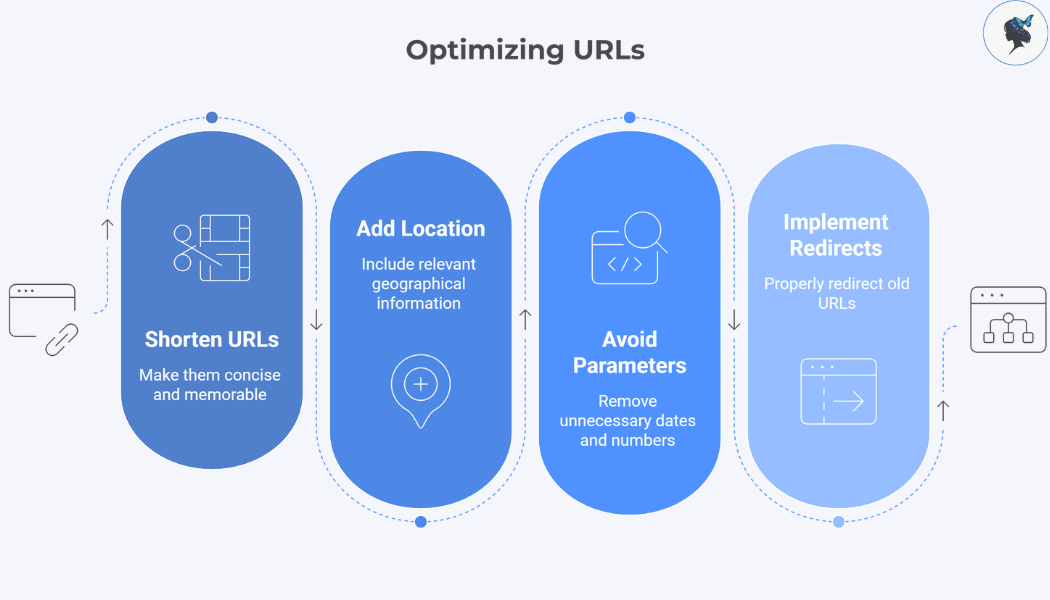
Step 7: URLs

Optimize your URL (short, readable, location-aware).

Do this:

Good:

/ac-repair-singapore/
/locksmith-london/
/boiler-repair-manchester/

Avoid:

long strings with dates, numbers, or parameters
changing old URLs without proper redirects

infograph: Optimizing URLs
Optimizing URLs

Why this matters in 2026:
Simple URLs improve clarity, shareability, and reduce technical mistakes. For older pages, careless URL changes can wipe out existing rankings if redirects aren’t handled correctly.

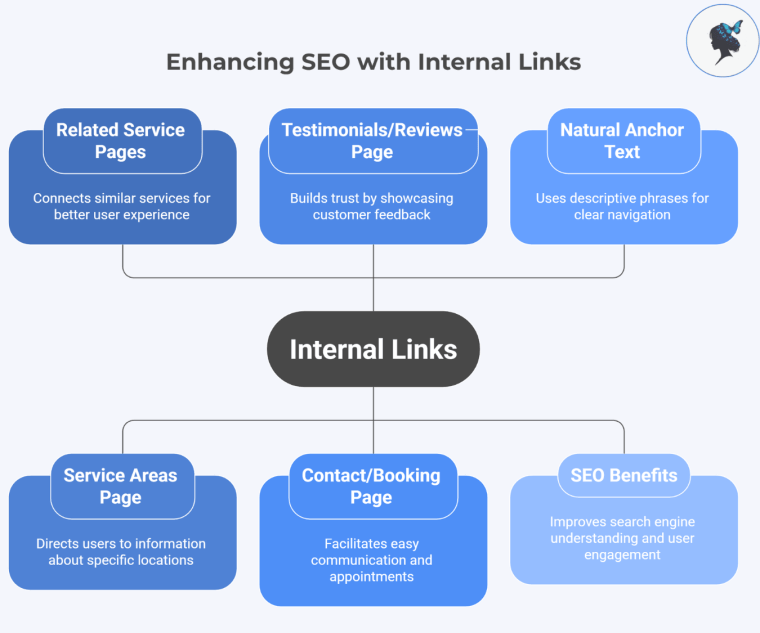
Add internal links (this is an “SEO multiplier” most small businesses ignore).

Do this

(3–5 internal links per service page):
Link to:

related service pages (example: repair → installation)
your service areas page
testimonials/reviews page
contact/booking page

Use natural anchor text:

“see our service areas”
“emergency callouts”
“water heater installation”

infograph: Enhancing SEO with internal links
Enhancing SEO with internal links

Why this matters in 2026:
Internal linking helps Google understand your site structure and helps customers find what they need faster. It’s one of the highest-ROI SEO actions because it costs nothing and compounds across the site.

Read about Internal Linking here.

Step 9: Images

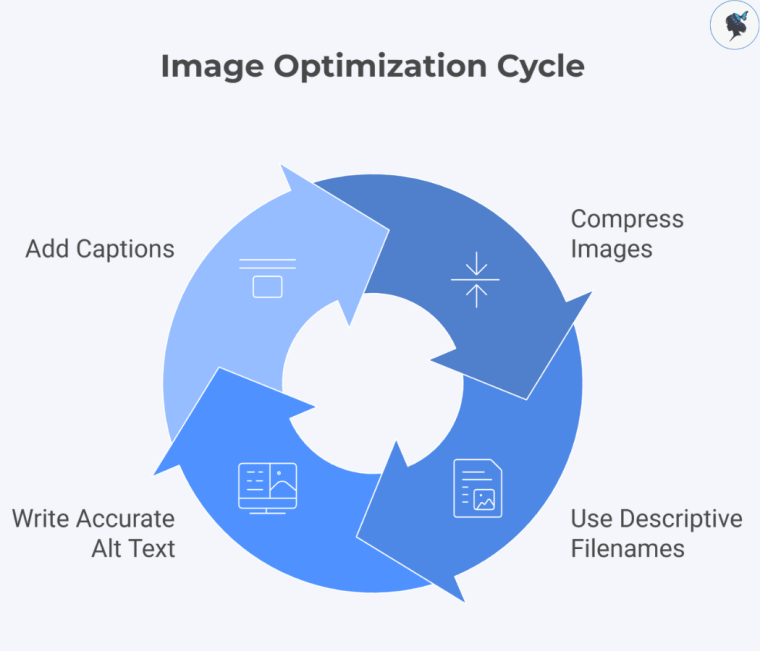
Optimize images (for speed, accessibility, and relevance).

Do this:

Compress before upload
Use descriptive filenames:
end-of-lease-cleaning-sydney.jpg
electrician-fuse-box-repair-dublin.jpg
Write accurate alt text:
“Technician repairing fuse box in Dublin home”

Important: AI systems and Google still have limited ability to reliably interpret images. Where possible, use captions to ensure content is accessible, indexable, and understandable.

infograph: Image optimization cycle
Image optimization cycle

Why this matters in 2026:
Speed is a conversion factor. Heavy pages lose leads on mobile. Alt text also improves accessibility and helps search engines understand what’s on the page.

More about Image Optimization here.

Step 10: E-E-A-T (trust signals)

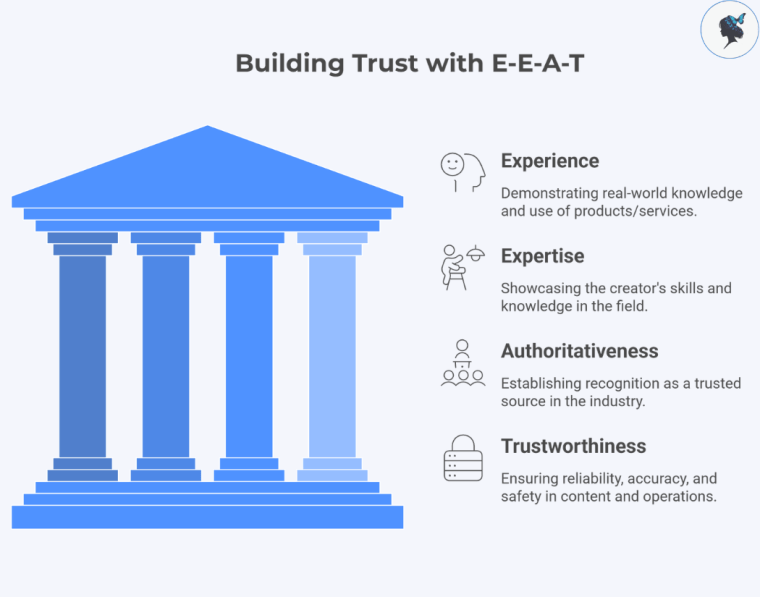
Add trust signals. E-E-A-T stands for:

  • E: Experience: whether the content is based on first-hand or real-world experience (e.g., actually using a product or visiting a place)
  • E: Expertise: the creator’s skill or knowledge in the topic
  • A: Authoritativeness: whether the creator or site is recognized as a trusted source in that field
  • T: Trustworthiness: how reliable, accurate, and safe the content and website are

Do this:

Add visible proof you’re real:

licensing/registration numbers where relevant
insurance info
real photos (team, vans, on-site work)
guarantees or warranty terms
business address (or service-area statement if you don’t list address)
review snippets (and link to full reviews)

infograph: Building trust with E-E-A-T
Building trust with E-E-A-T

Why this matters in 2026:
Local service buying decisions are trust-first. Google also tries to protect users from low-quality or misleading businesses in “your money or your life” style searches (health, safety, home services). Strong trust signals reduce hesitation and improve conversions.

More about the role of Trust Signals here.

Step 11: FAQs

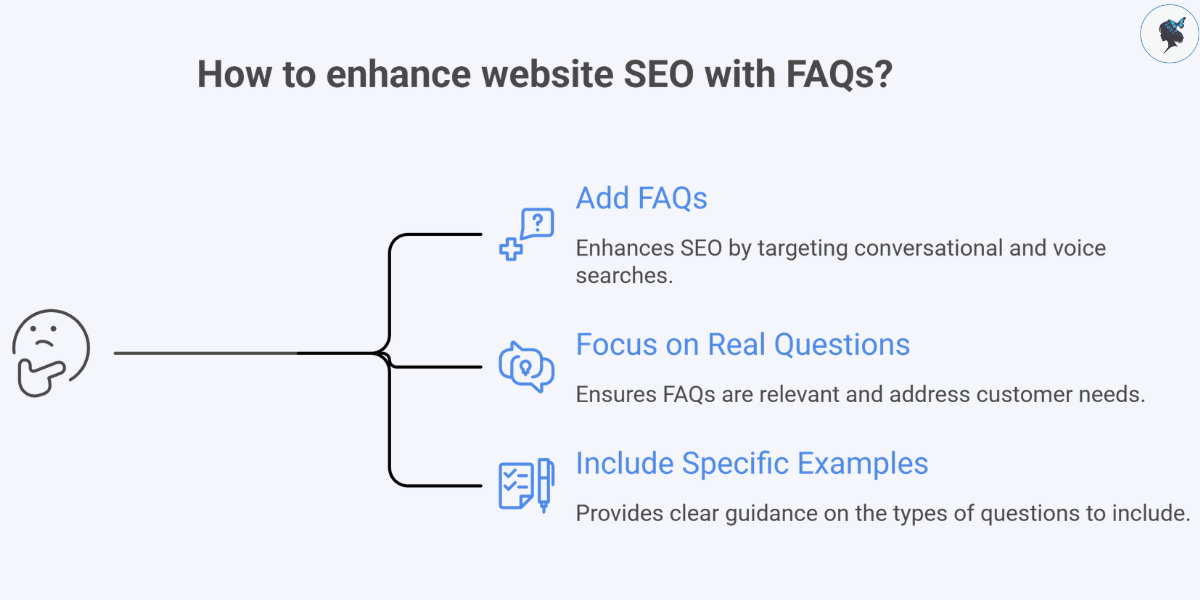
Add an FAQ section (this is how you win long-tail and voice-style searches).

Do this:

Add 6–10 FAQs per core service page, based on real customer questions.

Examples:

“How much does aircon servicing cost in Singapore?”
“Do you cover areas outside Manchester?”
“Are you available on weekends in London?”
“How fast can you come out in Dubai Marina?”
“Do you provide a warranty on parts and labour?”

How to enhance website with FAQs?

Why this matters in 2026:
Search is more conversational (typed and voice). FAQs let you naturally target high-intent queries like “cost,” “availability,” “urgency,” and “trust” without keyword stuffing.

Step 12: Schema

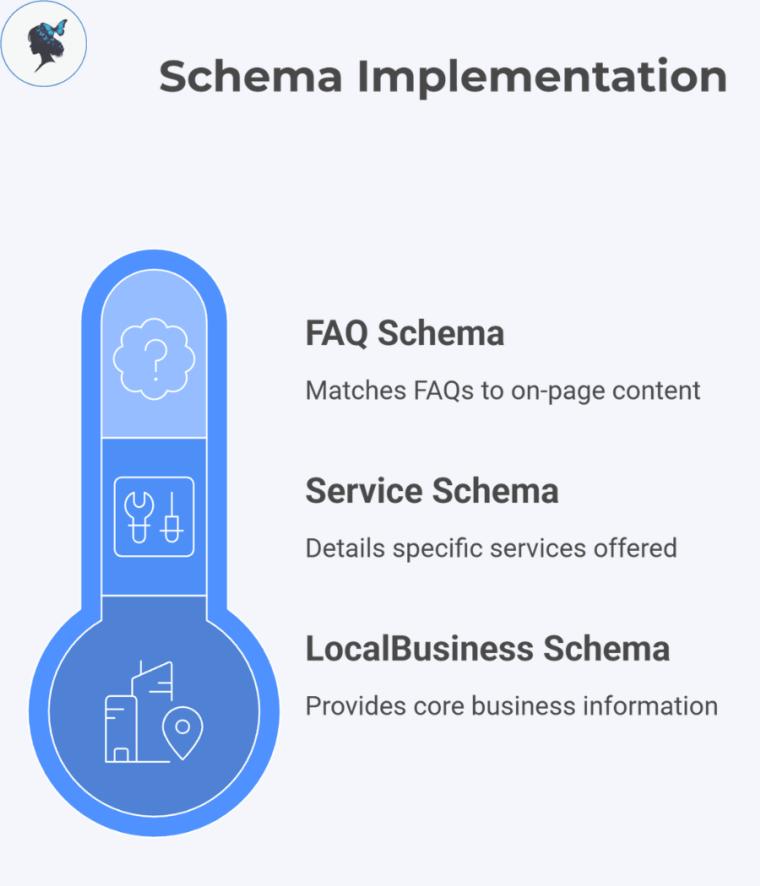
Add Local Business structured data (Schema) where appropriate.

Do this:

Implement:

LocalBusiness schema
Service schema (where relevant)
FAQ schema (only if the FAQs are visible on-page and match the content)

infograph: Schema implementation
Schema implementation

Why this matters in 2026:
Schema helps search engines interpret your business details more reliably (services, areas, reviews, FAQs). That can improve how your page is understood and displayed, especially as results pages continue to include richer elements.

Step 13: Mobile

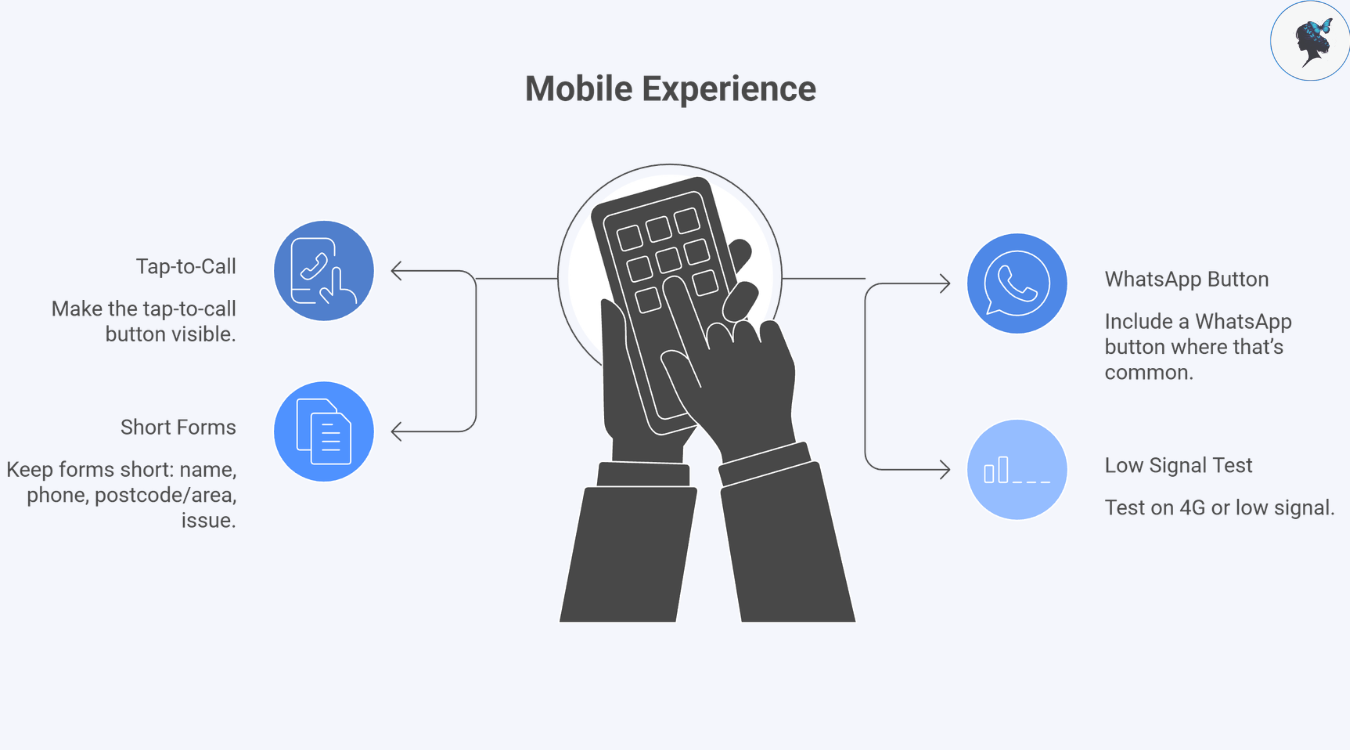
Make mobile experience frictionless (tap-to-call, fast load, short forms).

Do this:

Tap-to-call button visible
WhatsApp button (where that’s common)
Keep forms short: name, phone, postcode/area, issue
Test on 4G or low signal

infograph: Mobile experience
Mobile experience

Why this matters in 2026:
Most local intent happens on mobile. If your page is slow or your contact flow is painful, you don’t just lose rankings, you lose customers.

Read about Mobile Optimization here.

Step 14: Checklist

Final 3-minute pre-publish checklist.
Before you publish/update, confirm:

  • Keyword naturally included in: title tag, H1, first paragraph, URL
  • Clear CTA above the fold and repeated later
  • 3–5 internal links
  • Images compressed + alt text
  • Service area included
  • FAQs included
  • Trust proof included (license/reviews/photos)

Improving a local service website is a step-by-step process that starts with clear structure and content, then moves to speed, mobile usability, and easy contact flows. When these basics are in place and supported by trust signals like reviews and schema, both visibility and conversions improve.

Need help? Contact us today!
How to Audit Your Website Navigation in 30 Minutes

▶ Table of Contents

If your website isn’t converting visitors into customers, your navigation might be the silent culprit.

Think about it: when someone lands on your site, they’re usually looking for something specific—your services, pricing, contact info. If they can’t find it quickly, they leave. No second chances.

The good news? You don’t need a full redesign to fix this.

In just 30 minutes, you can audit your website navigation and uncover simple improvements that make a big difference in user experience—and conversions.

Let’s walk through it step by step.


Why Website Navigation Matters (Especially for Small Businesses)

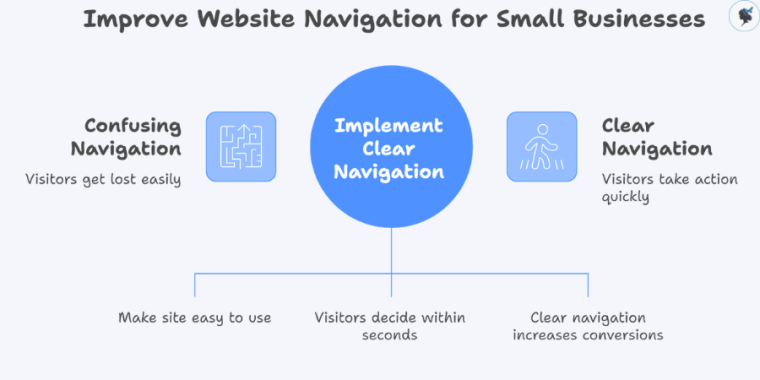
Your navigation acts like a map. If it’s confusing, people get lost. If it’s clear, they take action.

Infograph: Improve website navigation for small businesses
Improve website navigation for small businesses

For small businesses, this is critical because:

  • You often have fewer chances to win a customer
  • Visitors are more likely to compare you with competitors quickly
  • Every click (or missed click) affects your bottom line

Recent UX research shows:

  • Users decide within 10–20 seconds whether your site is easy to use
  • Clear navigation can increase conversions by up to 30%

So let’s fix yours—fast.


Your 30-Minute Navigation Audit Plan

Here’s how to break it down:

  • 0–5 minutes: First impression check
  • 5–15 minutes: Navigation structure review
  • 15–25 minutes: Mobile + usability check
  • 25–30 minutes: Analytics + quick fixes

Set a timer. Let’s go.


Step 1: Quick First Impression Check (5 Minutes)

Open your website like a new visitor would.

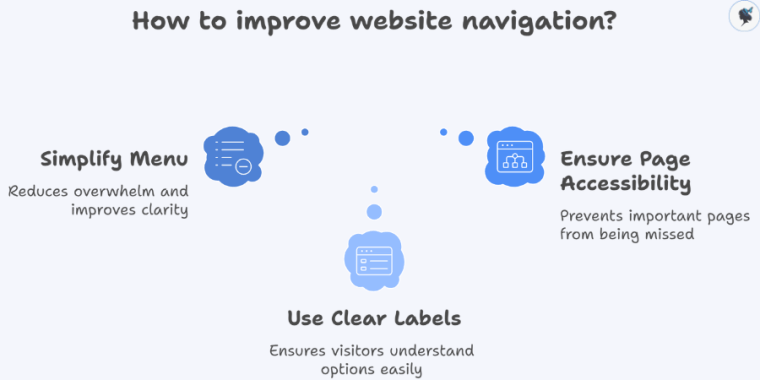
infograph: How to improve website navigation?
How to improve website navigation?

Ask yourself:

  • Can I instantly tell what this business does?
  • Is the menu easy to understand at a glance?
  • Do I know where to click next?

What to Look For

  • Too many menu items (overwhelming)
  • Confusing labels like “Solutions” or “Resources”
  • Important pages buried or missing

Quick Wins

  • Limit your main menu to 5–7 items
  • Use clear, simple labels:
    • “Services”
    • “Pricing”
    • “Contact”
    • What We Do

Example: A local cleaning business increased inquiries just by changing “Solutions” to “Home Cleaning Services”.

More about simple menus here.


Step 2: Review Your Navigation Structure (10 Minutes)

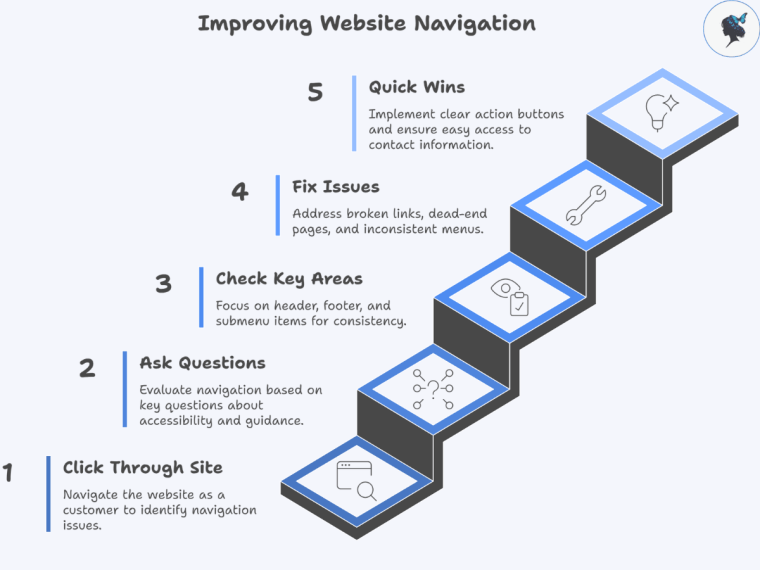
Now click through your site like a customer.

infograph: Improving website navigation
Improving website navigation

Ask These Questions

  • Can I reach key pages in 3 clicks or less?
  • Does every page guide me to a next step?
  • Is the menu consistent across all pages?

Check These Key Areas

  • Header menu (top navigation)
  • Footer links (often overlooked but important)
  • Any dropdown or submenu items

Common Issues to Fix

  • Broken links
  • Dead-end pages (no call-to-action)
  • Inconsistent menus between pages

Quick Wins

  • Add a clear call to action (CTA) button like:
    • “Book Now”
    • “Get a Quote”
    • “Call Us”
  • Make sure your Contact page is easy to find

2026 Insight: HubSpot’s latest UX reports show that clear navigation paths can increase conversions.

More about the importance of clear CTAs here.


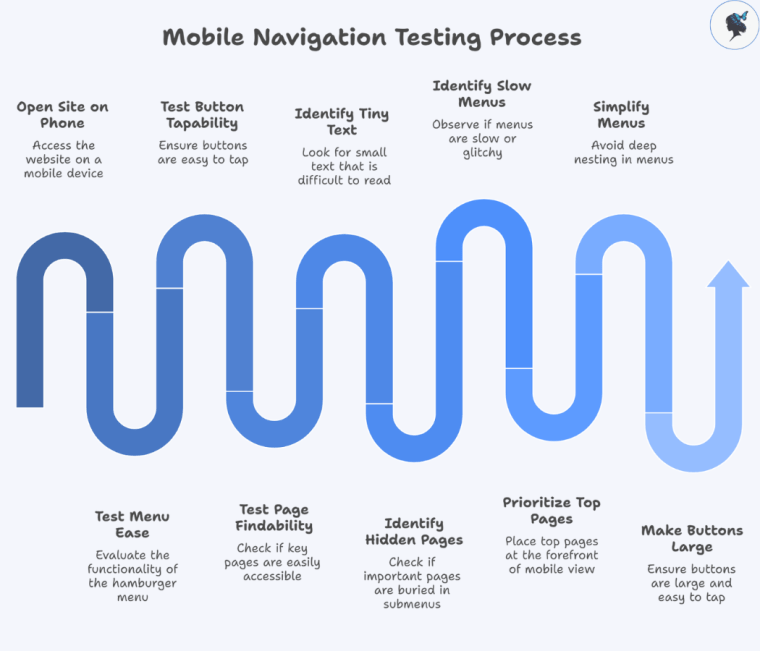
Step 3: Check Mobile Navigation (10 Minutes)

More than half your visitors are likely on mobile—this step is crucial.

Infograph: Mobile navigation testing process
Mobile navigation testing process

Grab your phone and open your site.

What to Test

  • Is the menu easy to open (hamburger menu)?
  • Are buttons easy to tap?
  • Can you find key pages quickly?

Watch Out For

  • Tiny text or buttons
  • Important pages hidden in submenus
  • Menus that are slow or glitchy

Quick Fixes

  • Prioritize your top 3–4 pages in mobile view
  • Keep menus simple—avoid deep nesting
  • Make buttons large and easy to tap

2026 Trend: Google now prioritizes mobile-first indexing, meaning your mobile experience directly impacts your rankings.

More about mobile optimization here.


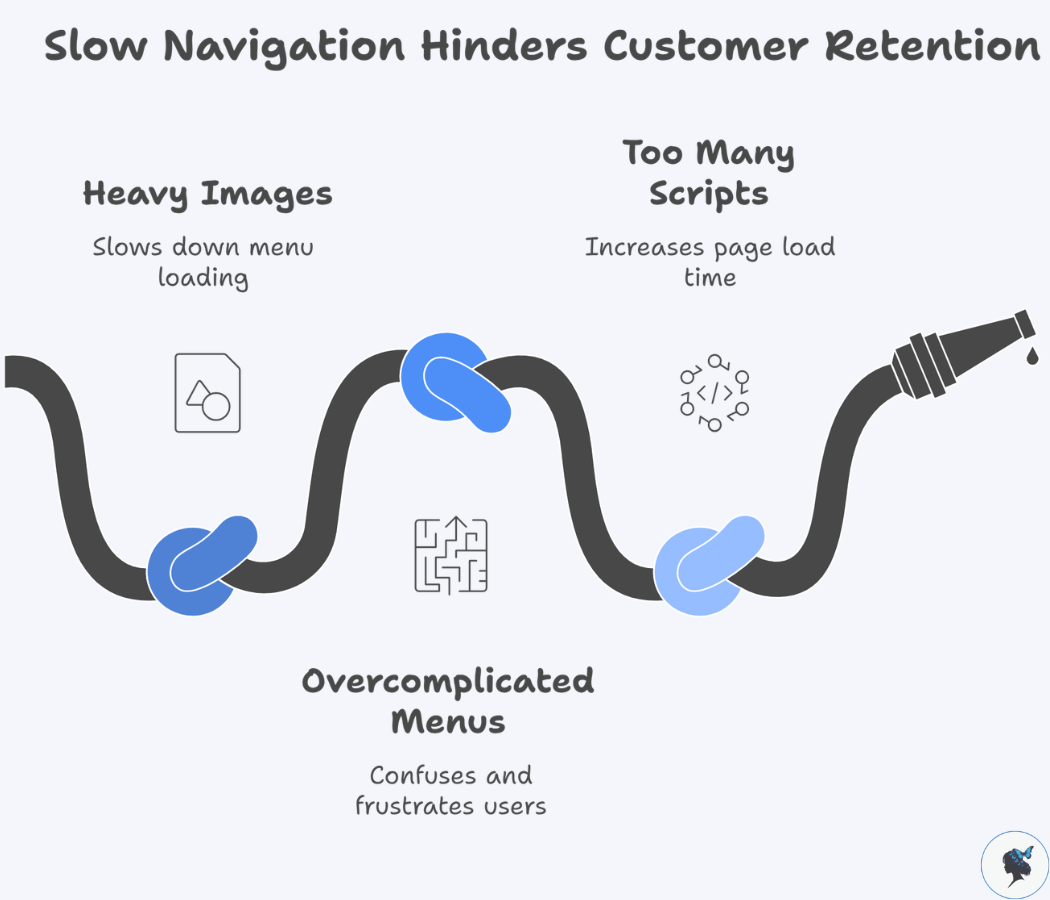
Step 4: Check Speed & Performance (5 Minutes)

Slow navigation = lost customers.

infograph: Slow navigation hinders customer retention
Slow navigation hinders customer retention

Use a Free Tool

What to Look For

  • Does your menu load instantly?
  • Do dropdowns open smoothly?

Common Problems

  • Heavy images in menus
  • Overcomplicated mega menus
  • Too many scripts running

Quick Wins

  • Simplify your menu design
  • Remove unnecessary animations
  • Avoid cluttered dropdowns

2026 Insight: Navigation delays of even 1 second can significantly increase drop-offs.


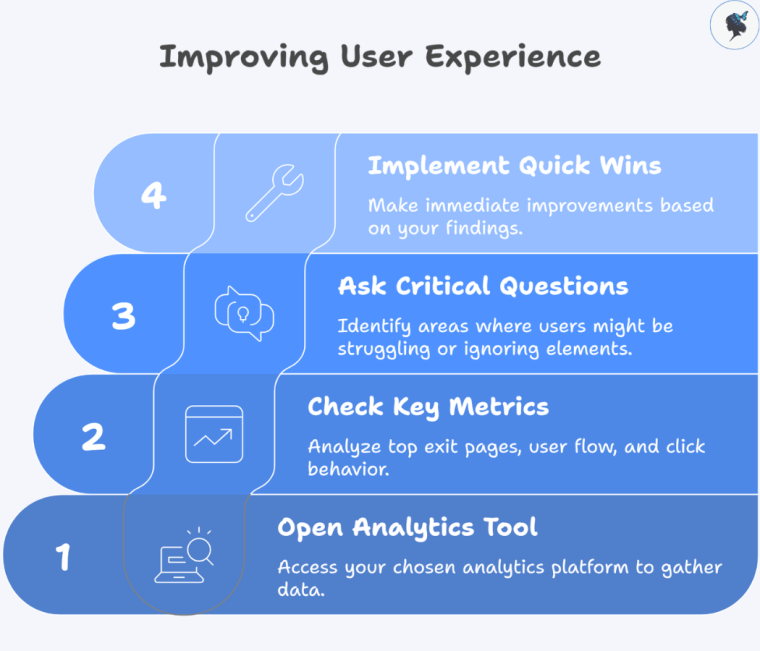
Step 5: Look at Real User Behavior (5 Minutes)

Now let’s see what your visitors are actually doing.

Infograph: Improving user experience
Improving user experience

Open Your Analytics Tool

Check

  • Top exit pages (where people leave)
  • User flow (how they move through your site)
  • Click behavior (what they actually use)

Ask

  • Are users ignoring your menu?
  • Are they getting stuck somewhere?

Quick Wins

  • Move popular pages into your main menu
  • Remove links no one clicks
  • Highlight high-converting pages

2026 Insight: Behavior-based navigation optimization is one of the top CRO (conversion rate optimization) trends this year.


Your 30-Minute Navigation Audit Checklist

Use this before you finish:

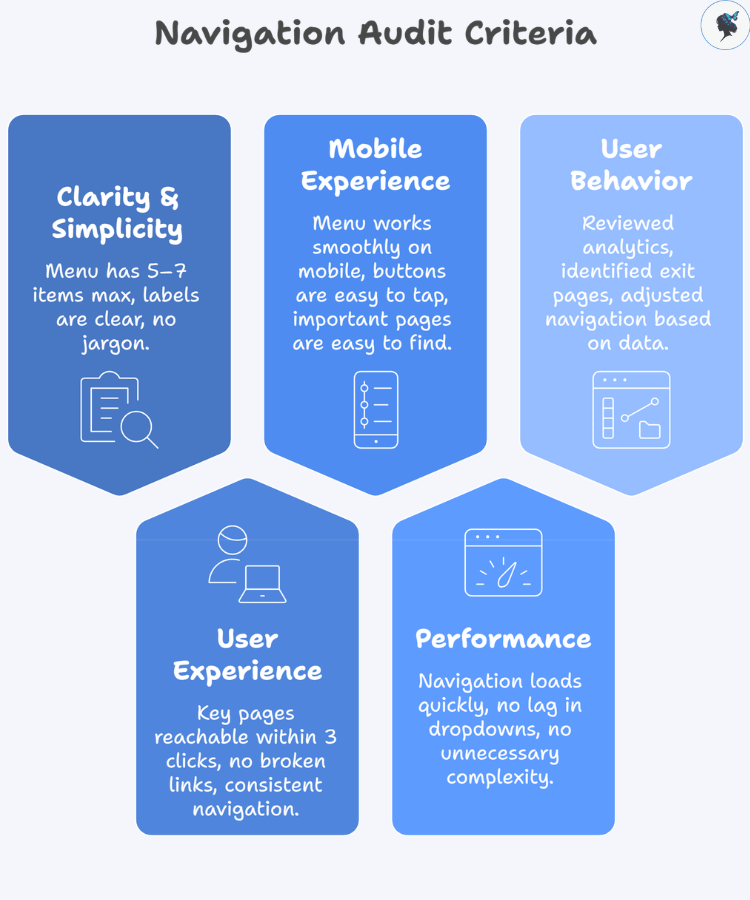
infograph: Navigation audit criteria
Navigation audit criteria

Clarity & Simplicity

  • Menu has 5–7 items max
  • Labels are clear and easy to understand
  • No jargon or vague terms

User Experience

  • Key pages reachable within 3 clicks
  • No broken links
  • Navigation is consistent across pages

Mobile Experience

  • Menu works smoothly on mobile
  • Buttons are easy to tap
  • Important pages are easy to find

Performance

  • Navigation loads quickly
  • No lag in dropdowns
  • No unnecessary complexity

User Behavior

  • Reviewed analytics (GA4 or similar)
  • Identified top exit pages
  • Adjusted navigation based on real data

Common Navigation Mistakes Small Businesses Make

Avoid these:

  • Too many menu options (decision overload)
  • Trying to sound “clever” instead of clear
  • Hiding important pages (like pricing or contact)
  • Ignoring mobile users
  • Never reviewing analytics

Real Example: In real-world CRO case studies, simplifying website navigation has led to significant performance gains. For example, one B2B company saw a 200% increase in conversions after restructuring and testing its navigation.


Conclusion: Small Fixes, Big Results

You don’t need a full website redesign to improve your results.

Sometimes, all it takes is:

  • Clearer labels
  • Simpler structure
  • Better mobile experience

And the best part? You can start right now.

Your Next Step

Set a 30-minute timer and run this audit on your website today.

Even a few small changes could mean:

  • More clicks
  • More inquiries
  • More customers

Need help? Contact us today!
How a Simple Menu Can Boost Your Sales

▶ Table of Contents

Introduction: The Hidden Sales Driver Most Businesses Overlook

When businesses think about increasing sales, they often focus on ads, pricing, or product features. But one of the most powerful conversion tools is often hiding in plain sight: your menu.

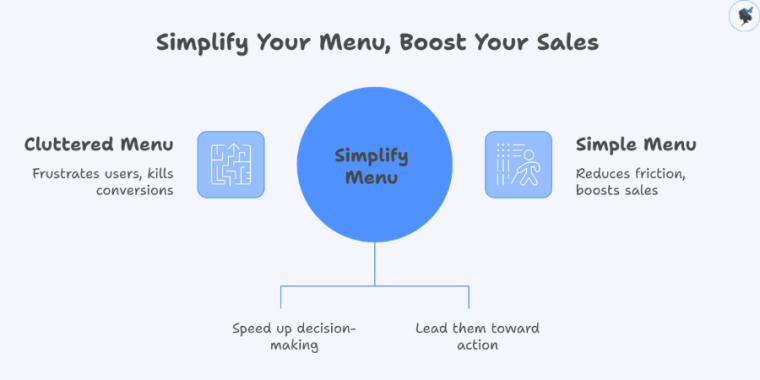
A cluttered, confusing menu doesn’t just frustrate users—it quietly kills conversions. On the flip side, a simple, well-structured menu reduces friction, speeds up decision-making, and guides users toward taking action.

infograph: Simplify your menu, boost your sales
Simplify your menu, boost your sales

In 2026, where users are more impatient and selective than ever, clarity isn’t optional—it’s a competitive advantage. Conversion Rate Optimization (CRO) has evolved into a core growth discipline, with successful brands focusing on removing friction and making decisions easier for users.

This article breaks down why simple menus work, the psychology behind them, and how you can use them to boost your sales.


What Is a “Simple Menu” (and Why It Works)

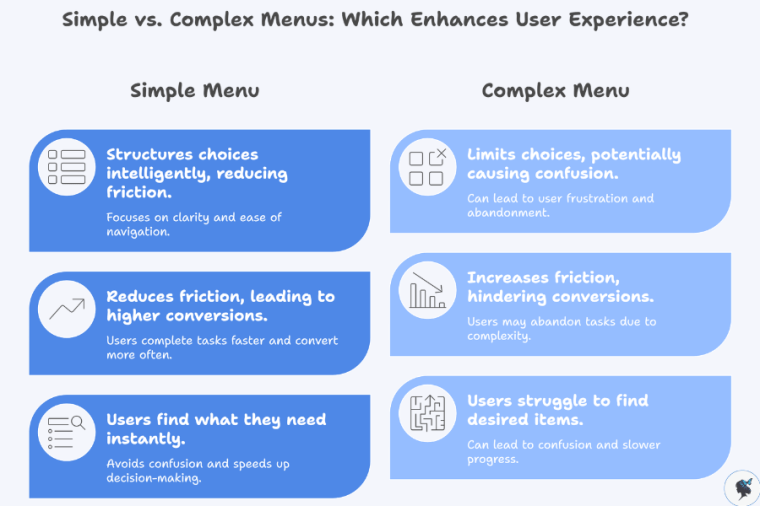
A simple menu isn’t about limiting choices—it’s about structuring them intelligently.

Key Characteristics of a Simple Menu

  • Clear, familiar labels (e.g., “Shop,” “Pricing,” “Contact”)
  • 5–7 primary navigation options
  • Logical grouping of related items
  • Consistent layout across pages
  • Mobile-friendly, thumb-accessible design
infograph: Simple vs complex menus
Simple vs complex menus

Why Simplicity Drives Conversions

At its core, simplicity reduces friction—the biggest enemy of conversions.

Modern UX research consistently shows that:

In fact, improving mobile UX alone can increase conversions by 28% and retention by 15%.

A simple menu helps users:

  • Find what they need instantly
  • Avoid confusion
  • Move quickly toward purchase decisions

And in digital environments, speed equals revenue.


The Psychology Behind Simple Menus and Better Decisions

A simple menu works because it aligns with how the human brain processes information.

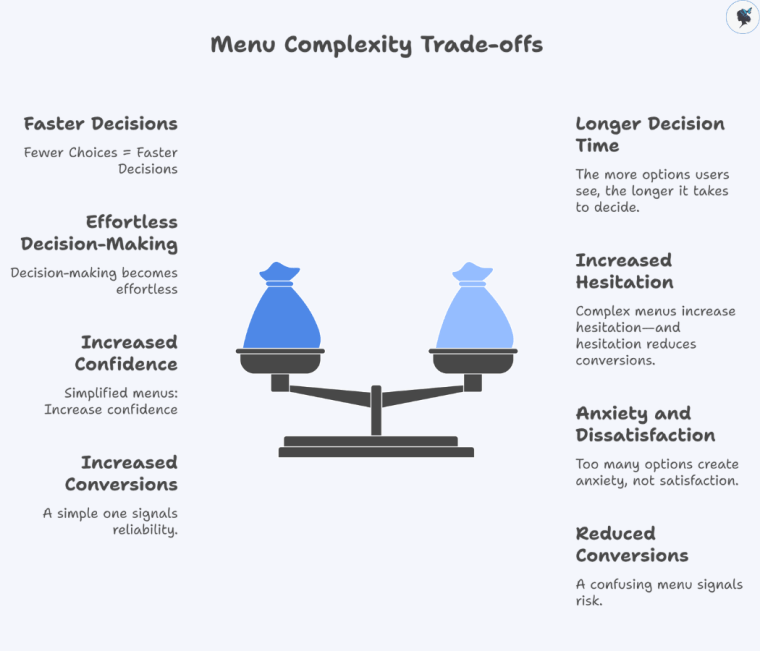
infograph: Menu complexity trade-offs
Menu complexity trade-offs

Hick’s Law: Fewer Choices = Faster Decisions

The more options users see, the longer it takes to decide.
Complex menus increase hesitation—and hesitation reduces conversions.

Cognitive Load: Don’t Make Users Think

Users have limited mental energy. Every extra menu item adds effort.

When navigation is intuitive:

  • Users feel in control
  • Decision-making becomes effortless
  • Conversion becomes more likely

The Paradox of Choice

Too many options create anxiety, not satisfaction.

Simplified menus:

  • Increase confidence
  • Reduce abandonment
  • Encourage action

Clarity Builds Trust

Users associate clean, structured interfaces with professionalism.

And trust directly impacts conversions:

A confusing menu signals risk. A simple one signals reliability.


Data-Driven Insights: The Real Impact on Sales

The connection between simple navigation and revenue isn’t theoretical—it’s measurable.

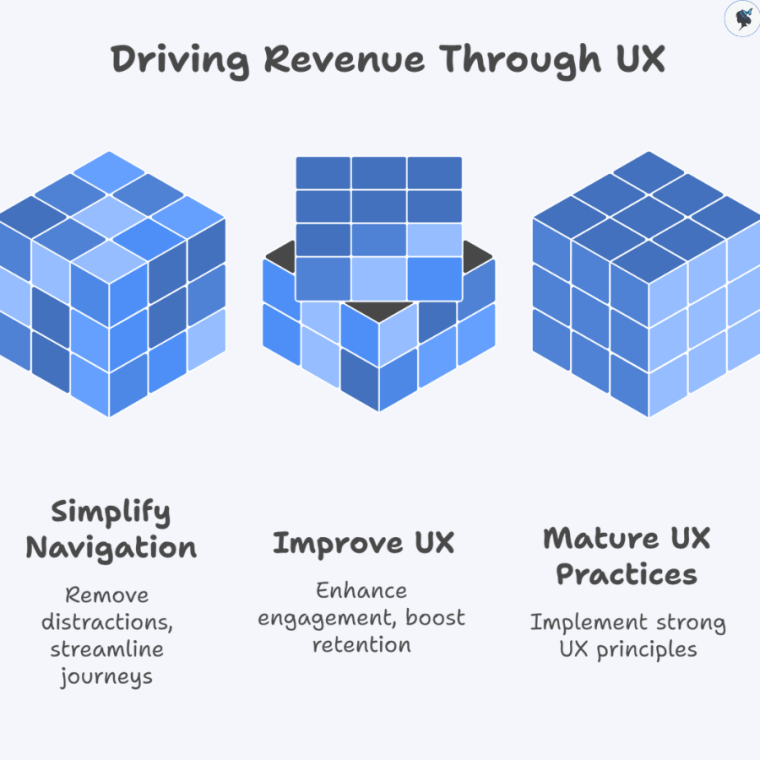
infograph: Driving revenue through UX
Driving revenue through UX

UX Directly Drives Conversion Rates

Well-designed UI can increase conversions by up to 200%.

Strong UX improvements can boost conversions by up to 400%.

These gains often come from simplifying user journeys—including navigation.


Removing Navigation Can Double Conversions

In a well-known case study:

Removing a website menu increased conversions from 3% to 6% (a 100% lift)

Why? Because fewer options = fewer distractions.


Intuitive Navigation Increases Engagement and Retention

Research shows that:

Intuitive navigation and UX design significantly improve engagement and conversion rates.

Users stay longer, explore more, and are more likely to buy.


UX Maturity = Revenue Growth

Companies with strong UX practices see:

  • 2.1x higher revenue growth
  • 1.9x higher profitability

Menu simplicity is a foundational part of that UX maturity.


Practical Tips: How to Simplify Your Menu for More Sales

You don’t need a full redesign to see results. Small, strategic changes can have a big impact.

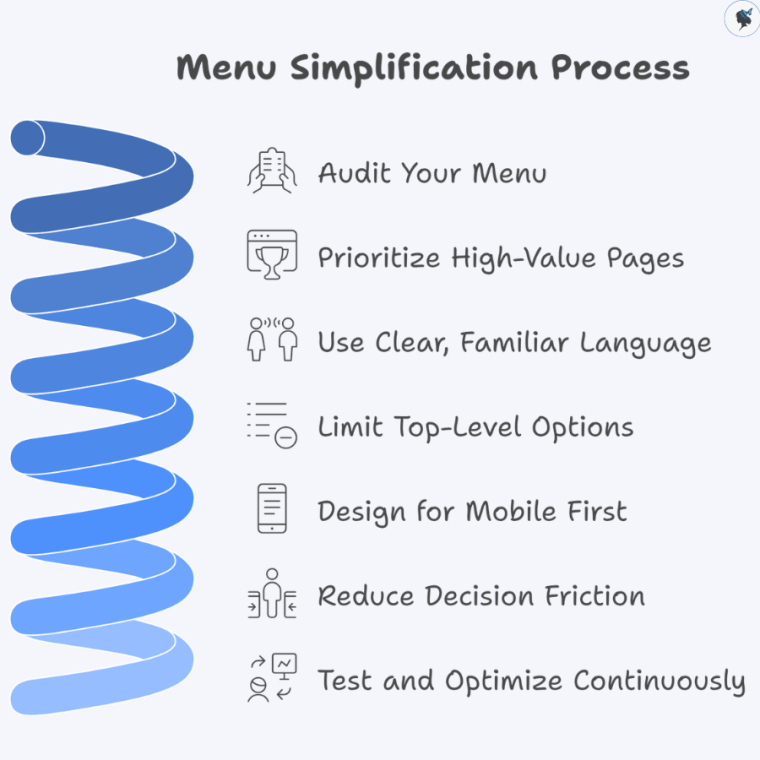
infograph: Menu simplification process
Menu simplification process

1. Audit Your Menu

  • Identify low-click or redundant items
  • Use analytics to see what users actually use

Wander Women Hot Tip: If it’s not helping conversions, remove it.


2. Prioritize High-Value Pages

Your menu should guide users toward:

  • Products or services
  • Pricing pages
  • Contact or checkout

Everything else is secondary.


3. Use Clear, Familiar Language

Avoid clever or branded terms.

Instead of:

  • “Solutions” say “Services”
  • “Explore” say “Shop”

Clarity always beats creativity in navigation.


4. Limit Top-Level Options

Stick to 5–7 main items.

If you have more:

  • Group them into dropdowns
  • Use structured layouts (not cluttered mega menus unless necessary)

5. Design for Mobile First

Mobile users demand simplicity:

  • Use thumb-friendly navigation
  • Keep key actions visible
  • Avoid deep, complex menu layers

Mobile-first simplicity improves performance across all devices.


6. Reduce Decision Friction

Ask yourself:

“Can a user find what they need in under 3 seconds?”

If not, simplify.


7. Test and Optimize Continuously

  • Run A/B tests on menu structures
  • Track:
    • Click-through rates
    • Bounce rates
    • Conversion rates

Even small tweaks can unlock major gains.


Conclusion: Simplicity Isn’t Minimalism—It’s Strategy

A simple menu isn’t just a design choice—it’s a revenue strategy.

By reducing cognitive load, guiding user behavior, and eliminating friction, simple menus:

  • Speed up decision-making
  • Increase trust
  • Improve user experience
  • Drive measurable conversion growth

In a digital landscape where attention is limited and competition is high, the businesses that win aren’t the ones offering more—they’re the ones making decisions easier.

Start with your menu. Simplify it. Test it. Optimize it.

Because sometimes, the fastest way to increase sales… is to remove options.

Need help? Contact us today!
Using AI to Find Your Best Keywords (A Simple Guide for Small Businesses)

▶ Table of Contents

Introduction

If you want more customers to find your business online, keyword research is one of the most important marketing activities you can do.

Keywords are the words and phrases people type into search engines when they are looking for products, services, or information. When your website content matches those search terms, search engines like Google are more likely to show your site in the results.

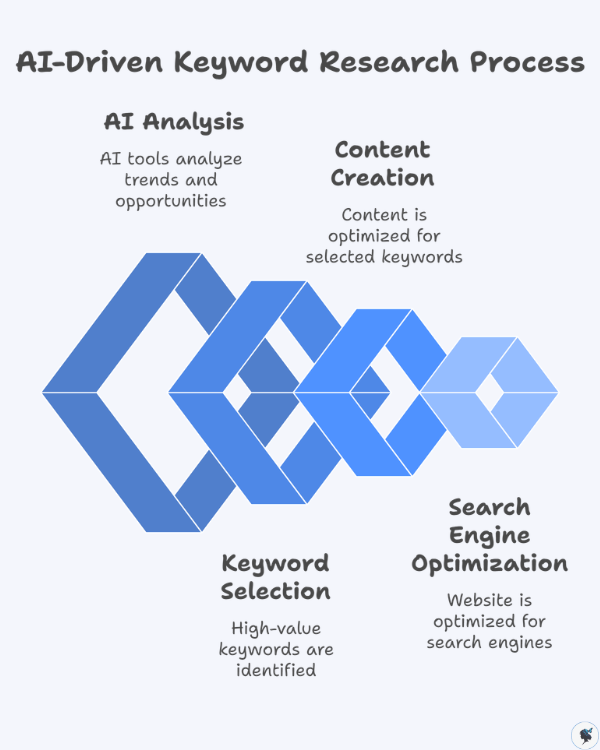
infograph: AI-driven keyword research process
AI-driven keyword research process

For example, someone searching for “affordable wedding photographer in Chicago” is clearly looking for a specific service. If your website targets that phrase, you have a much better chance of appearing in the search results.

The challenge is that traditional keyword research can be time-consuming and confusing—especially for small business owners without an SEO background.

That’s where artificial intelligence (AI) comes in.

AI-powered tools can generate keyword ideas, analyze search trends, and uncover valuable opportunities within seconds. Instead of spending hours brainstorming and analyzing spreadsheets, small businesses can now use AI to streamline the entire process.

This shift is already happening across the marketing industry. According to SEO research, 63% of SEO professionals now use AI tools for keyword research and optimization.

At the same time, search itself is evolving. Google’s AI-powered search features now reach more than 1.5 billion users every month, changing how people discover information online.

For small businesses, this presents an exciting opportunity. With the right AI tools and strategy, you can identify high-value keywords, create better content, and compete with larger brands online.

In this guide, we’ll explain how AI helps with keyword research and show you practical methods and free tools you can start using today.


Why Keyword Research Is Important for Small Businesses

Keyword research helps businesses understand what potential customers are searching for and how to create content that meets those needs.

For small businesses, it can make the difference between a website that gets traffic and one that remains invisible online.

More about keyword prioritization here.

Competing with Larger Companies

Many small businesses assume they cannot compete with larger companies in search results. However, effective keyword research helps level the playing field.

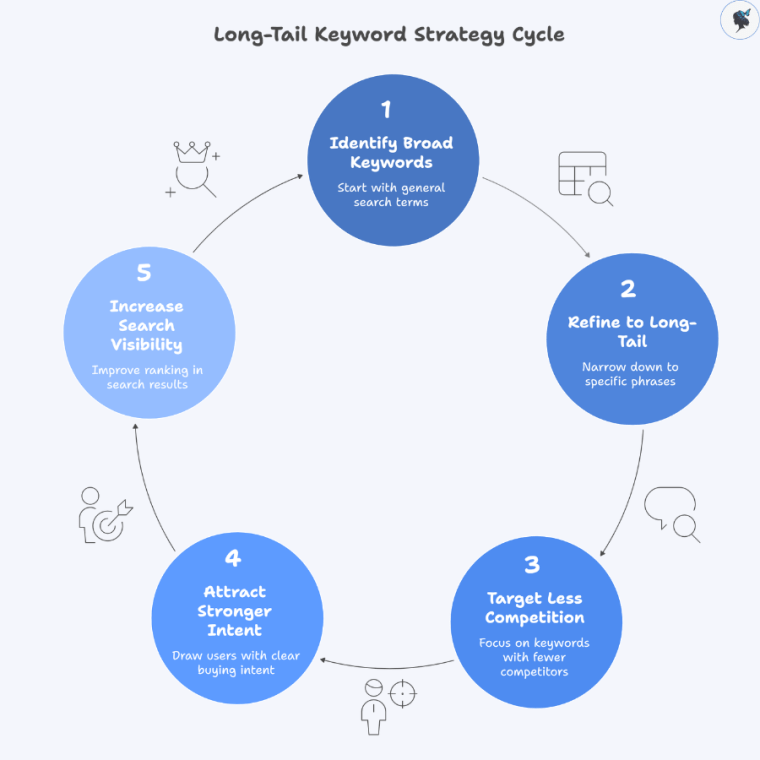
infograph: Long-tail keyword strategy cycle
Long-tail keyword strategy cycle

Instead of targeting broad, competitive keywords like:

  • coffee shop
  • plumber
  • running shoes

Small businesses can focus on long-tail keywords, which are more specific search phrases.

For example:

  • best coffee shop for studying
  • emergency plumber open late
  • running shoes for flat feet

These longer search queries often have less competition and attract users with stronger buying intent.

In fact, long-tail keywords account for roughly 70% of all search traffic, making them one of the most powerful opportunities for smaller websites.


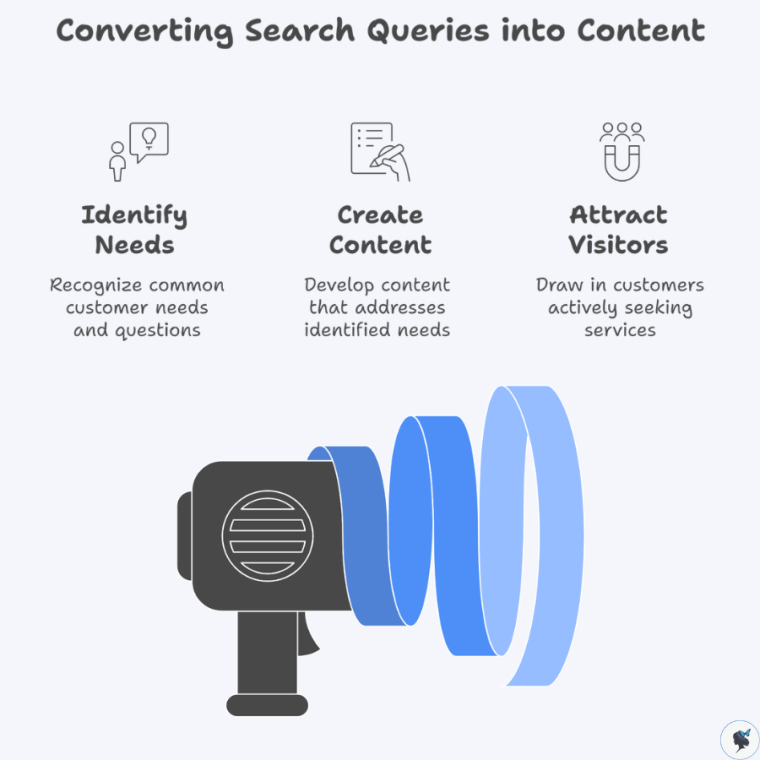
Understanding What Customers Are Searching For

Keyword research provides valuable insight into your customers’ needs, problems, and questions.

infograph: Converting search queries into content
Converting search queries into content

For example, a roofing company might discover that people frequently search for:

  • roof repair cost
  • how long does a roof last
  • emergency roof repair near me

Each of these search queries represents a potential piece of content your business can create.

When your website answers these questions, it naturally attracts visitors who are already looking for your services.


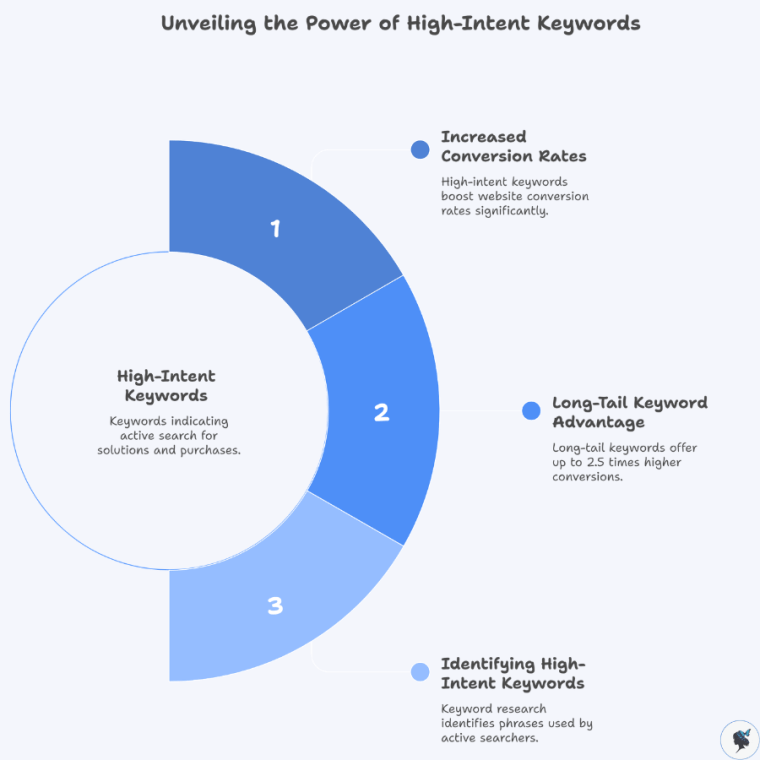
Driving High-Quality Website Traffic

Not all website traffic is equally valuable.

infograph: Unveiling the power of high-intent keywords
Unveiling the power of high-intent keywords

Some visitors are simply browsing, while others are ready to make a purchase.

Keyword research helps you identify high-intent keywords, which are phrases used by people actively searching for solutions.

For example:

Low-intent keyword:

  • office chairs

High-intent keyword:

  • best ergonomic office chair under $300

Specific keywords like this often lead to higher conversion rates.

Research shows that long-tail keywords can generate conversion rates up to 2.5 times higher than short keywords.


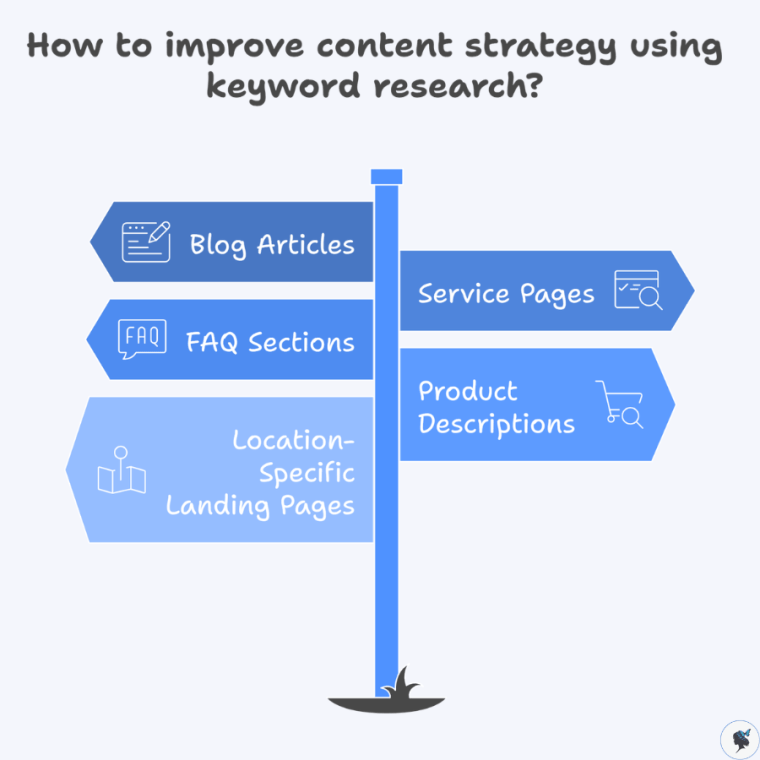
Improving Your Content Strategy

Keyword research also helps guide your content marketing strategy.

infograph: How to improve content strategy using keyword research?
How to improve content strategy using keyword research?

Instead of guessing what topics to write about, you can use keyword data to understand what people actually want to learn.

Small businesses can use keywords to create:

  • blog articles
  • service pages
  • FAQ sections
  • product descriptions
  • location-specific landing pages

This ensures your content aligns with real search demand. More content ideas here.


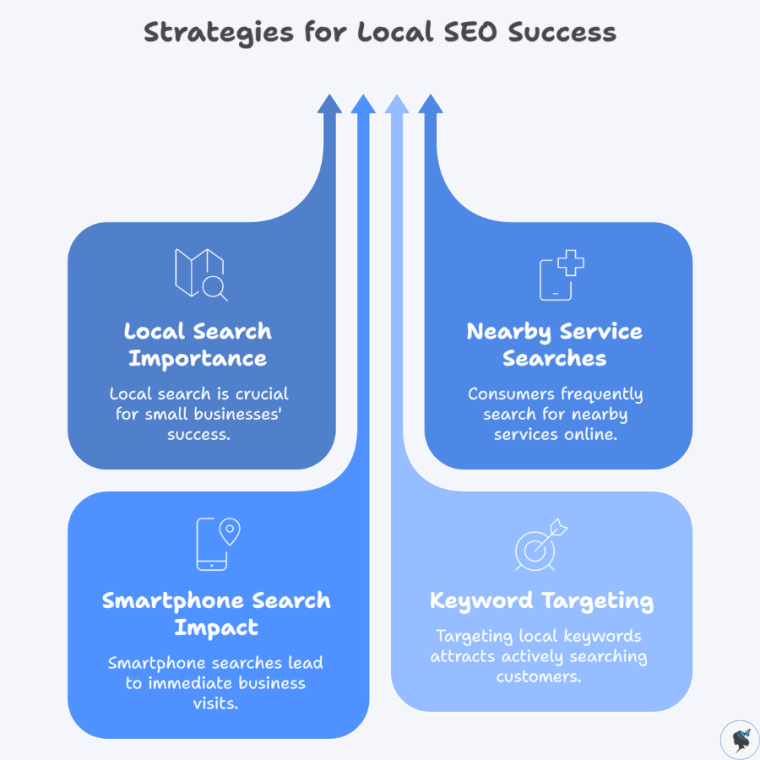
Unlocking Local SEO Opportunities

Local search is especially important for small businesses.

infograph: Strategies for Local SEO success
Strategies for Local SEO success

Consumers frequently search for nearby services using phrases like:

  • dentist near me
  • bakery in Seattle
  • plumber open now

Google reports that 76% of people who search for something nearby on their smartphone visit a business within 24 hours.

By targeting local keywords, small businesses can attract customers who are actively looking for nearby services.


How AI Is Changing Keyword Research

Artificial intelligence is transforming how businesses approach SEO and keyword research.

Traditional keyword research often required hours of manual work—brainstorming keyword ideas, analyzing search data, and reviewing spreadsheets.

AI tools now automate much of this process.


Faster Keyword Discovery

AI can analyze large amounts of search data and generate hundreds of keyword ideas instantly.

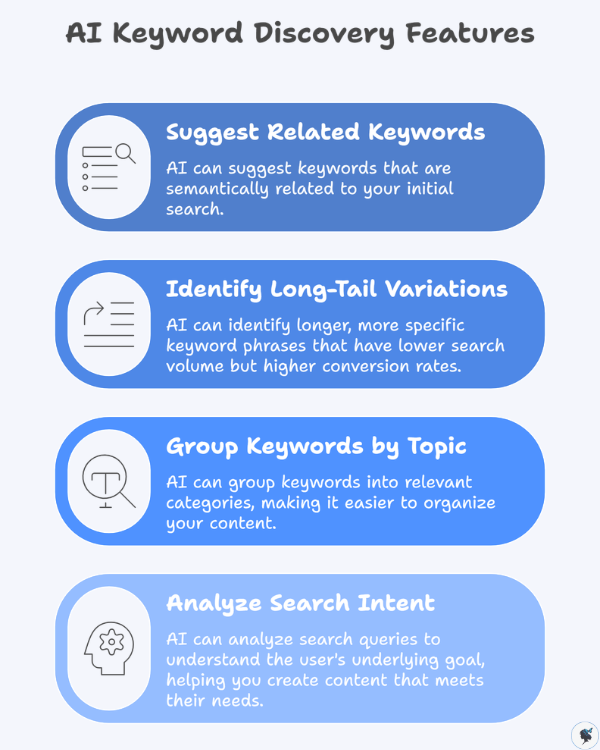
infograph: AI keyword discovery features
AI keyword discovery features

These tools can:

  • suggest related keywords
  • identify long-tail variations
  • group keywords by topic
  • analyze search intent

Instead of manually brainstorming dozens of keywords, AI can provide an extensive list within seconds.


Identifying Search Intent

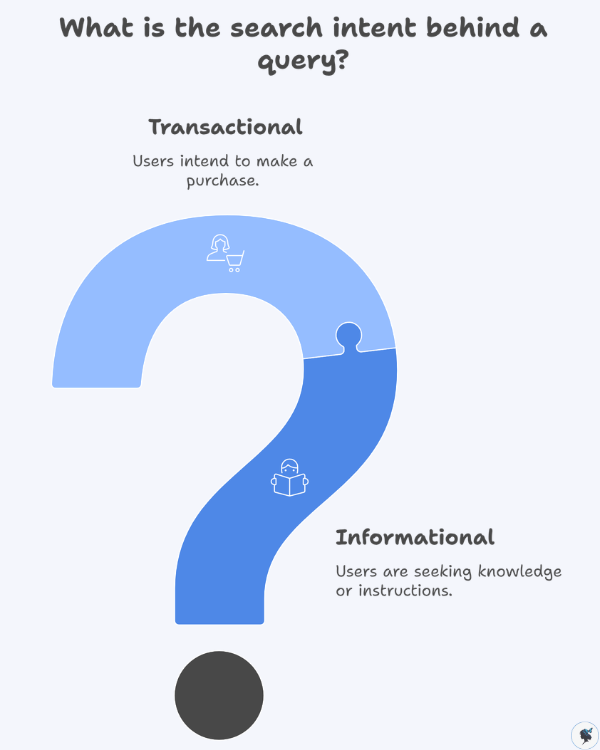
Search intent refers to the reason behind a search query.

infograph: What is the search intent behind a query?
What is the search intent behind a query?

For example:

Informational search:

  • how to fix a leaking faucet

Transactional search:

  • buy kitchen faucet online

AI tools can help categorize keywords based on user intent, allowing businesses to create content that matches what searchers want.


Finding Content Opportunities

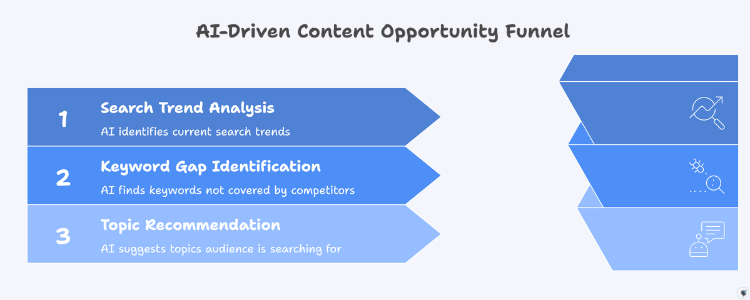
AI can also identify keyword gaps and content opportunities.

infograph: AI-driven content opportunity funnel
AI-driven content opportunity funnel

By analyzing competitor content and search trends, AI tools can recommend topics your audience is actively searching for.

According to a survey by HubSpot, 84% of marketers say AI helps them better align content with search intent.


Making SEO More Accessible

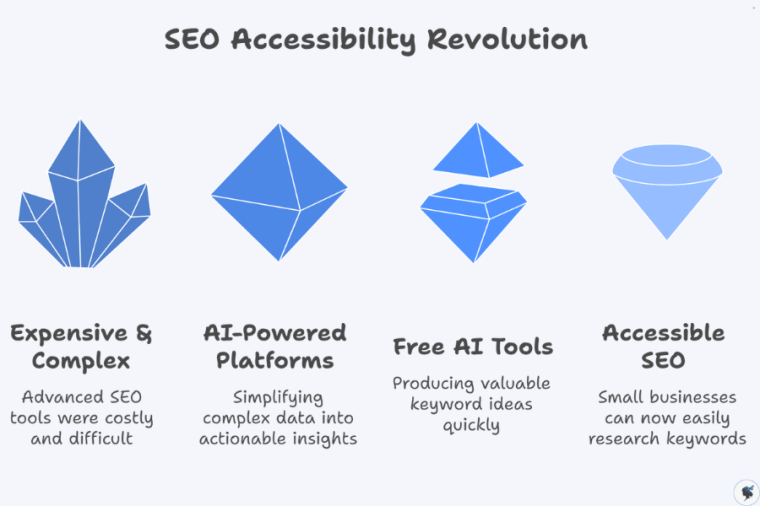
In the past, many advanced SEO tools were expensive and difficult to use.

infograph: SEO accessibility revolution
SEO accessibility revolution

AI-powered platforms now make keyword research more accessible for small businesses by simplifying complex data into actionable insights.

Even free AI tools can produce valuable keyword ideas quickly.


Practical Ways to Use AI for Keyword Research

Let’s explore several simple methods small businesses can use to find valuable keywords using AI and free tools.


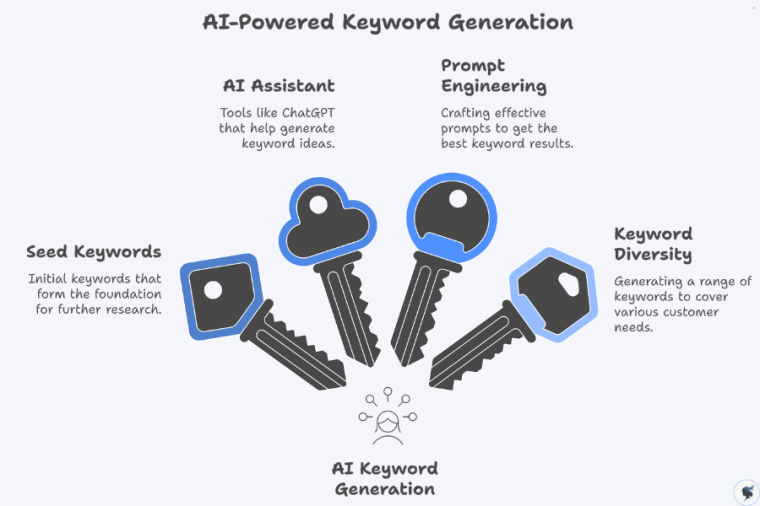
1. Generate Keyword Ideas with AI

AI assistants such as ChatGPT or Google Gemini can quickly generate keyword ideas based on your business description.

infograph: AI-powered keyword generation
AI-powered keyword generation

Example prompt:

“Generate 20 SEO keywords for a small bakery specializing in gluten-free desserts.”

Possible results may include:

  • gluten free bakery near me
  • gluten free birthday cake
  • dairy free cupcakes
  • vegan gluten free desserts
  • gluten free wedding cake

These are called seed keywords, which serve as the starting point for deeper keyword research.


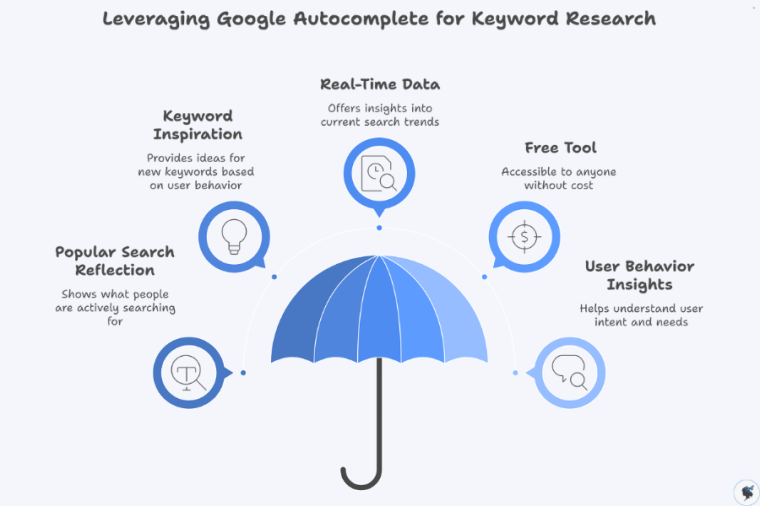
2. Use Google Autocomplete

Google itself is one of the best free keyword research tools.

infograph: Leveraging google autocomplete for keyword research
Leveraging Google autocomplete for keyword research

When you begin typing a search query, Google displays autocomplete suggestions based on popular searches.

For example, typing:

best coffee shop for

might generate suggestions such as:

  • best coffee shop for studying
  • best coffee shop for remote work
  • best coffee shop for meetings

These suggestions reflect real search behavior and can inspire valuable keyword ideas.


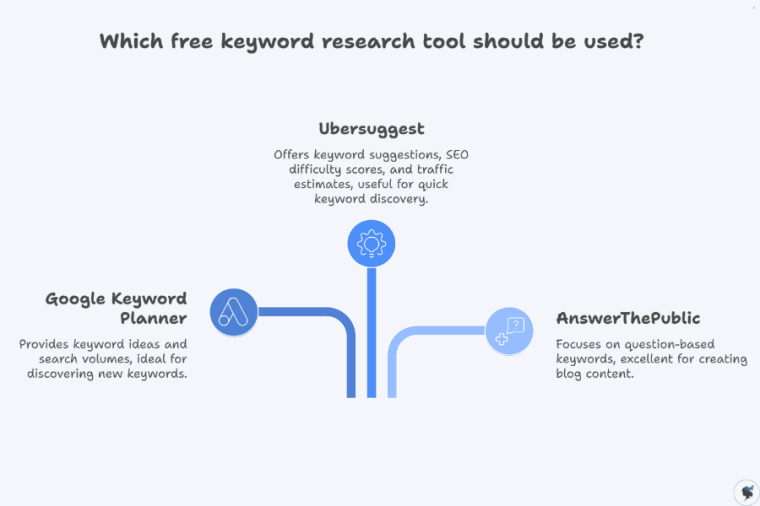
3. Use Free Keyword Research Tools

Several free tools provide useful keyword data.

infograph: Which free keyword research tool should be used?
Which free keyword research tool should be used?

Google Keyword Planner

Google Keyword Planner allows users to discover keyword ideas and view estimated search volumes.

Steps:

  1. Create a free Google Ads account
  2. Select “Discover new keywords”
  3. Enter a keyword related to your business
  4. Review suggested keywords and search volume data

Example results for “home cleaning service” might include:

  • house cleaning cost
  • professional home cleaning
  • deep cleaning house

Ubersuggest

Ubersuggest provides:

  • keyword suggestions
  • SEO difficulty scores
  • traffic estimates
  • content ideas

For example, searching “yoga classes” may reveal:

  • yoga classes for beginners
  • online yoga classes
  • yoga classes near me

This helps businesses discover new keyword opportunities quickly.


AnswerThePublic

AnswerThePublic focuses on question-based keywords, which are excellent for blog content.

Example search: “lawn care”

Possible results:

  • how often should you water your lawn
  • when should you fertilize grass
  • how to repair patchy lawn

These questions are ideal for creating helpful blog posts.


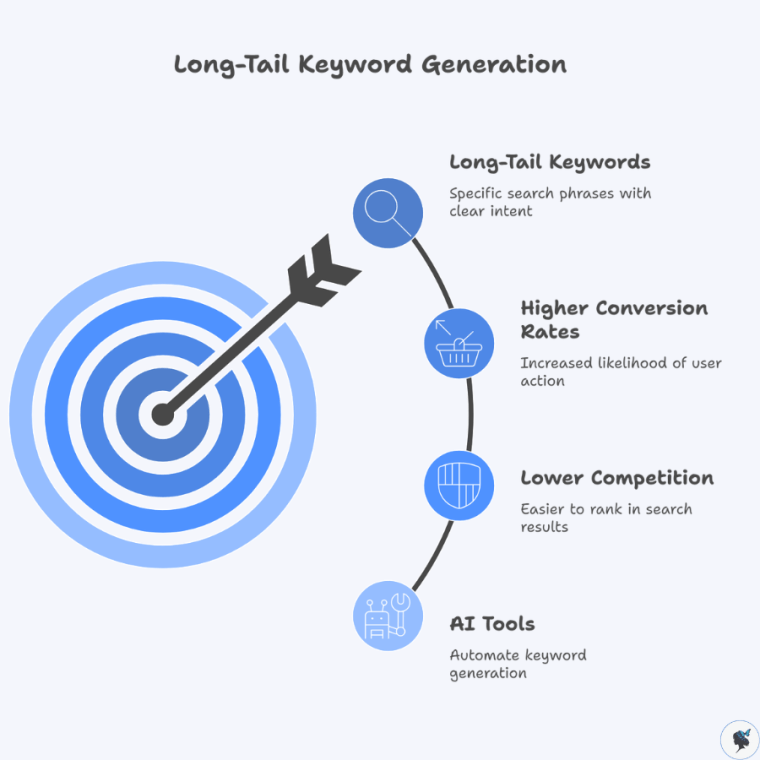
4. Generate Long-Tail Keywords with AI

Long-tail keywords are longer, more specific search phrases.

infograph: Long-tail keyword generation
Long-tail keyword generation

Example:

Short keyword:

running shoes

Long-tail versions:

  • best running shoes for beginners
  • running shoes for flat feet
  • lightweight running shoes for marathon training

Long-tail keywords typically have:

  • lower competition
  • higher conversion rates
  • clearer search intent

AI tools can generate dozens of long-tail variations from a single keyword.


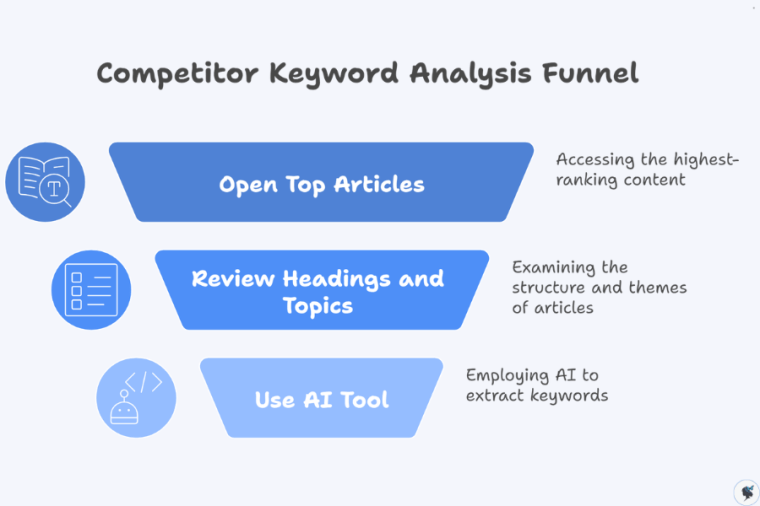
5. Analyze Competitor Keywords

Another useful technique is analyzing competitor content.

infograph: Competitor keyword analysis funnel
Competitor keyword analysis funnel

Steps:

  1. Search your target keyword on Google
  2. Open the top-ranking articles
  3. review their headings and topics

You can also paste the content into an AI tool and ask:

“Extract the primary SEO keywords from this article.”

This helps identify keyword opportunities your competitors may already be targeting.


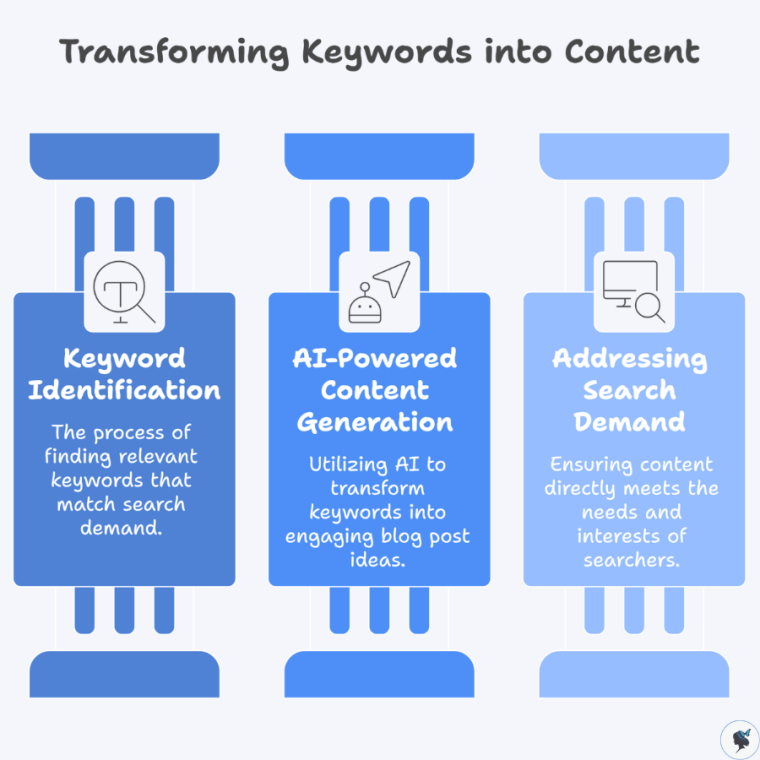
6. Turn Keywords Into Content Ideas

Once you have a keyword list, AI can help transform those keywords into blog topics.

infograph: Transforming keywords into content
Transforming keywords into content

Example keyword:

home office setup for small spaces

AI-generated ideas may include:

  • 10 Home Office Setup Ideas for Small Spaces
  • Budget-Friendly Home Office Setup Guide
  • How to Create a Productive Workspace in a Small Apartment

This ensures your content directly addresses real search demand.


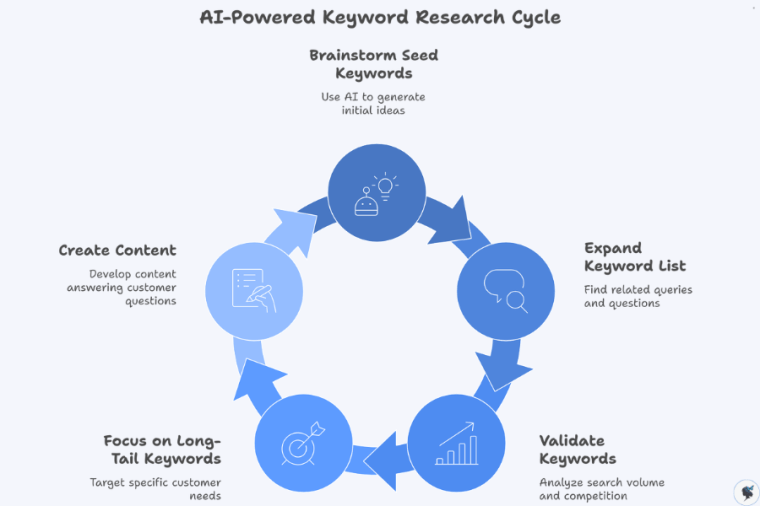
Actionable Steps to Start Using AI for Keyword Research

AI tools have made keyword research easier, faster, and more accessible than ever before.

infograph: AI-powered keyword research cycle
AI-powered keyword research cycle

Small businesses can start benefiting from AI-powered keyword research today with just a few simple steps.

Step 1: Brainstorm seed keywords

Use AI tools to generate a list of keyword ideas related to your business.

Step 2: Expand your keyword list

Use Google Autocomplete and AnswerThePublic to find related search queries and questions.

Step 3: Validate keywords

Use Google Keyword Planner or Ubersuggest to analyze search volume and competition.

Step 4: Focus on long-tail keywords

Target specific phrases that reflect customer needs and search intent.

Step 5: Create content around those keywords

Develop blog posts, service pages, and FAQs that answer common customer questions.


Final Thoughts

AI is transforming how businesses approach keyword research and SEO.

Instead of relying on guesswork and manual analysis, small businesses can now use AI tools to quickly discover high-value keywords and content opportunities.

By combining AI-powered insights with helpful, relevant content, small businesses can improve their visibility in search results and attract more potential customers online.

The best part is that many of these tools are free or low cost, making them accessible to businesses of any size.

With a little experimentation and the right strategy, AI-powered keyword research can become one of the most powerful tools in your digital marketing toolkit.


SEO for Small Business: The Ultimate Beginner’s Guide

▶ Table of Contents
  1. Introduction: Why SEO Matters for Small Businesses
  2. Understanding SEO Basics
  3. Keyword Research: Finding What Customers Search For
  4. On-Page SEO: Optimizing Your Website Content
  5. Technical SEO Fundamentals
  6. Off-Page SEO: Building Authority and Trust
  7. Local SEO: Essential for Small Businesses
  8. Content Marketing and SEO
  9. Measuring SEO Success
  10. Essential SEO Tools
  11. Common SEO Mistakes Small Businesses Should Avoid
  12. SEO Trends Small Businesses Should Watch

Introduction: Why SEO Matters for Small Businesses

If you run a small business, you probably want more customers to find you online. One of the most effective ways to achieve that is through Search Engine Optimization (SEO).

SEO is the process of improving your website so that it appears higher in search engine results when people search for products or services related to your business. For example, if someone searches for “best bakery near me,” SEO helps ensure your bakery appears among the results.

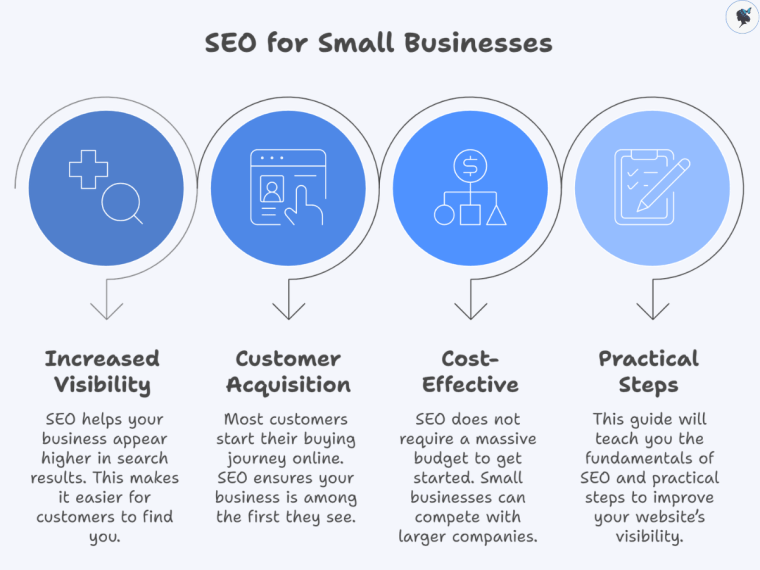
SEO is incredibly important for small businesses because most customers start their buying journey online. Research shows that organic search drives more than 50% of website traffic, making it one of the largest sources of visitors for businesses online.

infograph: SEO for small businesses
SEO for small businesses

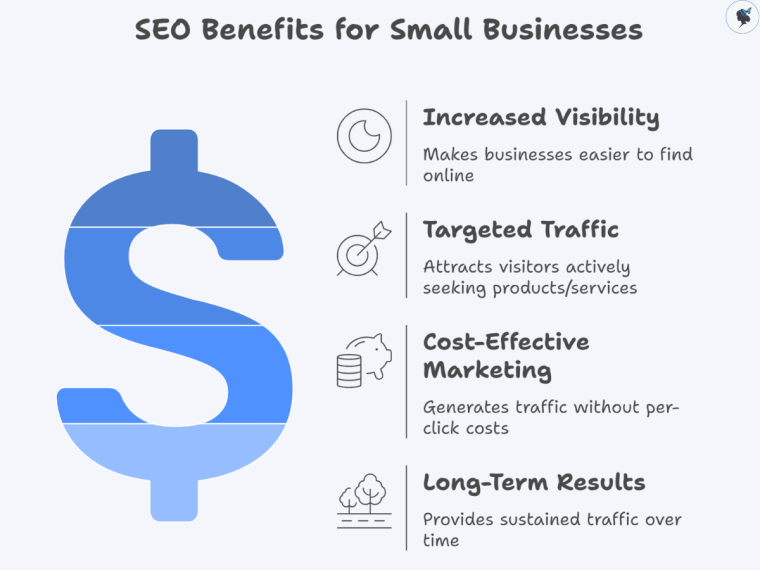
The good news is that SEO does not require a massive budget to get started. With the right strategies and consistent effort, small businesses can compete with larger companies in search results.

In this guide, you’ll learn the fundamentals of SEO and practical steps to improve your website’s visibility.


Understanding SEO Basics

What Is SEO?

Search Engine Optimization (SEO) refers to the process of improving a website’s visibility in search engines like Google. The goal is to attract organic (unpaid) traffic from people who are searching for information, products, or services.

infograph: SEO optimization pyramid
SEO optimization pyramid

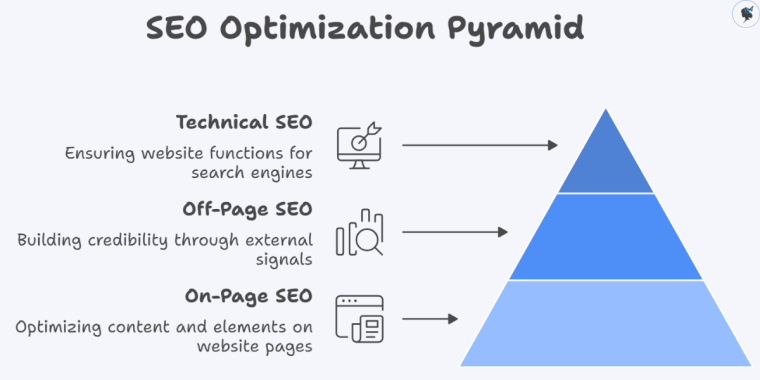
SEO typically consists of three main components:

On-page SEO
Optimizing the content and elements on your website pages.

Off-page SEO
Building credibility and authority through external signals such as backlinks.

Technical SEO
Ensuring your website functions properly so search engines can crawl and index it.

When these three components work together, search engines can better understand your website and rank it higher for relevant searches.


How do Search Engines Work?

infograph: How search engines process websites
How search engines process websites

Search engines follow three main steps when processing websites:

Crawling

Search engines use automated programs called crawlers or spiders to scan the internet and discover new or updated pages.

Indexing

Once a page is discovered, it is stored in a large database called an index. This index contains billions of webpages.

Ranking

When a user performs a search, the search engine analyzes its index and displays the most relevant pages based on hundreds of ranking factors.

These factors include content relevance, page quality, user experience, and website authority.

More about crawlability and indexing here.


Why Does SEO Benefit Small Businesses?

infograph: SEO benefits for small businesses
SEO benefits for small businesses

SEO provides several advantages for small businesses:

Increased visibility
Your business becomes easier to find online.

Targeted traffic
Visitors coming from search engines are actively looking for your products or services.

Cost-effective marketing
Unlike paid advertising, organic traffic does not require paying for each click.

Long-term results
SEO improvements can continue generating traffic for months or years.

For small businesses with limited marketing budgets, SEO can be one of the most powerful growth strategies available.


Keyword Research: Finding What Customers Search For

What Are Keywords?

Keywords are the words and phrases people type into search engines.

For example:

  • “affordable wedding photographer”
  • “best coffee shop near me”
  • “how to fix a leaking faucet”

By identifying the keywords your customers are searching for, you can create content that directly answers their questions.


Types of Keywords

infograph: Which type of keywords should I focus on for SEO?
Which type of keywords should I focus on for SEO?

Short-tail keywords

These are broad search terms with high search volume.

Example: “coffee shop”

Long-tail keywords

These are longer and more specific search phrases.

Example: “best coffee shop for remote work in Madrid”

Long-tail keywords are often easier for small businesses to rank for.

More about long-tail keywords here.

Local keywords

These include geographic locations.

Example: “plumber in Barcelona”

Local keywords are especially important for businesses serving specific areas.

More about location-based keywords here.


Why Does Keyword Research Matter?

Keyword research helps you:

  • Understand what customers are searching for
  • Discover new content opportunities
  • Target topics with realistic competition
  • Attract the right audience

Without keyword research, businesses may create content that nobody is searching for.


Tools for Keyword Research

Several tools can help identify valuable keywords:

  • Google Keyword Planner
  • Ubersuggest
  • Semrush
  • Ahrefs
  • AnswerThePublic

Many of these tools provide information about search volume, competition, and related keywords.


A Simple Keyword Research Process

infograph: How to conduct keyword research for content creation?
How to conduct keyword research for content creation?
  1. Brainstorm questions customers might ask.
  2. Enter those ideas into a keyword research tool.
  3. Look for keywords with reasonable search volume and lower competition.
  4. Create content targeting those keywords.

On-Page SEO: Optimizing Your Website Content

What Is On-Page SEO?

On-page SEO involves optimizing elements directly on your website to help search engines understand your content.

It also improves user experience, making your site easier for visitors to navigate.

infograph: On-page SEO elements
On-page SEO elements

Key On-Page SEO Elements

Title Tags

The title tag is the clickable headline shown in search results.

Example: SEO Tips for Small Businesses | Beginner Guide

Title tags should include your main keyword and be under about 60 characters.


Meta Descriptions

The meta description is a short summary that appears under the title in search results.

It should clearly explain what the page is about and encourage users to click.

More about meta descriptions here.


Header Tags (H1, H2, H3)

Headers organize your content and improve readability.

Example structure:

H1: Main page title
H2: Main sections
H3: Subtopics


Image Alt Text

Alt text describes images for search engines and visually impaired users.

Example: “fresh baked croissants in bakery display case”

More about image optimization and alt text here.


URL Structure

Clean URLs help search engines understand your content.

Example: yourwebsite.com/seo-for-small-business


Internal links connect pages within your website.

They help search engines discover content and guide visitors to related pages.

More about internal linking here.


Content Optimization Best Practices

To improve rankings:

  • Write clear, helpful content
  • Include keywords naturally
  • Use headings to organize information
  • Answer common customer questions
  • Provide original insights

High-quality content is one of the most important ranking factors.


Technical SEO Fundamentals

Technical SEO ensures your website functions properly for both users and search engines.

While it may sound complex, beginners should focus on a few key factors.

infograph: Technical SEO foundations
Technical SEO foundations

Site Speed

Page loading speed affects both user experience and rankings.

Studies show that 53% of users leave a site that takes longer than three seconds to load.

Ways to improve speed include:

  • Compressing images
  • Using reliable web hosting
  • Minimizing unnecessary plugins

More about website speed here.


Mobile Optimization

More than half of web traffic comes from mobile devices. Because of this, search engines prioritize mobile-friendly websites.

Ensure your website:

  • Adjusts to different screen sizes
  • Has readable text on mobile
  • Loads quickly on smartphones

Website Security

Secure websites use HTTPS encryption.

Search engines prioritize secure sites, and users are more likely to trust them.

More about implementing website security here.


XML Sitemaps

A sitemap helps search engines understand your website structure and find important pages more easily.

Most website platforms generate sitemaps automatically.


Off-Page SEO: Building Authority and Trust

What Is Off-Page SEO?

Off-page SEO refers to actions taken outside your website that improve search rankings.

The most important off-page factor is backlinks.


Backlinks are links from other websites pointing to your site.

Search engines view backlinks as signals of credibility and authority.

If reputable websites link to your content, search engines are more likely to trust your site.


infograph: Building backlink authority
Building backlink authority

Small businesses can build backlinks through:

Guest blogging
Writing articles for other websites.

Local directories
Listing your business in relevant directories.

Partnerships
Collaborating with other local businesses.

Content marketing
Creating valuable resources others want to reference.

Quality matters more than quantity when it comes to backlinks.

Read our post: link-building strategies.


Local SEO: Essential for Small Businesses

For businesses serving specific geographic areas, local SEO is critical.

Nearly 46% of all searches have local intent.


What Is Local SEO?

Local SEO helps businesses appear in location-based searches like:

  • “restaurants near me”
  • “dentist in Málaga”
  • “best yoga studio nearby”

infograph: Achieving local SEO success
Achieving local SEO success

Optimizing Your Google Business Profile

A Google Business Profile helps your business appear in local search results and Google Maps.

Important steps include:

  • Adding accurate business information
  • Uploading photos
  • Listing services
  • Responding to reviews

Maintain Consistent Business Information

Ensure your business Name, Address, and Phone Number (NAP) are consistent across all directories.

Consistency improves search engine trust.


Encourage Customer Reviews

Positive reviews improve both credibility and local rankings.

Ask satisfied customers to leave honest feedback.

Read our related post: Local SEO strategies.


Content Marketing and SEO

Content marketing plays a major role in SEO success.

By creating helpful content, businesses can attract visitors and build authority.


Types of SEO Content

Examples include:

  • Blog posts
  • How-to guides
  • FAQs
  • Product pages
  • Case studies

Each piece of content should address real customer questions.


Creating Content That Ranks

infograph: How to create effective SEO content?
How to create effective SEO content?

Effective SEO content:

  • Focuses on user intent
  • Provides useful information
  • Uses clear headings
  • Includes visuals and examples
  • Is updated regularly

Consistent publishing helps search engines view your website as an active and valuable resource.

Read our comprehensive guide: mastering search intent.


Measuring SEO Success

SEO is a long-term strategy, so tracking progress is essential.


Key Metrics to Monitor

infograph: SEO performance metrics
SEO performance metrics

Important SEO metrics include:

Organic traffic
The number of visitors arriving from search engines.
Organic traffic shows how many people find your website naturally, and increases here indicate that your SEO efforts are effectively improving visibility.

Keyword rankings
Where your website appears for target keywords.
Monitoring keyword rankings helps you understand which search terms you are visible for and identify opportunities to improve your position in search results.

Click-through rate (CTR)
The percentage of users who click your result.
A high CTR means your title tags and meta descriptions are compelling, which helps drive more traffic even if your ranking doesn’t change.

Bounce rate
The percentage of visitors who leave without interacting.
A high bounce rate can indicate that visitors aren’t finding what they expected, signaling potential issues with content relevance or user experience.

Conversion rate
How many visitors become customers.
Conversion rate measures the actual impact of your SEO traffic on your business goals, showing whether visitors are taking meaningful actions.


Essential SEO Tools

These tools help monitor performance:

  • Google Analytics
  • Google Search Console
  • Semrush
  • Ahrefs
  • Moz

They provide insights into traffic, rankings, and website performance.


Common SEO Mistakes Small Businesses Should Avoid

Many beginners make similar SEO mistakes.

infograph: SEO mistakes and their consequences
SEO mistakes and their consequences

Common ones include:

  • Targeting extremely competitive keywords
  • Ignoring mobile optimization
  • Publishing thin or low-quality content
  • Neglecting local SEO
  • Expecting immediate results

SEO takes time, but consistent improvements can lead to significant growth.


Search engine optimization continues to evolve.

infograph: SEO trends for businesses
SEO trends for businesses

Important trends include:

AI-assisted search
Search engines are becoming better at understanding natural language.

More about generative AI and AI search here.

Voice search growth
Many searches are now performed through voice assistants.

More about voice search optimization here.

Mobile-first indexing
Search engines primarily evaluate the mobile version of websites.

Hyper-local targeting
Local search results are becoming more personalized.

Adapting to these trends will help businesses stay competitive.


Start Small and Grow Your Visibility

SEO may seem complicated at first, but the basics are manageable for any small business.

To recap, successful SEO involves:

  • Conducting keyword research
  • Optimizing website content
  • Improving technical performance
  • Building backlinks
  • Focusing on local search
  • Tracking results over time

The most important step is simply getting started. Small improvements made consistently can significantly increase your online visibility.

With patience and persistence, SEO can become one of the most valuable marketing tools for your business.

Need help? Contact us today!